User Management
This menu manages user information used in BXM Web Admin and BXM Studio.
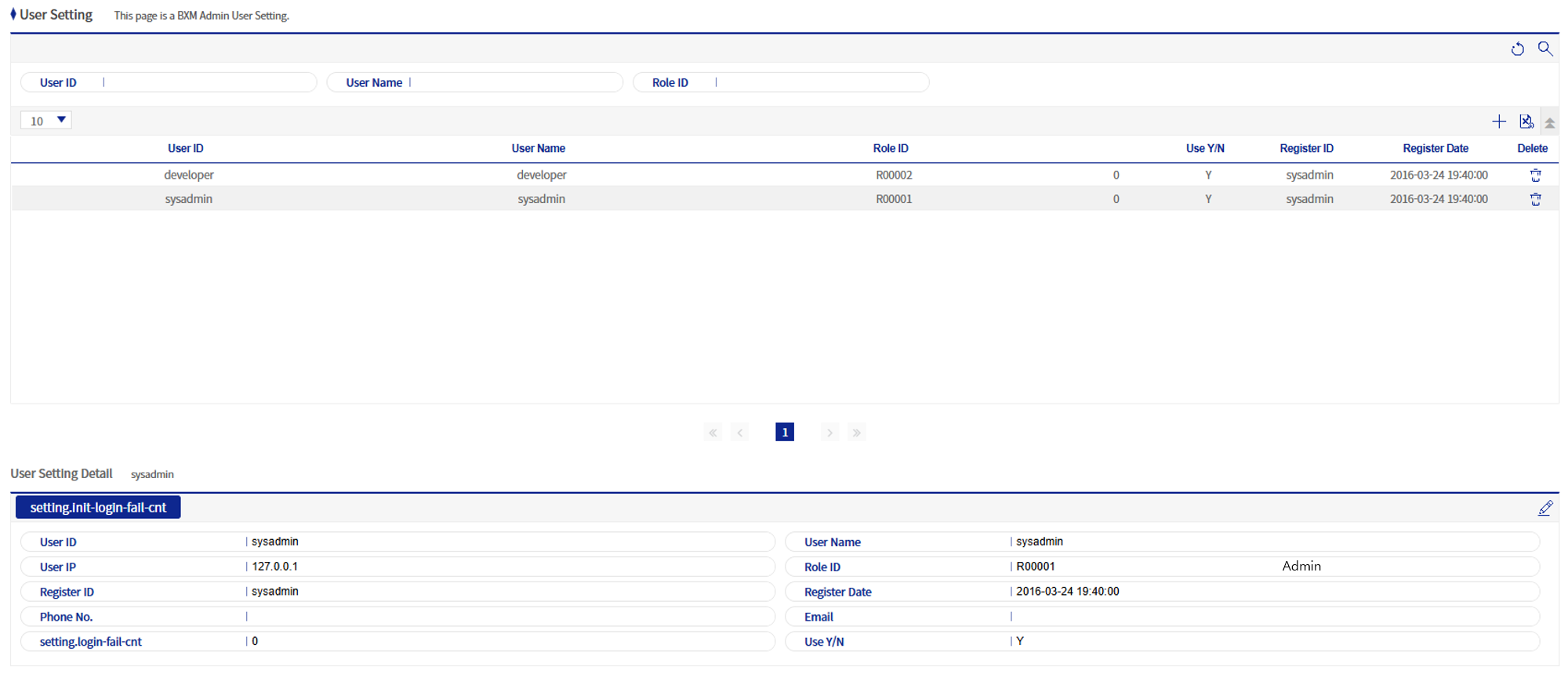
Figure 1. User Management
1. Add/Modify User Popup
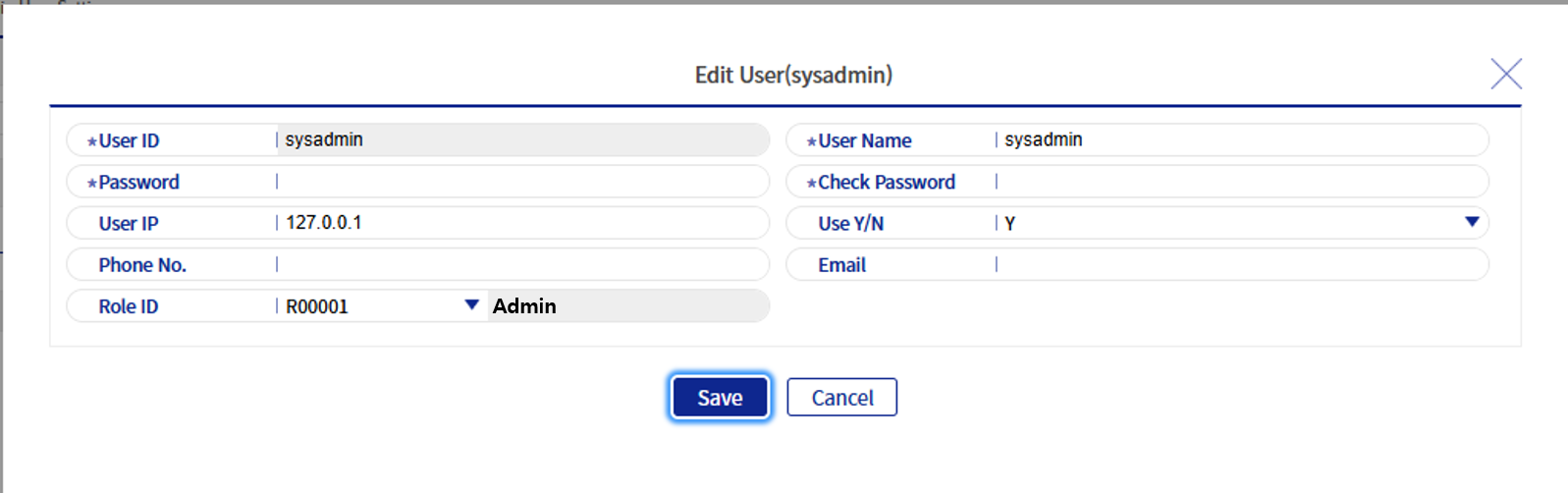
Figure 2. Add/Modify User Popup
Refer to the following table for descriptions of each field.
| Field Name | Description |
|---|---|
User ID |
The user ID used to log in to BXM Web Admin and BXM Studio. |
User Name |
The name of the user. |
Password |
The password used to log in to BXM Web Admin and BXM Studio. |
Confirm Password |
A field to confirm the password set above. |
User IP |
The user’s IP. |
Use Status |
Indicates whether the user is enabled. |
Phone Number |
The user’s phone number. When using the scheduler alarm function, a mobile phone number must be registered to receive text messages. |
The user’s email address. |
|
Role ID |
Sets the user’s role. A user can have only one role. |