Calendar
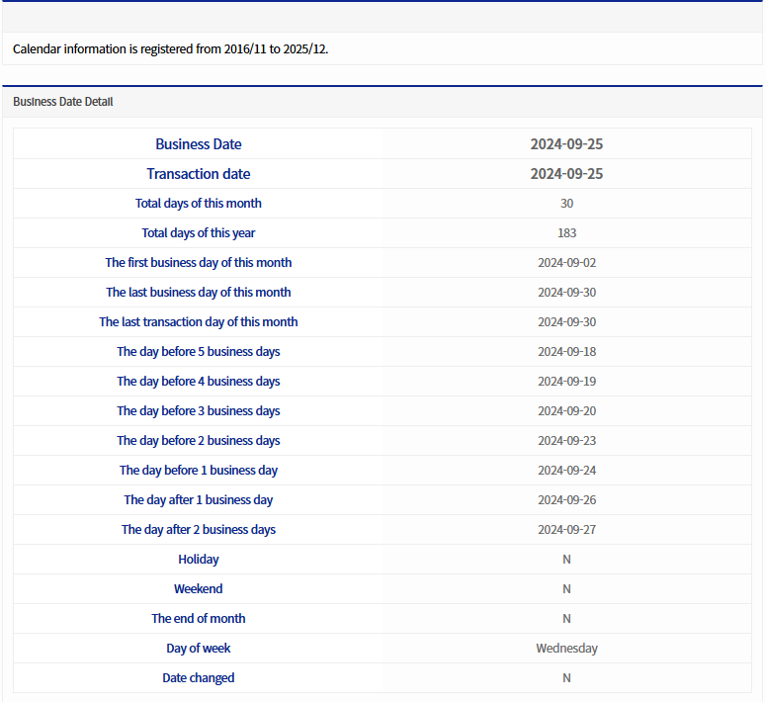
This menu manages calendar information such as business days and holidays used in BXM Web Admin and online.
1. View/Save Calendar Details
The grid below allows you to view detailed information by year and month.
1.1. Detailed view by year and month
When you select a year and month from the select box, the calendar information that matches the conditions is displayed in the grid below. At this time, there are two possible states.
-
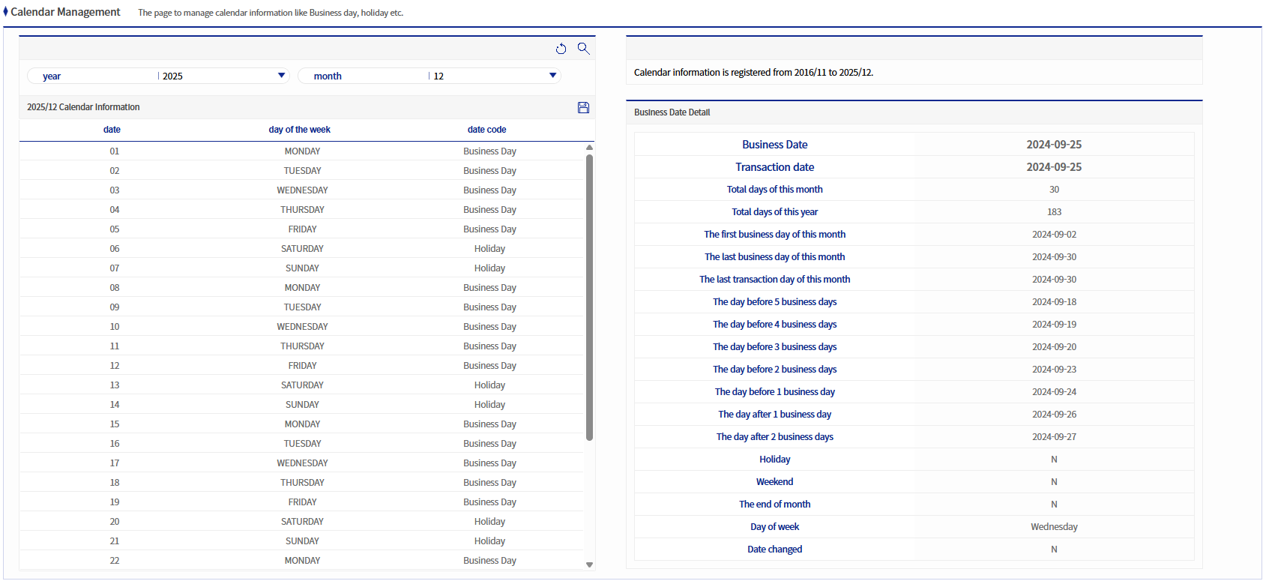
When date information exists in the calendar table (BXM_CAL)
A screen like the one below appears. The calendar information for the search condition of December 2016 exists in BXM_CAL, and this can be confirmed by the phrase "Calendar information for December 2016".
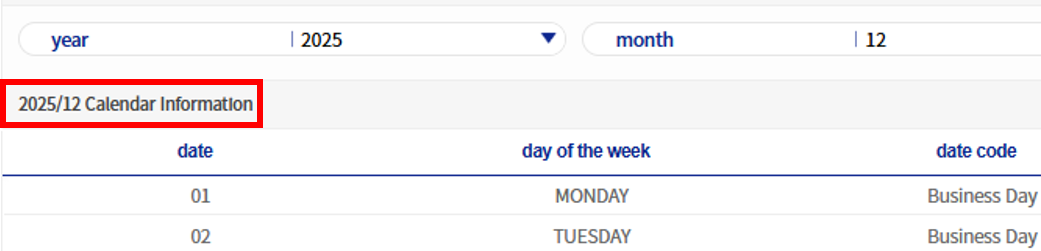 Figure 3. When date information exists in the calendar table (BXM_CAL)
 -
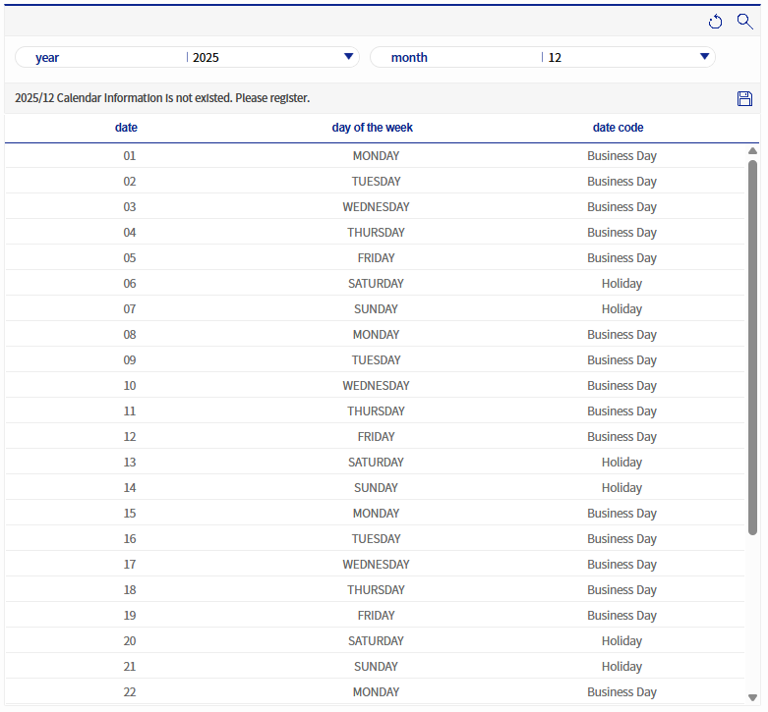
When date information does not exist in the calendar table (BXM_CAL)
A screen like the one below appears. The calendar information for the search condition of April 2017 does not exist in BXM_CAL, and this can be confirmed by the phrase "Calendar information for April 2017 does not exist. Please register it."
 Figure 4. When date information does not exist in the calendar table (BXM_CAL)
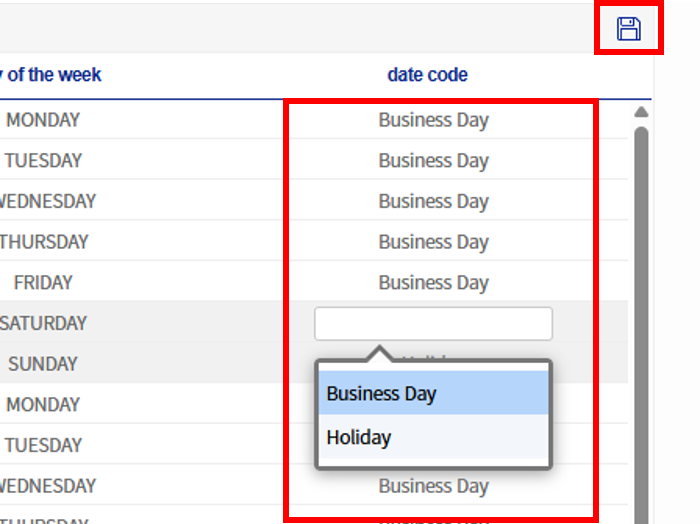
If information does not exist in the calendar table (BXM_CAL), a warning popup like the one below is displayed and registration is recommended.
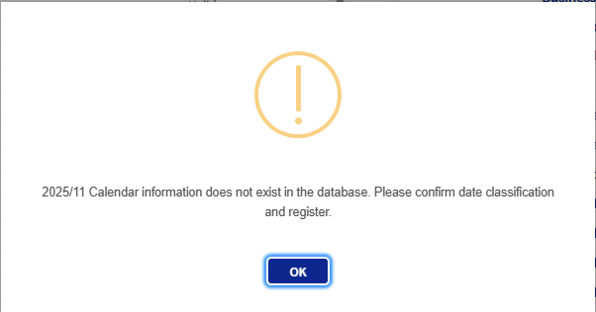 Figure 5. Warning popup when date information does not exist in the calendar table (BXM_CAL)