Menu Management
This menu is used to manage the menus of BXM Web Admin. Adding or deleting menus is not allowed; only minor modifications such as menu names and usage status are possible.
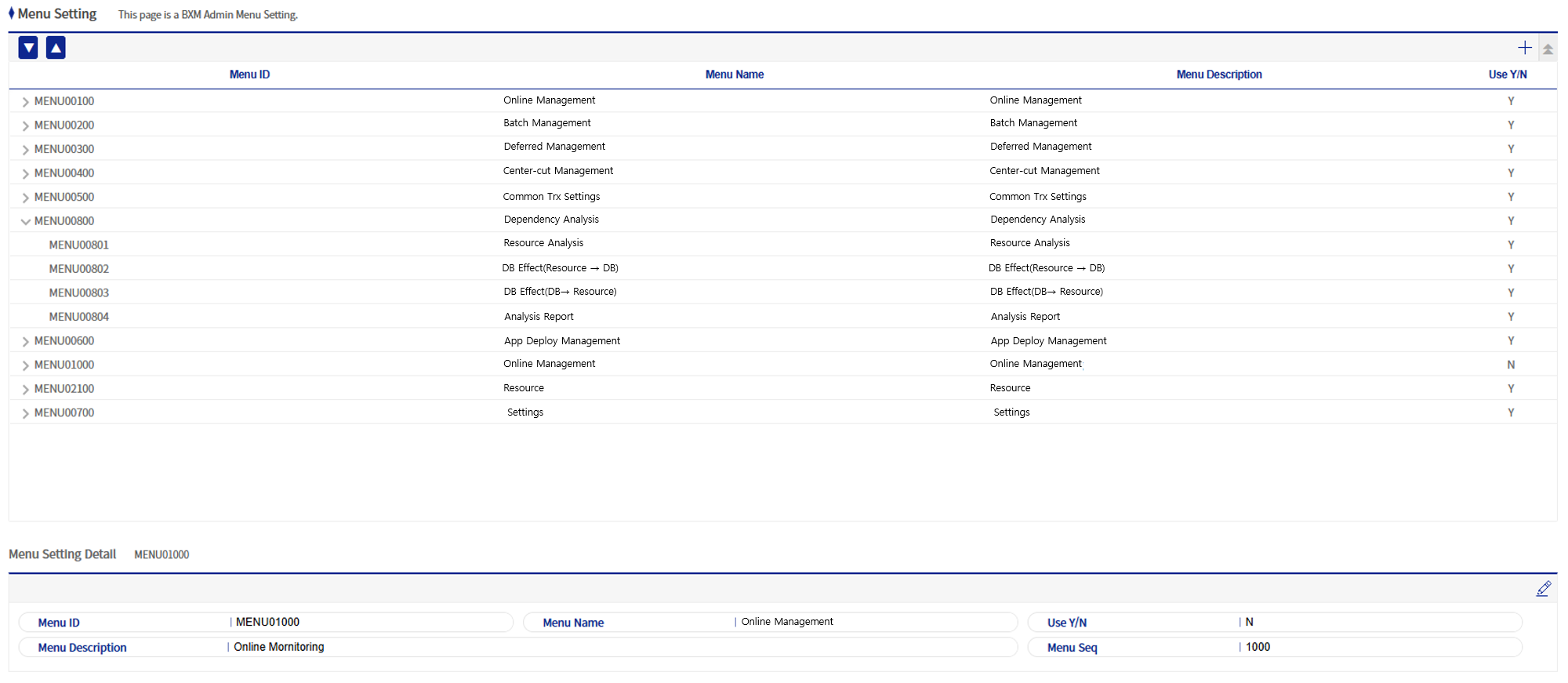
Figure 1. Menu Management
1. Menu Edit Popup
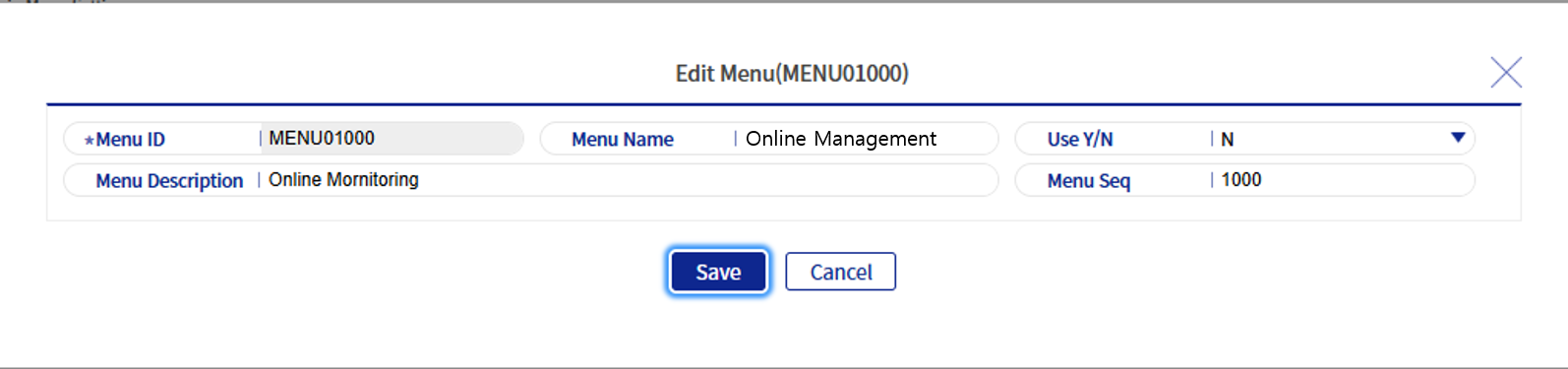
Figure 2. Menu Edit Popup
Refer to the following table for a description of each field.
| Field Name | Description |
|---|---|
Menu ID |
The unique ID of the menu. |
Menu Name |
The name of the menu that will be displayed on the screen. |
Usage Status |
Indicates whether the menu will be used. |
Menu Description |
The description of the menu. |