Admin Settings
This menu manages the settings used in BXM Web Admin and online.
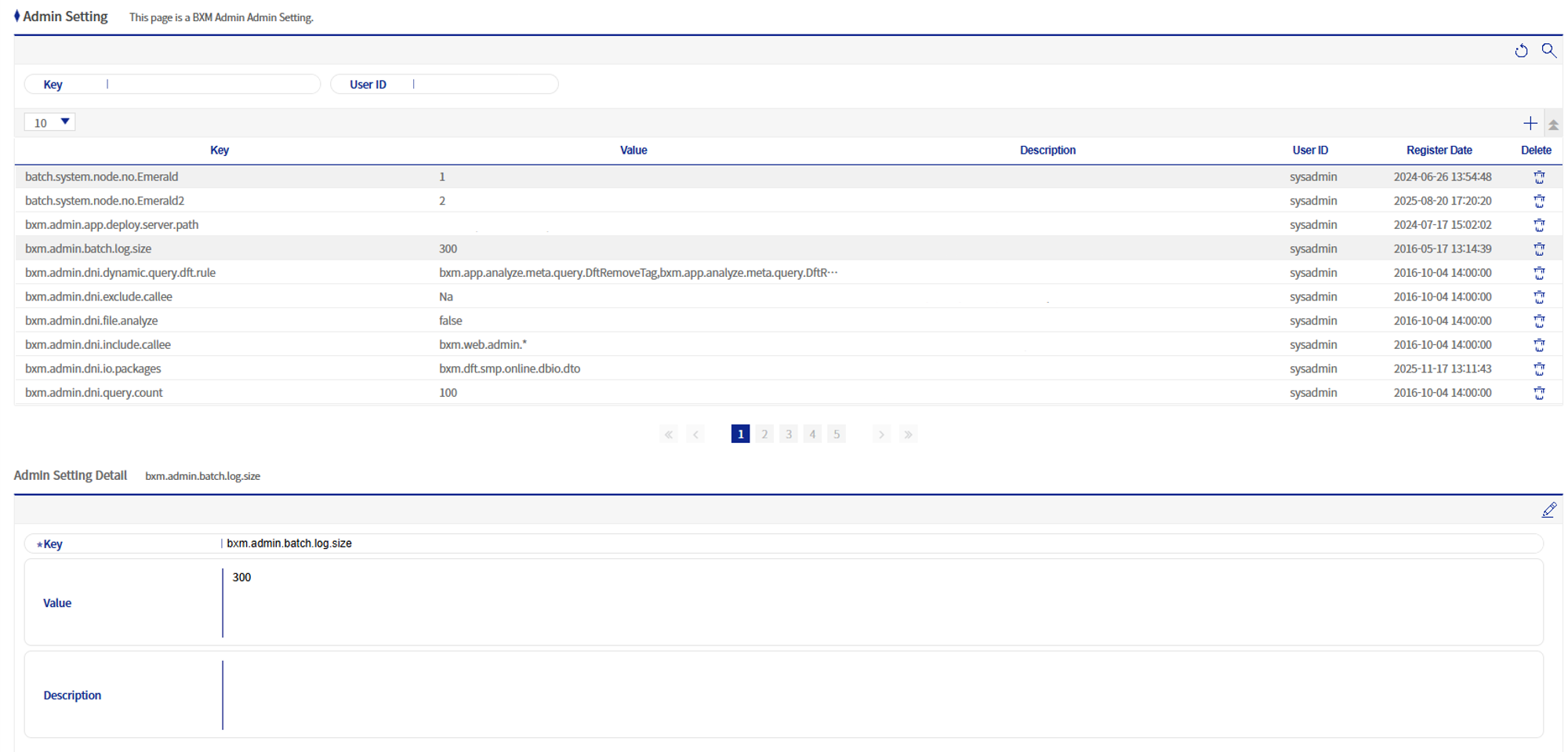
Figure 1. Admin Settings
1. Admin Settings Add/Modify Popup
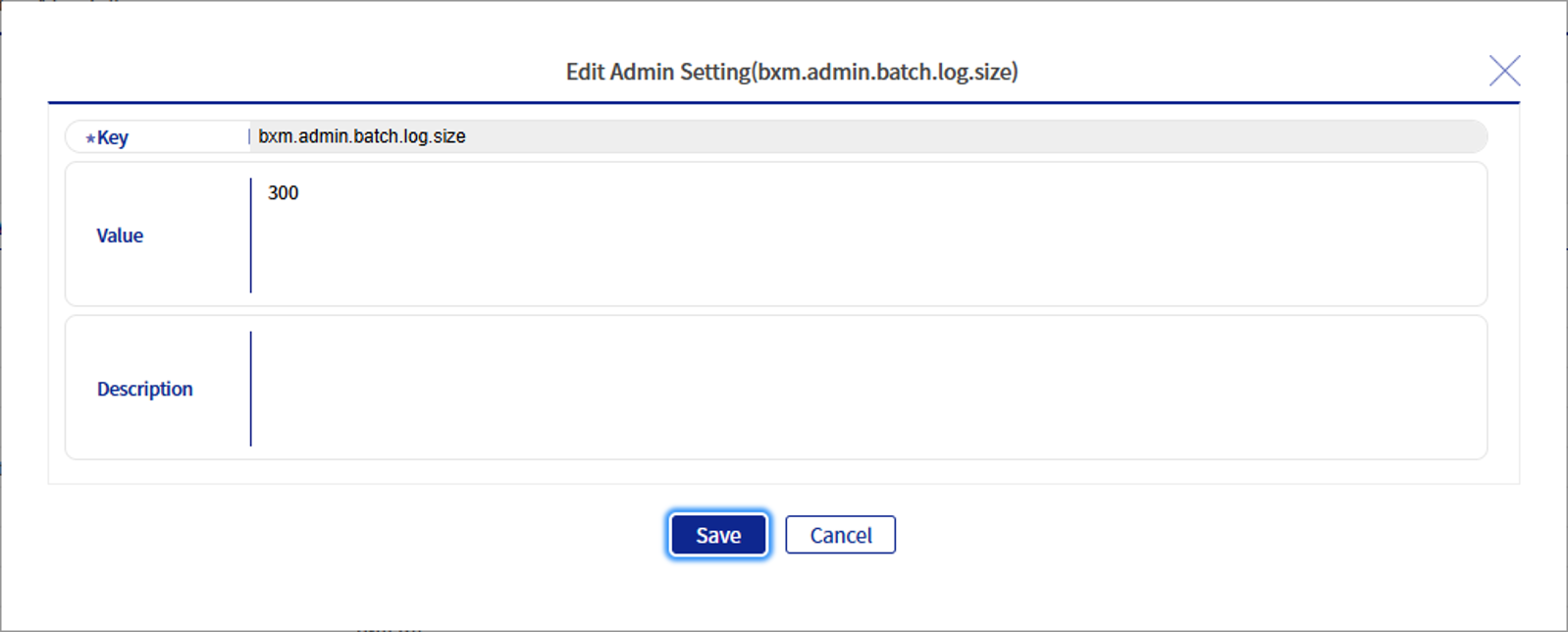
Figure 2. Admin Settings Add/Modify Popup
Refer to the following table for a description of each field.
| Field Name | Description |
|---|---|
Key |
The key of the setting. It must be a unique value. |
Value |
Enter the value of the setting. Up to 4000 bytes can be entered. |
Description |
The description of the setting. Up to 512 bytes can be entered. |