Deferred Process Job Management
This screen manages deferred process job information.
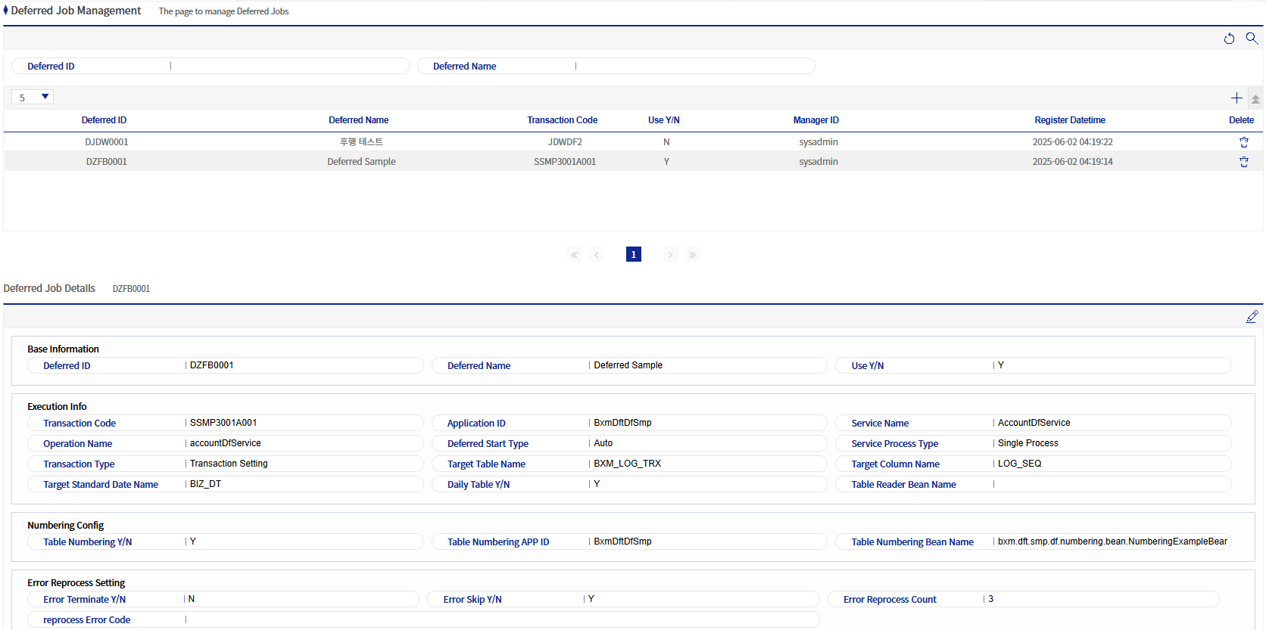
1. Deferred Process Job Management Grid Area
Each registered deferred process information is displayed. On the right side, there are Delete and Add buttons.

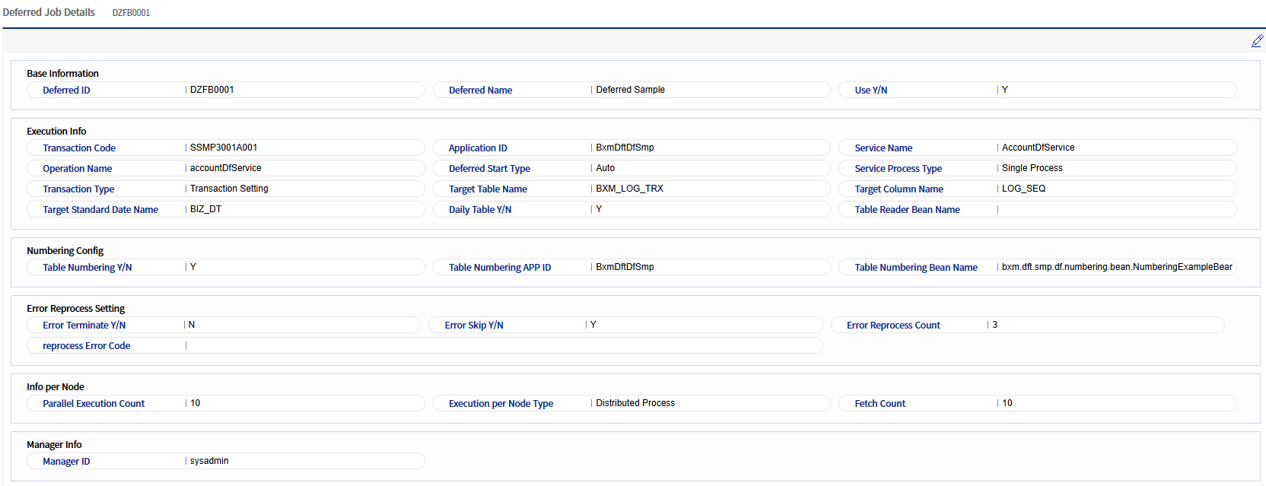
2. Deferred Process Job Details
Displays detailed information on the deferred process job.
3. Deferred Process Job Add/Modify Popup
This popup allows you to add/modify deferred process jobs.
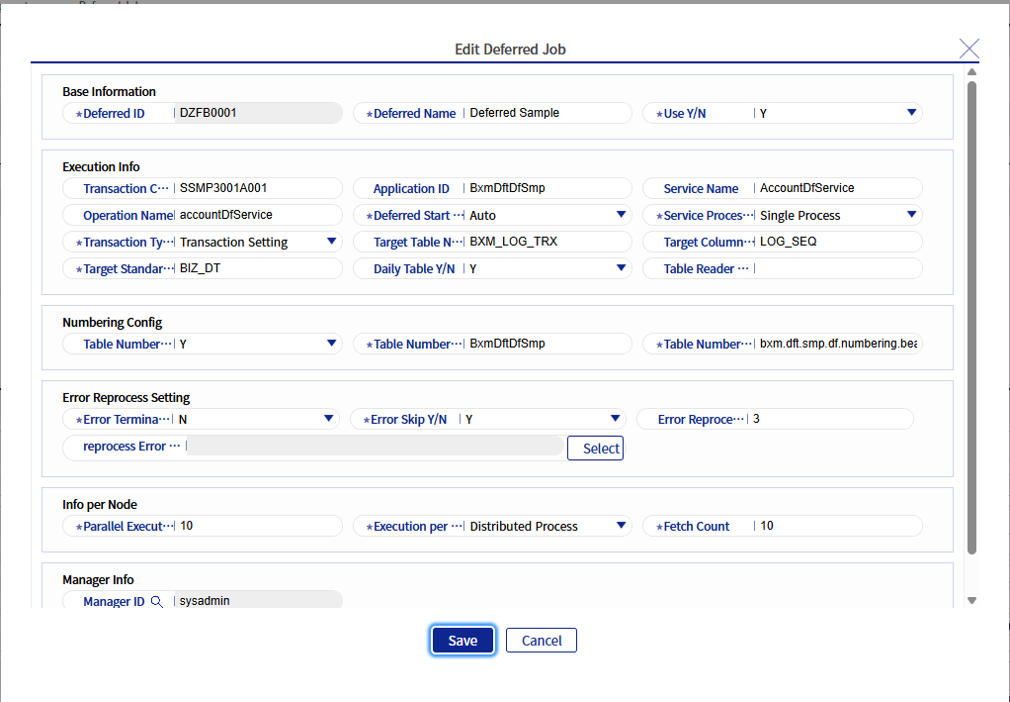
Refer to the following table for descriptions of each field.
| Field Name | Description |
|---|---|
Deferred Process ID |
ID that can identify the deferred process job. |
Deferred Process Name |
Name of the deferred process job. |
Usage Status |
Indicates whether the deferred process job is used. |
Transaction Code |
Transaction code of the deferred process service. |
Application ID |
Application ID where the deferred process service is executed. |
Service Name |
Name of the deferred process service. |
Operation Name |
Operation name of the deferred process service. |
Deferred Process Start Type |
Code to determine whether the deferred process is started automatically or manually. For details, refer to BXM_Deferred_Processor_Customizing_Guide 3.2.11. |
Execution Cycle (seconds) |
If Deferred Processor queries the target table serial numbers and there is no target record, it waits for the execution cycle in seconds and then terminates. |
Transaction Settings |
Sets transactions for the deferred process service. For details on transactions, refer to BXM_Deferred_Processor_Customizing_Guide 3.7 Deferred Process Service Transaction Processing. |
Target Table Name |
Name of the table from which serial numbers are queried in the deferred process service. |
Target Column Name |
Name for the serial number used in the deferred process service. Serial number name = target column name. |
Target Standard Date Name |
Name of the standard date in the target table. Example) BIZ_DT |
Daily Table Usage |
Column that determines whether the deferred process target table is composed as a daily partition. Example) When table name: APTABLE, Daily Table Usage: Y, the operating date: 20160509 - APTABLE_01 |
Delay Cycle (seconds) |
Column used to query the target table after a certain period of time. For details, refer to BXM_Deferred_Processor_Customizing_Guide 3.2.15. |
Table Numbering APP ID |
BXM_APP_ID from which to get the numbering bean. |
Table Numbering Bean Name |
Column that defines the target table numbering bean name. |
Table Numbering Usage |
FLAG value that defines whether to use the target table numbering bean. |
Error Stop Verification |
FLAG indicating whether to stop deferred processing or continue deferred processing when an error occurs in the deferred process service. |
Error Skip Usage |
FLAG that determines whether to repeatedly reprocess the execution information where an error occurred, or SKIP and proceed when an error occurs in the deferred process service. |
Error Reprocessing Count |
Defines the number of error reprocessing attempts. |
Reprocessable Error Code |
Only registered error codes are reprocessed. |
Parallel Execution Count |
Column that defines the maximum number of executions for Deferred Processor and Deferred Error Processor. |
Node Execution Type |
FLAG that determines whether to process the deferred process on a single node or perform Distributed Processing. |
Fetch Count |
Number of serial numbers queried from the target table. |