Data Source
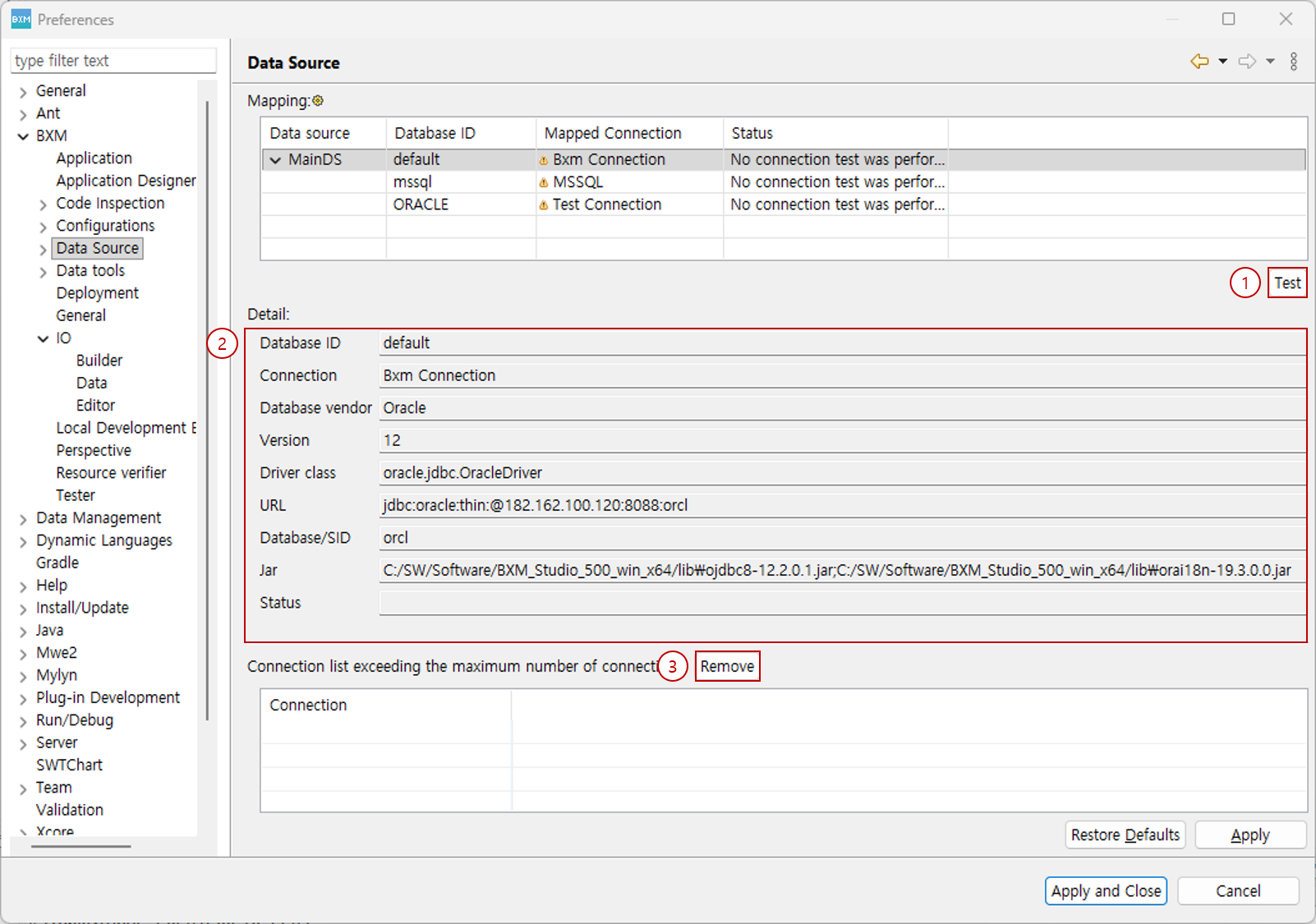
You can check information about connections linked to data sources used in the application.
-
Test: You can test the status of the selected connection. If the test succeeds, the Status changes to Success.
-
Detail: You can check detailed information of the selected connection.
-
Connection list exceeding the maximum number of connection: If there is a continuous attempt to connect to connections that have problems, such as incorrect connection information or issues with the database server, it may cause problems in using the functions of the development tool that uses the connections. In this case, connections that exceed the specified maximum connection count can be managed separately so that they are not used. To use a connection again after its connection problem has been resolved, click the Remove button to initialize the list of connections that exceed the maximum connection count.