Multiple-row Select
A general Select statement returns 0 to N rows as the query result. If N exceeds the value configured in the online server, an error occurs.
1. Format
Specify the output type of the DBIO and check [List].

Figure 1. Multiple-row Select format
2. Development and considerations
The result of the list query is returned as the java.lang.List type. If there is no data, the size of the list is 0.
3. DBIO sample
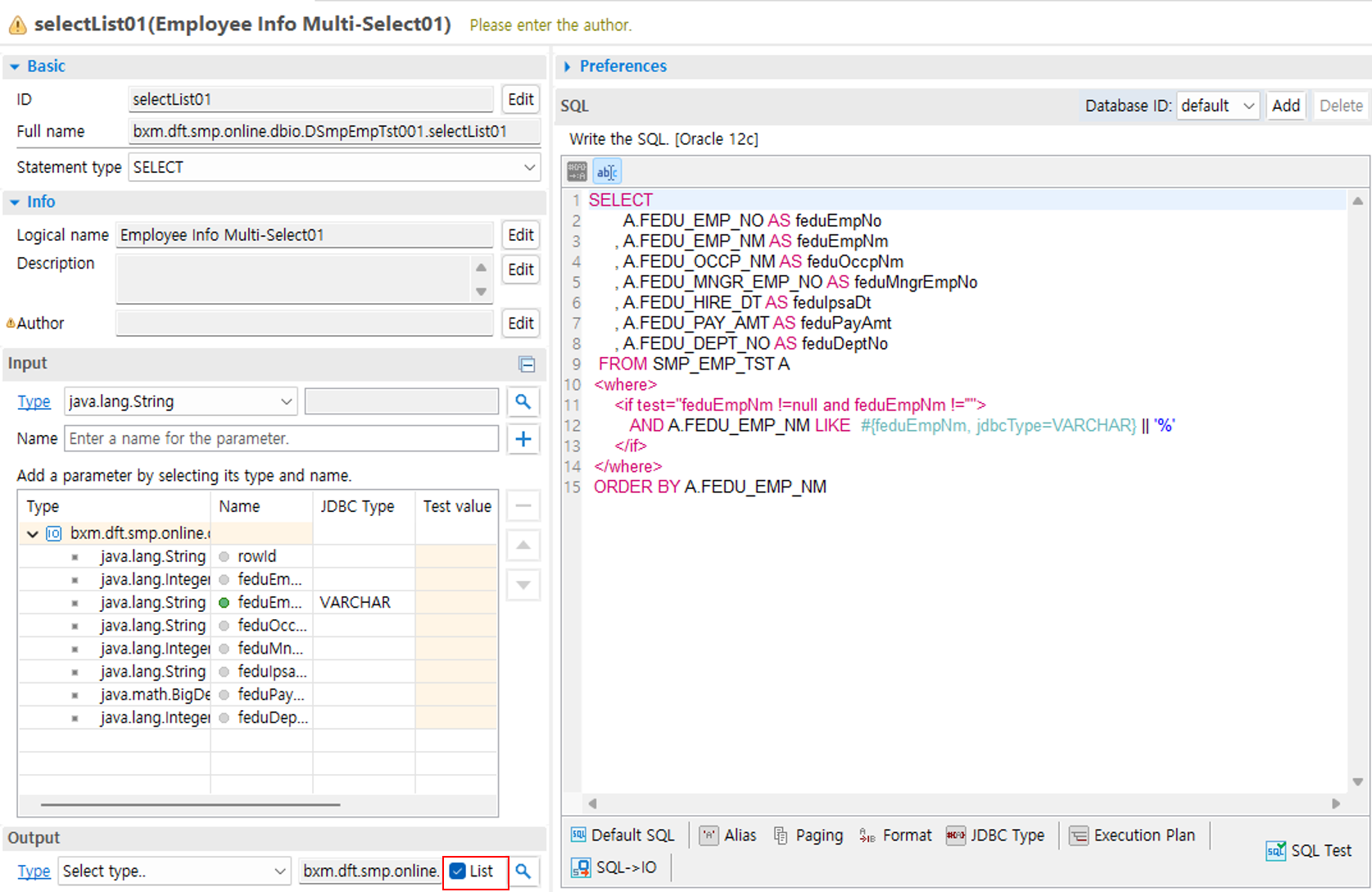
Figure 2. Multiple-row Select DBIO screen
The input/output IO reused the DSmpEmpTst000Dto IO that was used when creating the single-row query service. The following is the SQL statement used in the sample.
SELECT
       A.FEDU_EMP_NO AS feduEmpNo
     , A.FEDU_EMP_NM AS feduEmpNm
     , A.FEDU_OCCP_NM AS feduOccpNm
     , A.FEDU_MNGR_EMP_NO AS feduMngrEmpNo
     , A.FEDU_HIRE_DT AS feduHireDt
     , A.FEDU_PAY_AMT AS feduPayAmt
     , A.FEDU_DEPT_NO AS feduDeptNo
  FROM SMP_EMP_TST A
 <where>
	 <if test="feduEmpNm !=null and feduEmpNm !=''">
	 	AND A.FEDU_EMP_NM LIKE  #{feduEmpNm} || '%'
	 </if>
 </where>
 ORDER BY A.FEDU_EMP_NM
4. Bean sample
@BxmCategory(logicalName = "Single Select")
public DSmpEmpTst000Dto getEmpInf(DSmpEmpTst000Dto input) throws DefaultApplicationException {

		logger.debug("============== START ==============");
		logger.debug("input = {}", input);

		// Create Dbio
		dSmpEmpTst001 = DefaultApplicationContext.getBean(dSmpEmpTst001, DSmpEmpTst001.class);

		List<DSmpEmpTst000Dto> output = null;

		// Call Dbio
		output = dSmpEmpTst001.selectList01(input);

		if(output.isEmpty()) {
			// When no data is retrieved
		}

		for(DSmpEmpTst000Dto data : output) {
			// Process retrieved data
		}

		logger.debug("output = {}", output);
		logger.debug("============== END ==============");

		return output;
	}
}