Deferred Process Execution History Inquiry
This screen is used to inquire deferred process execution history.
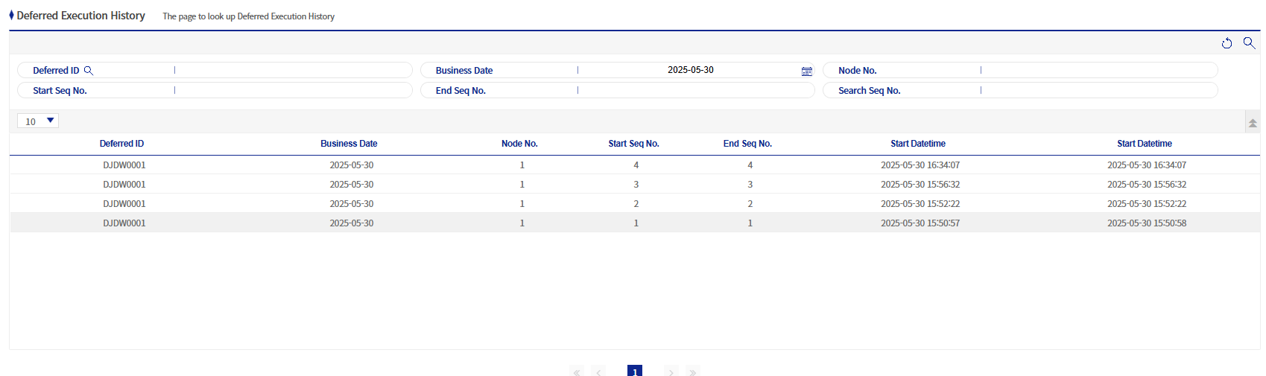
1. Search Area

-
The search conditions are deferred process ID, the operating date, node number, start serial number, end serial number, and search serial number.
-
When the start serial number and end serial number are entered as conditions, the search is performed with a Between condition.
Example) If the start serial number is 5 and the end serial number is 100, serial numbers between 5 and 100 are searched. -
The search serial number is a search condition that inquires the start serial number and end serial number that include the relevant serial number.
Example) If you search with the search serial number 50, execution history information with start serial number 1 and end serial number 100 is inquired.
-
