Settings
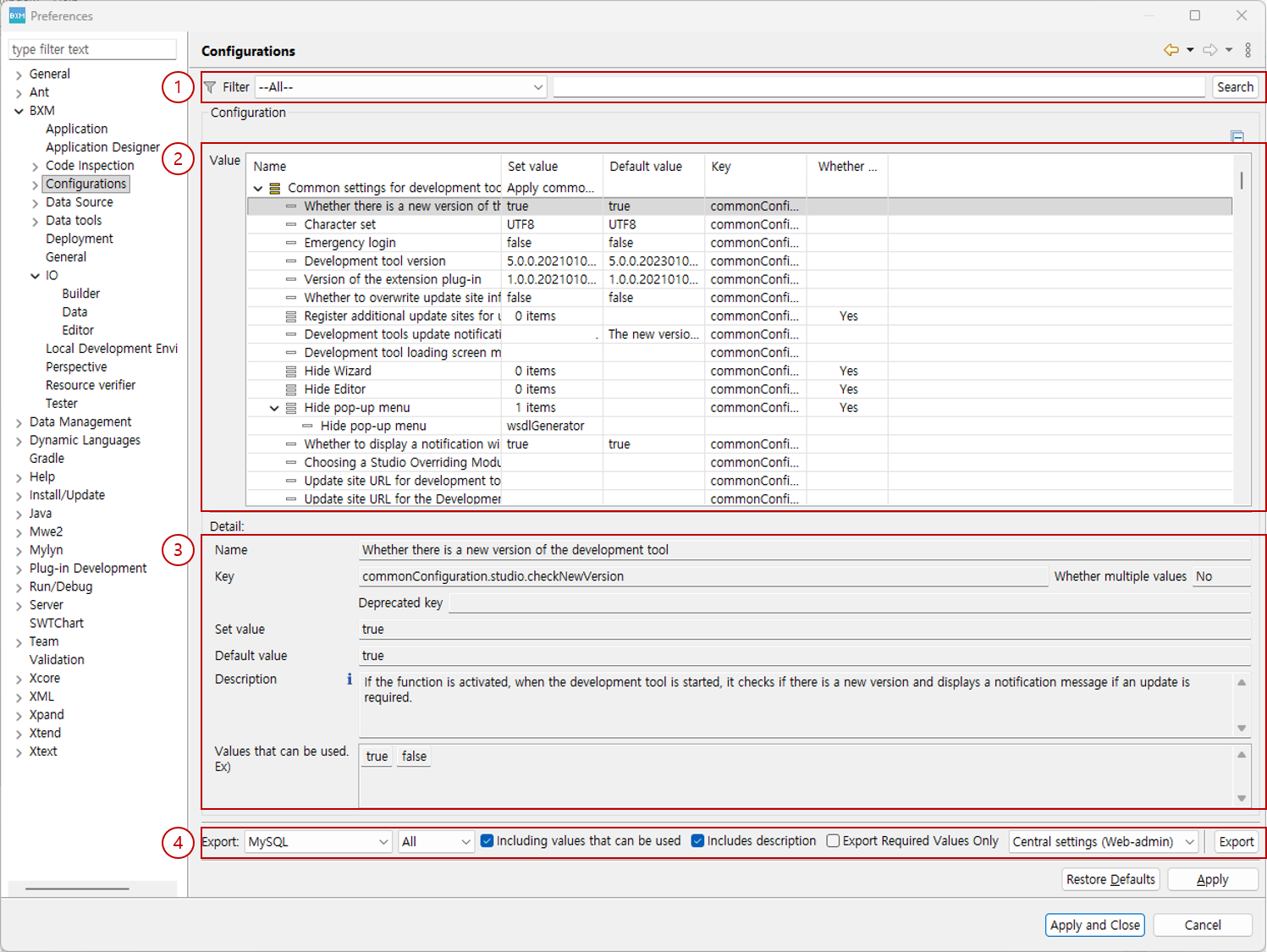
You can check the configuration information that can be applied to the development tools.
-
Filter: You can search for configuration information by the name or key of a setting.
-
Configuration: You can check the available configuration information.
-
Detail: You can check the detailed contents of the selected configuration information.
-
Export: You can export configuration information as an SQL
INSERTstatement or to a file.
1. Preferences
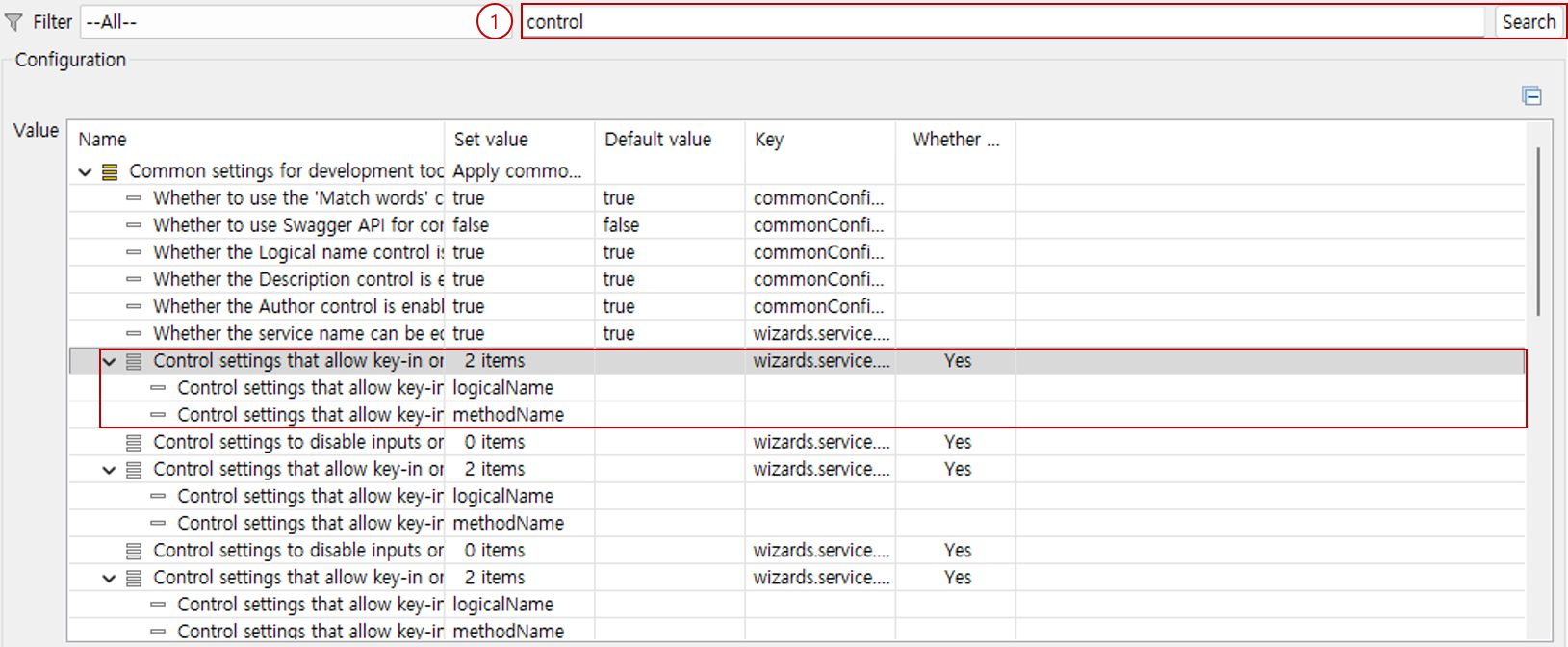
You can check the available configuration information.
-
You can search by entering the name or key in the filter. If an empty value is entered, all settings are displayed in the list.
2. Detail
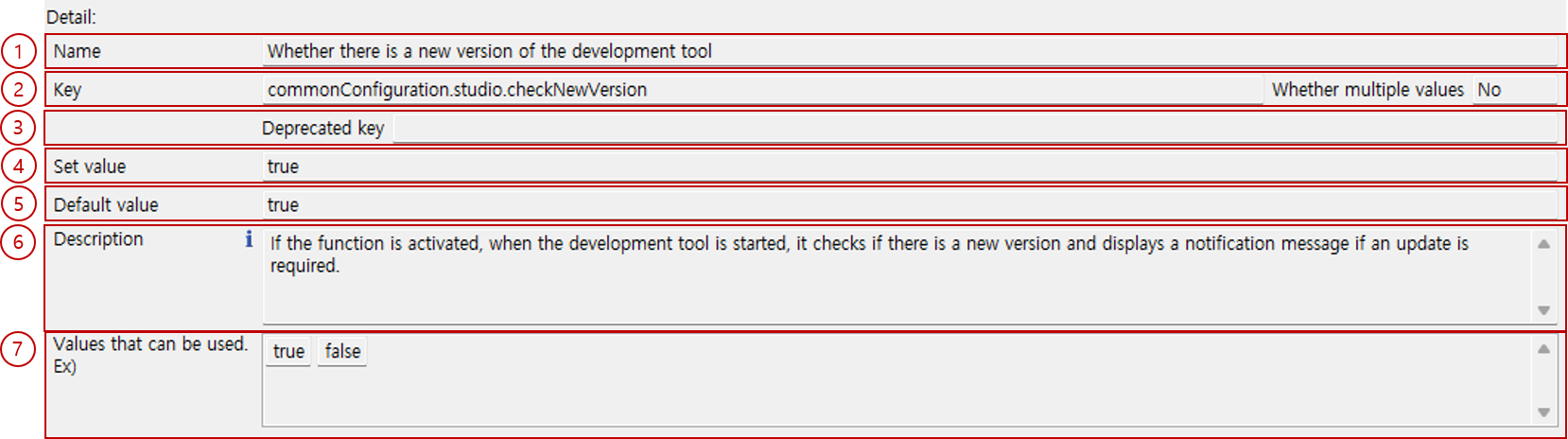
You can check the detailed contents of a setting.
-
Name: You can check the name of the setting.
-
Key: You can check the key of the setting.
-
Whether multiple values: Indicates whether multiple values can be entered for the setting.
-
Set value: You can check the configured value. If it is not registered in the central configuration, the default value is displayed.
-
Default value: You can check the default value of the setting.
-
Description: You can check the description of the setting.
-
Values that can be used: You can check example values that can be applied to the setting.
3. Export
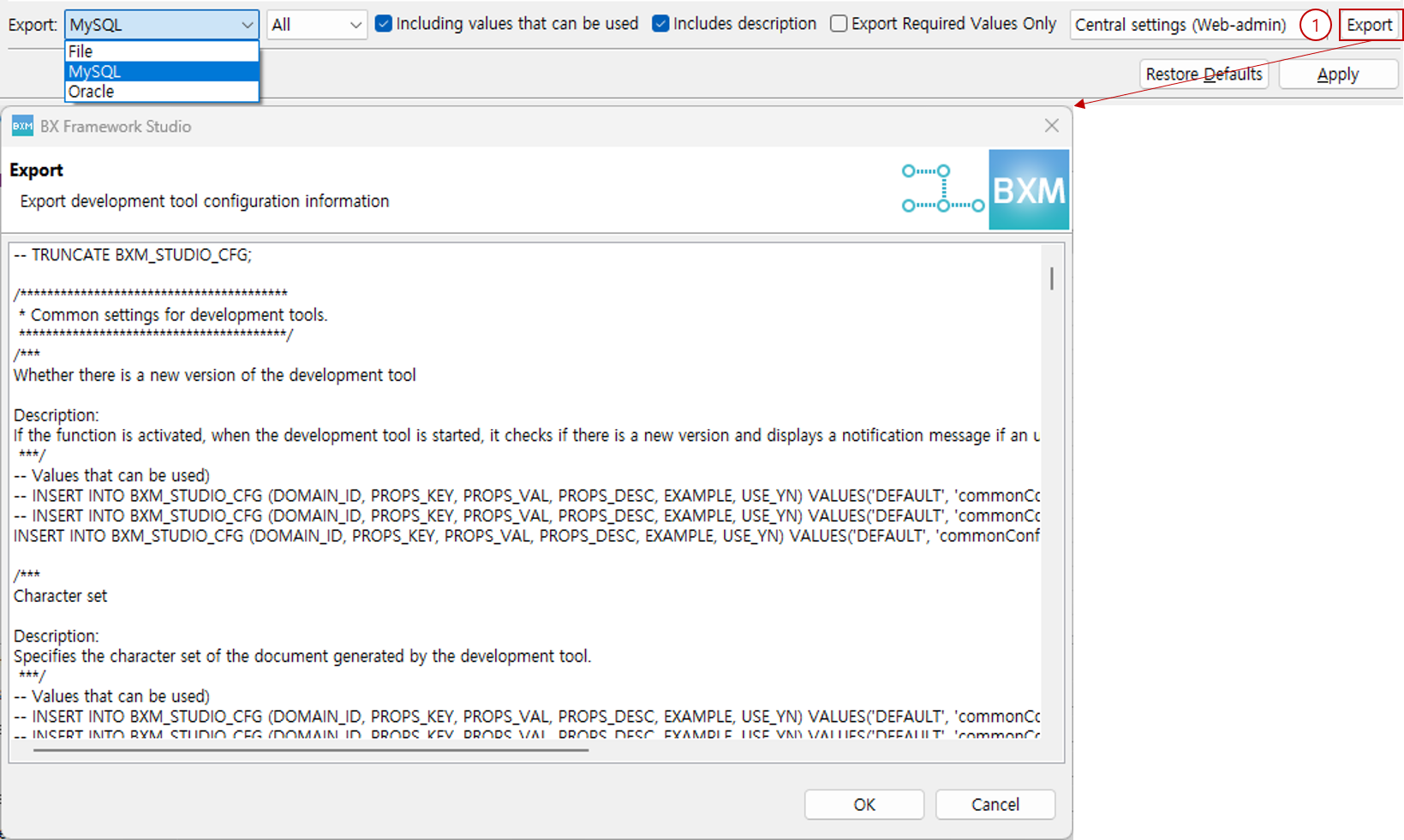
You can export configuration information as an SQL INSERT statement or to a file.
-
Select an export option (FILE, MySQL, Oracle, etc.) and click the Export button to export the settings using the selected option. If you select MySQL or Oracle, they are exported as
INSERTstatements.If you select Including values that can be used, example values are included as comments in the export.