New Module Test
To perform a module test, you must create a new module test.
Module: A public method written in a class annotated with BxmBean. It means a Bean or BC (Business Component).
-
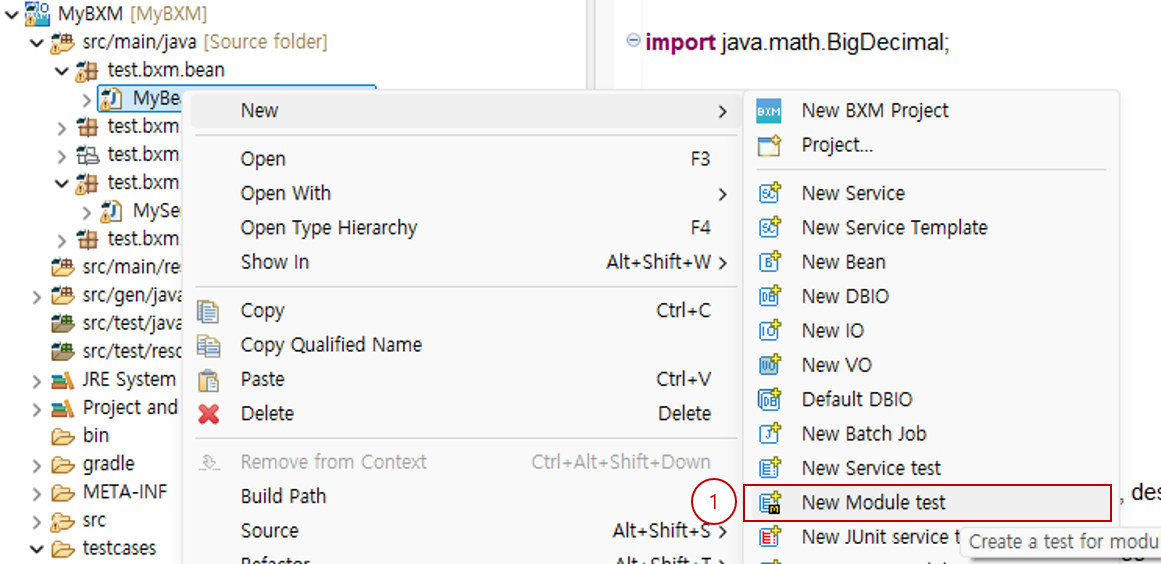
Select the Bean for which you want to create a module test → right-click → select the 'New Module test' wizard.
-
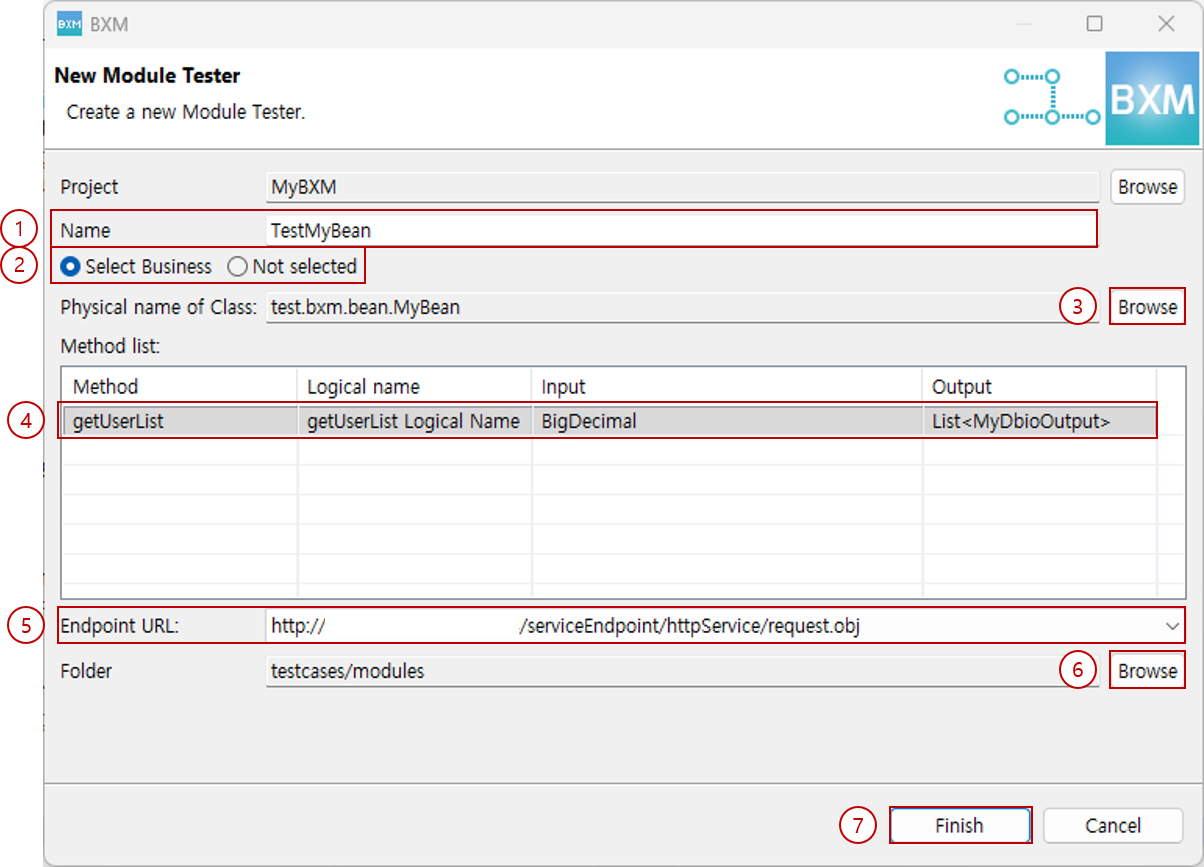
Enter the name of the new module test. The default name is generated based on the selected Bean.
-
To create a module test from a Bean method, select Select Business, and to create an empty module test, select Not Selected.
If you started the New Module test wizard by selecting a Bean, Select Business is selected by default.
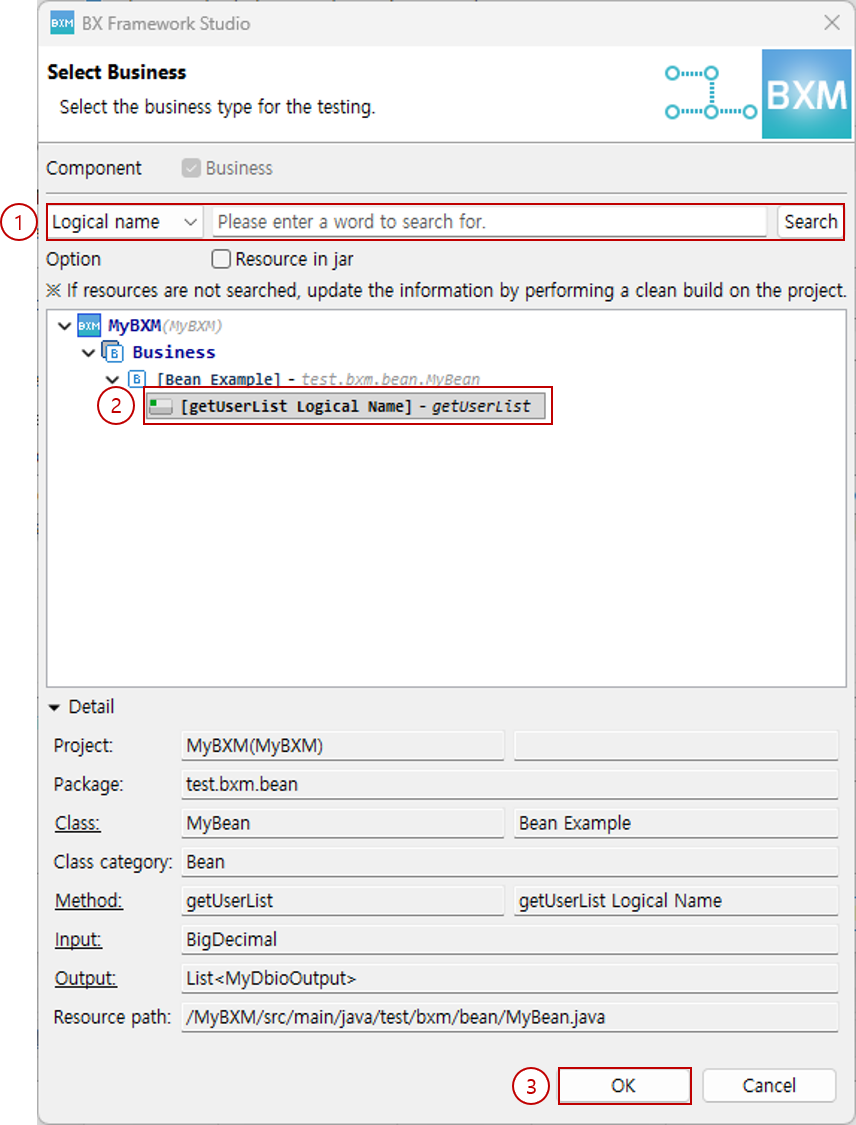
(1) Enter conditions in the Dialog and click the Browse button.
(2) In the search results, select the method to test.
(3) Click the OK button. -
If you started the New Module test wizard without selecting a Bean, Not Selected is selected.
To select a Bean, click the Browse button.
-
In the method list, select the method to test.
-
Select the Endpoint URL to test.
-
If you need to change the folder where the module test will be created, click the Browse button and select the folder to change to.
-
Click the Finish button to exit the wizard.
|
For how to use the editor, see the Module Test page. |