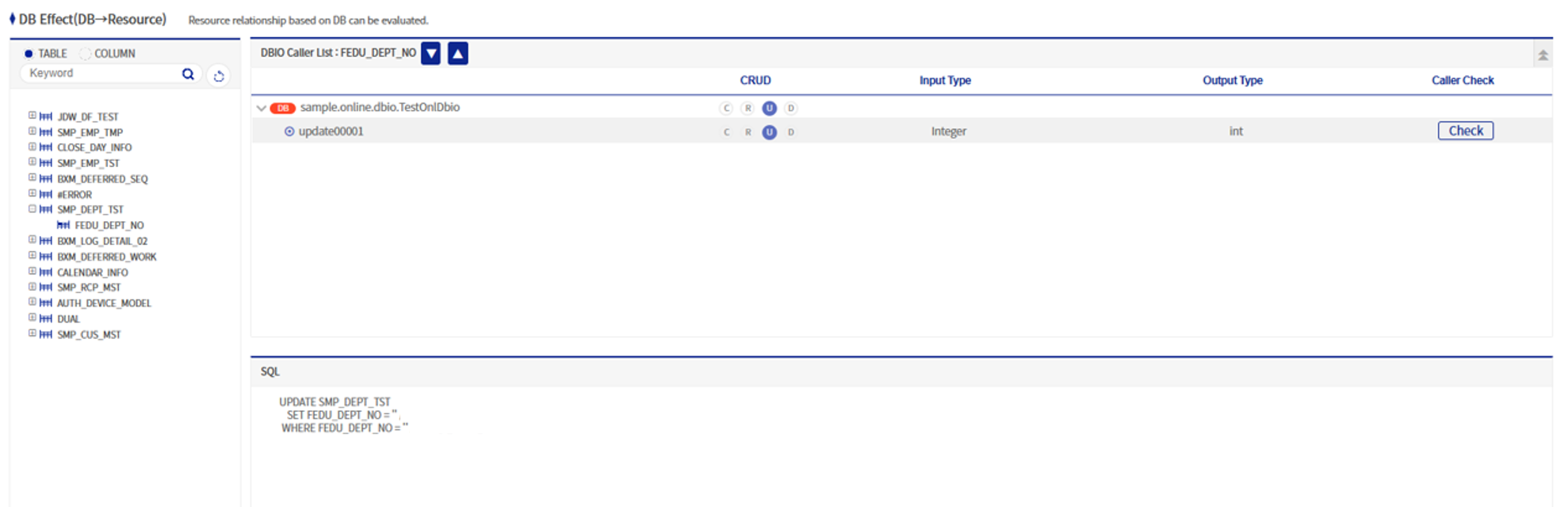
DB Impact (DB→Resource)
This screen allows you to check the relationship with resources based on the DB. It is based on DB tables and columns, and you can check input/output types, data processing functions (CRUD types), etc.
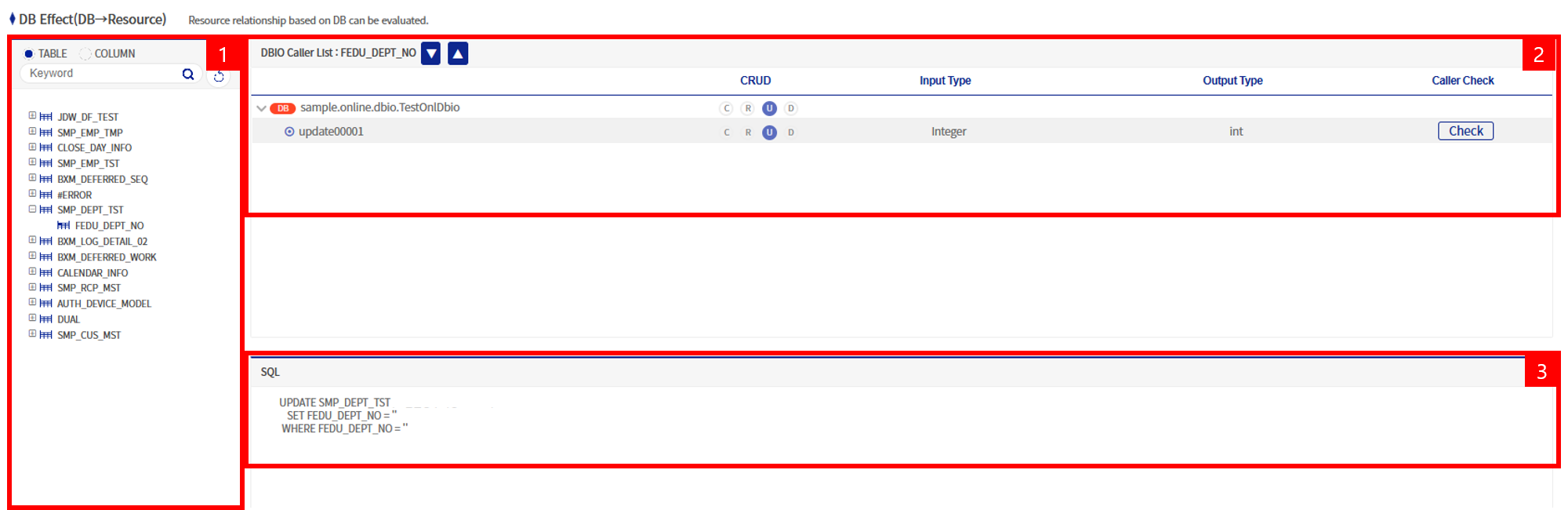
The DB Impact (DB→Resource) screen can be largely divided into three areas:
-
Table/Column list
-
Caller list for the relevant table/column
-
Written SQL
1. Table/Column List
List of tables and columns of the DB analyzed through App Analyzer. When you click a table, its columns are displayed under it.
2. Caller List for the Relevant Table/Column
When you click a table name or column name in the table/column list on the left, a list of DBIO methods that use the relevant table/column is displayed.
| Column name | Description |
|---|---|
CRUD |
CRUD is an abbreviation of Create, Read, Update, and Delete, and refers to basic data processing functions. If a colored icon is displayed for a table’s CRUD, it means that the corresponding SQL is used. For example, if the icon for R is lit, it means the table is used in a select statement for Read. |
Input type |
Input type of the corresponding method. |
Output type |
Output type of the corresponding method. |
Caller check |
When you click the Caller check button, it is rendered to the resource analysis screen using the corresponding DBIO class and method name. |