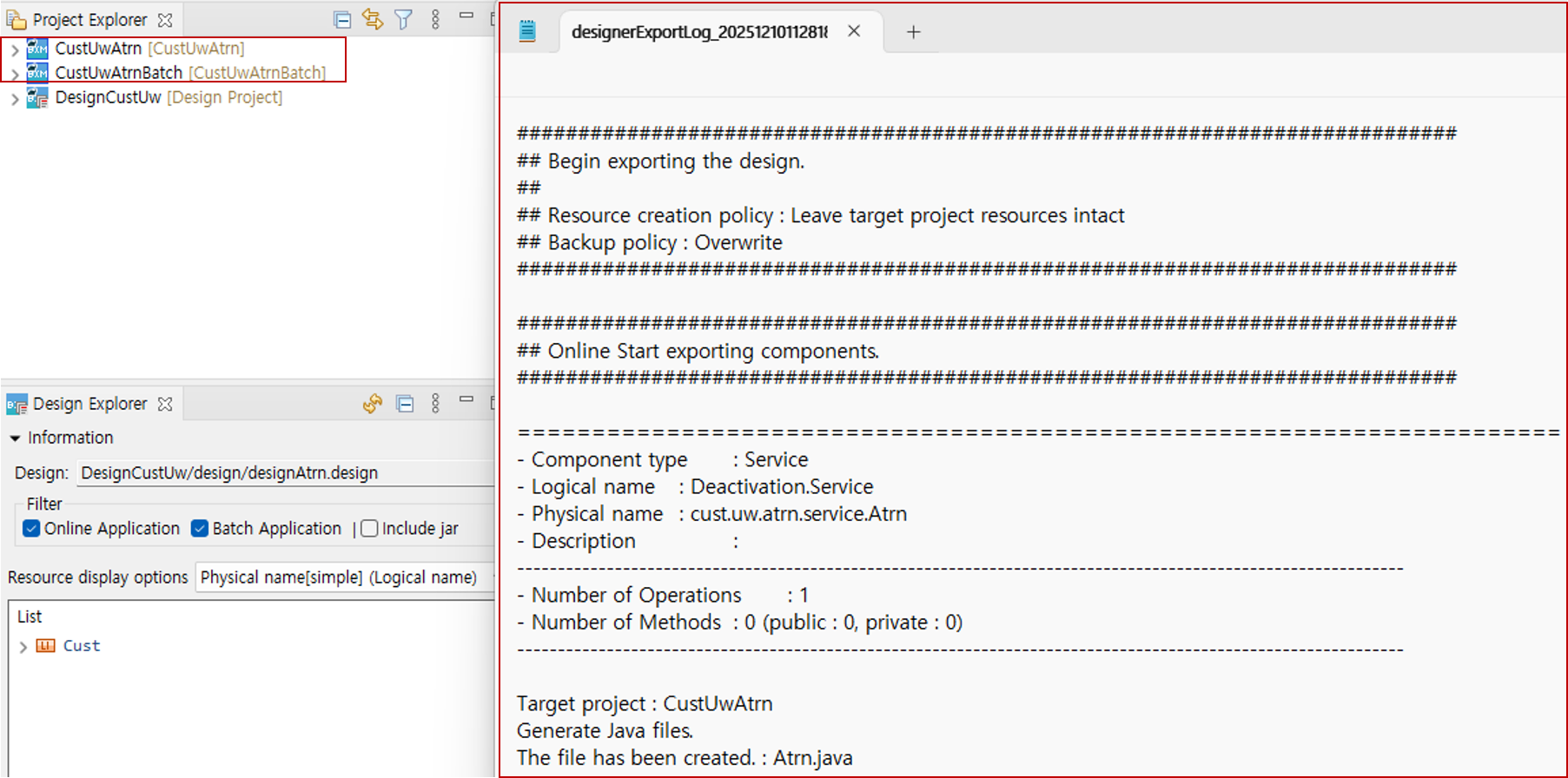
Export
This section describes how to export designed components as Java source code.
-
Click Export to open the export Dialog.
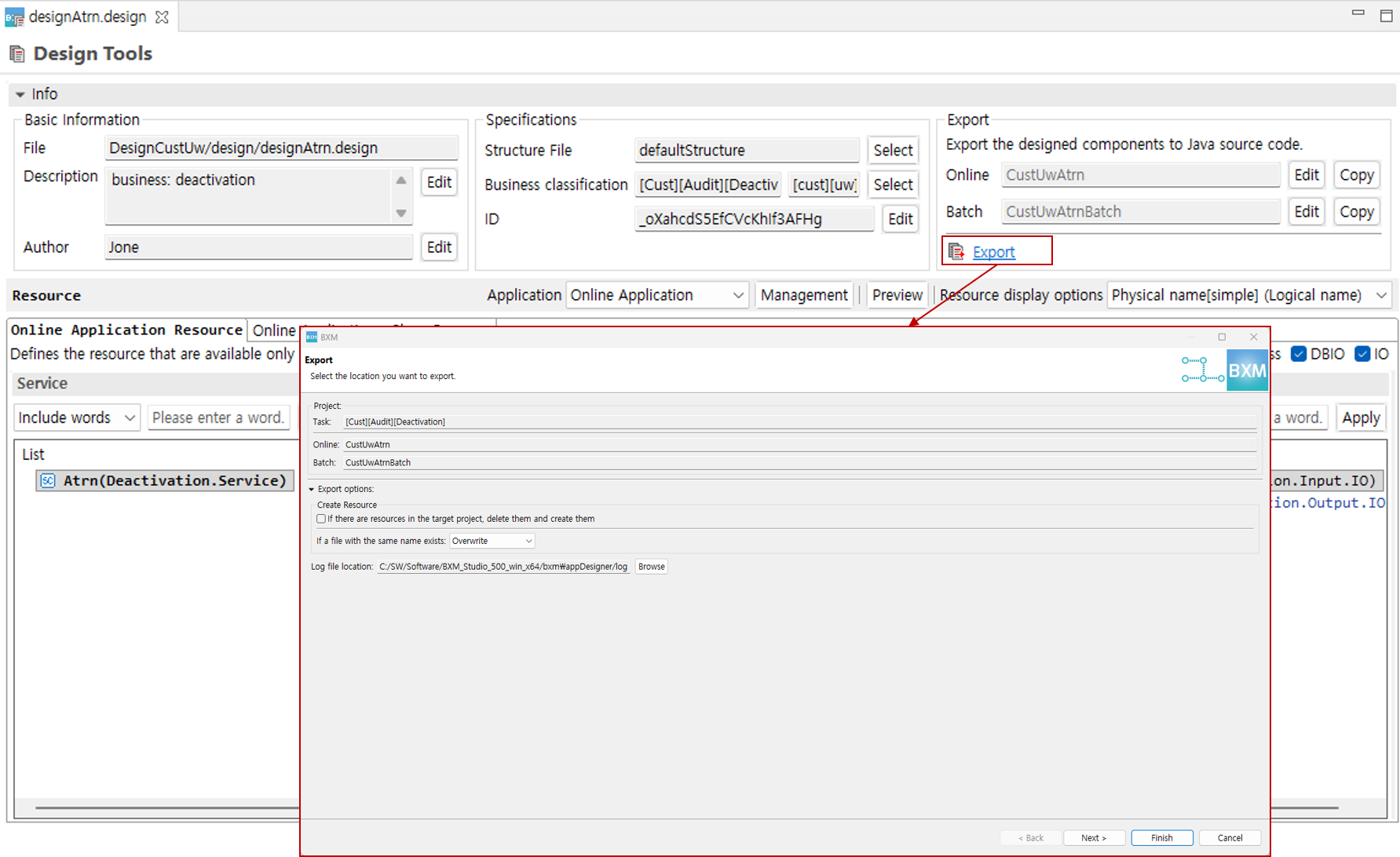
-
Select the export options and click the Next button.
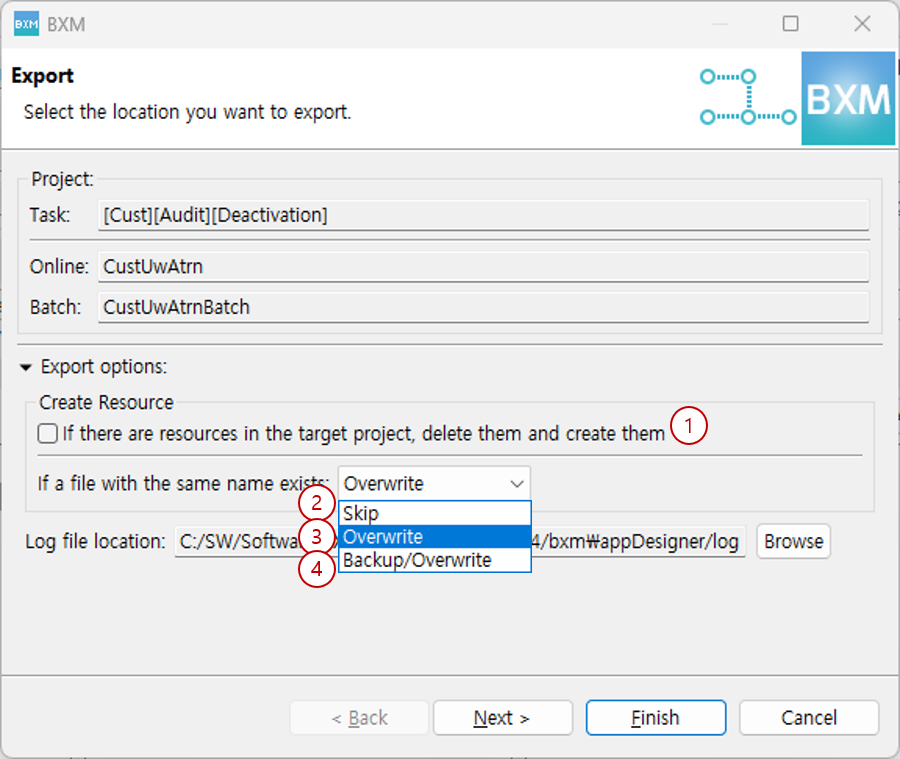
If you check (1), when a project with the same name as the application project in the same Project Explorer exists, all resources in the project are deleted.
If you select (2), when the same file exists, the resource is not created.
If you select (3), when the same file exists, the contents of the existing file are replaced with the contents of the newly generated resource.
If you select (4), when the same file exists, the existing file name is changed by adding the backup date, and a new resource is created. -
Before exporting, you can preview the resources that will be generated based on the design. You can check the details by selecting an item in the list.
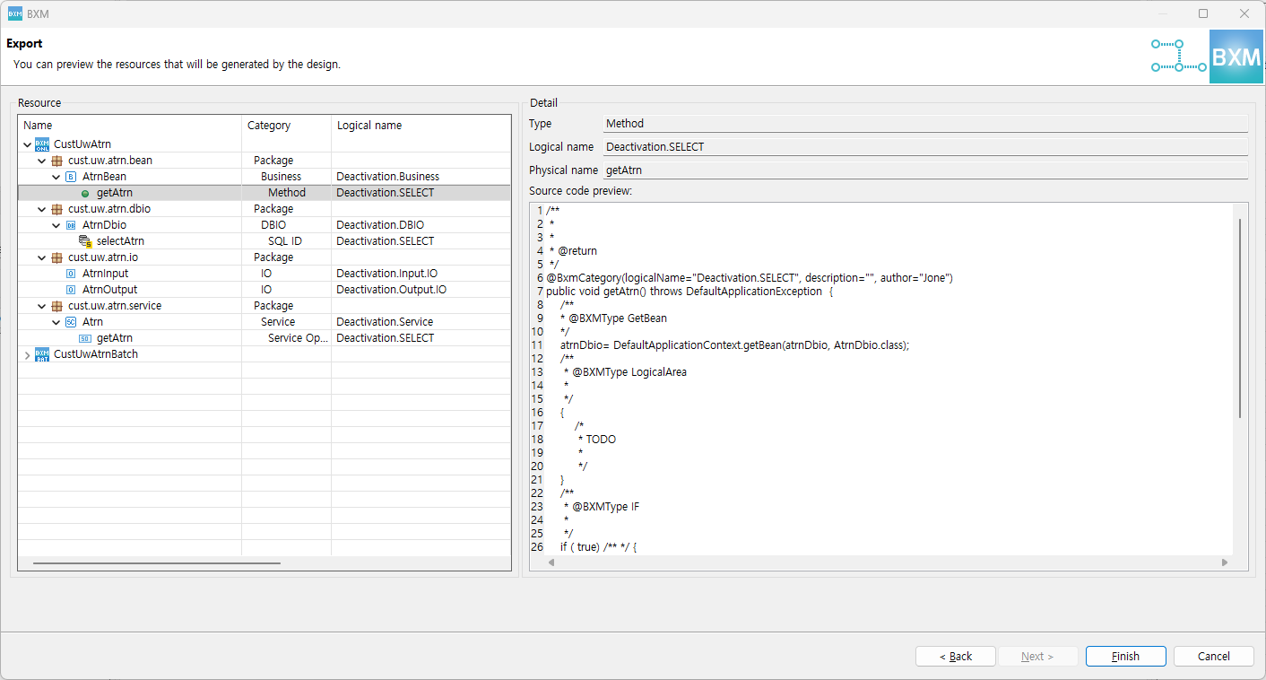
-
Click the Finish button to execute the export. After completion, you can check whether the export was successful through the log file that is generated.