Development Environment Perspective
Describes the development environment for developing BXM applications.
1. Workbench
The workbench of the development environment is composed as follows:
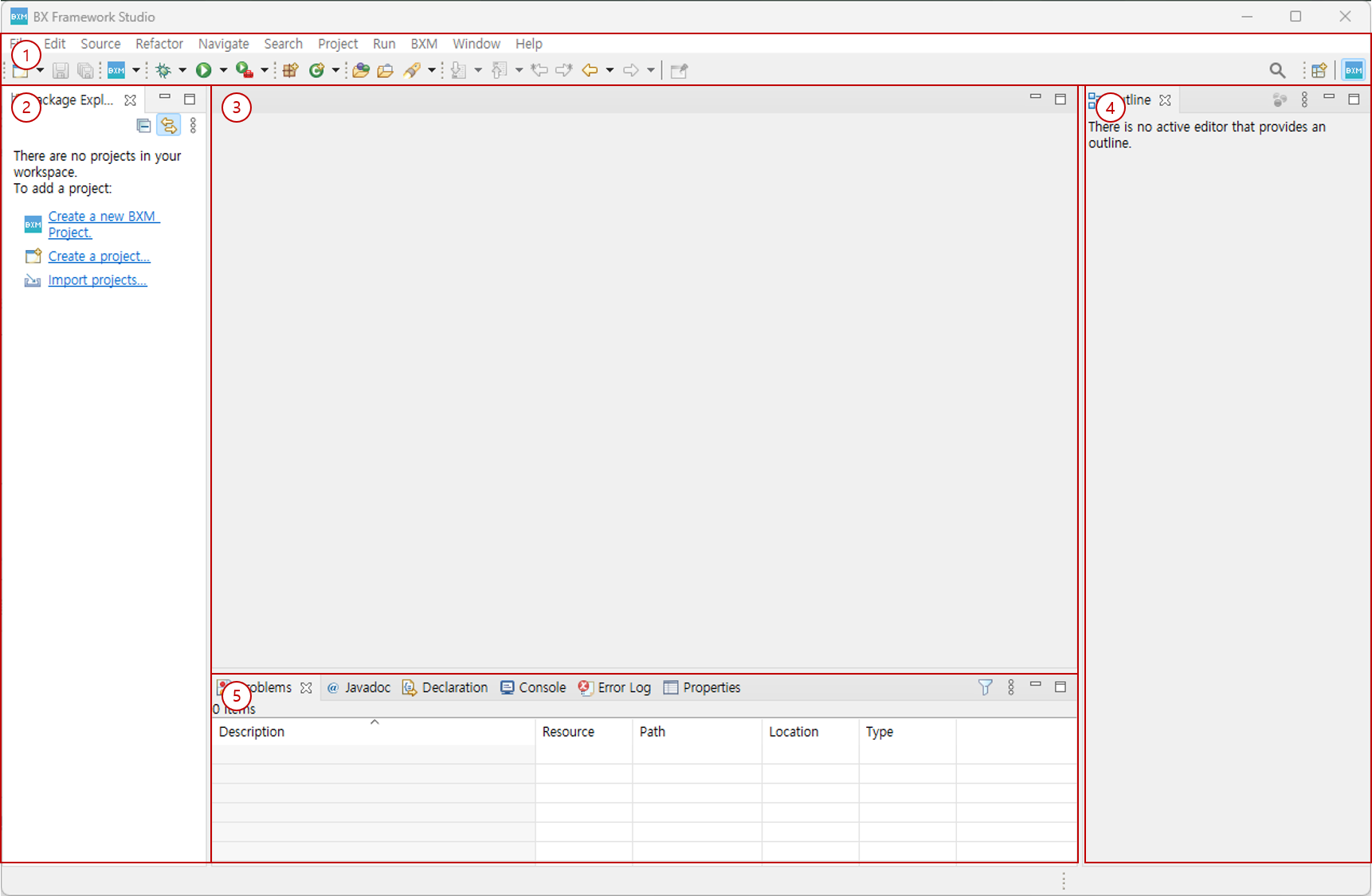
-
Menu and Toolbar: Provides menus and tools to create and edit resources.
-
Package Explorer: Allows you to view the list of resources related to BXM projects and general projects.
-
Editor: Allows you to use an editor to edit resources.
-
Viewer (Vertical): Allows you to use viewers suitable for vertical layout.
-
Viewer (Horizontal): Allows you to use viewers suitable for horizontal layout.
2. Wizard
BXM Studio provides various wizards to create components required for BXM application development.
| Function name | Description |
|---|---|
New BXM Project |
Creates a new BXM project. |
New Service |
Creates a new BXM service. |
New Service Template |
Generates source code based on the selected template. |
New Bean |
Creates a new BXM bean. |
New DBIO |
Creates a new BXM DBIO. |
New IO |
Creates a new BXM IO. |
New VO |
Creates a new BXM Value Object. |
Default DBIO |
Creates a default DBIO. |
New Batch Job |
Creates a new batch job. |
New Service Test |
Creates a test for service testing. |
New Module Test |
Creates a test for module testing. |
New JUnit Service Test |
Creates a JUnit test for service testing. |
New JUnit Module Test |
Creates a JUnit test for module testing. |
3. View
BXM Studio provides various viewers that can assist in BXM application development.
| Function name | Description |
|---|---|
Meta Search |
Allows you to search metadata linked with the meta system. |
Resource Search |
Allows you to search resources in the workspace. |
SQL Test Result |
Allows you to check the result of testing SQL written in the DBIO editor. |
Execution Plan Result |
Allows you to check the execution plan of SQL written in the DBIO editor. |
Service Test Result |
Allows you to check the results of tests performed in the service test tool. |
Module Test Result |
Allows you to check the results of tests performed in the module test tool. |
4. Editor
BXM Studio provides various editors to create and edit resources required for BXM applications.
| Function name | Description |
|---|---|
IO |
Allows you to edit IO resources. |
VO |
Allows you to edit VO resources. |
DBIO |
Allows you to edit DBIO resources. |
Flow Viewer |
Allows you to view the developed business source as a diagram. |
Service Test |
Provides a function to test developed services. |
Module Test |
Provides a function to test methods of developed beans. |