IO

Describes the IO Preferences screen.

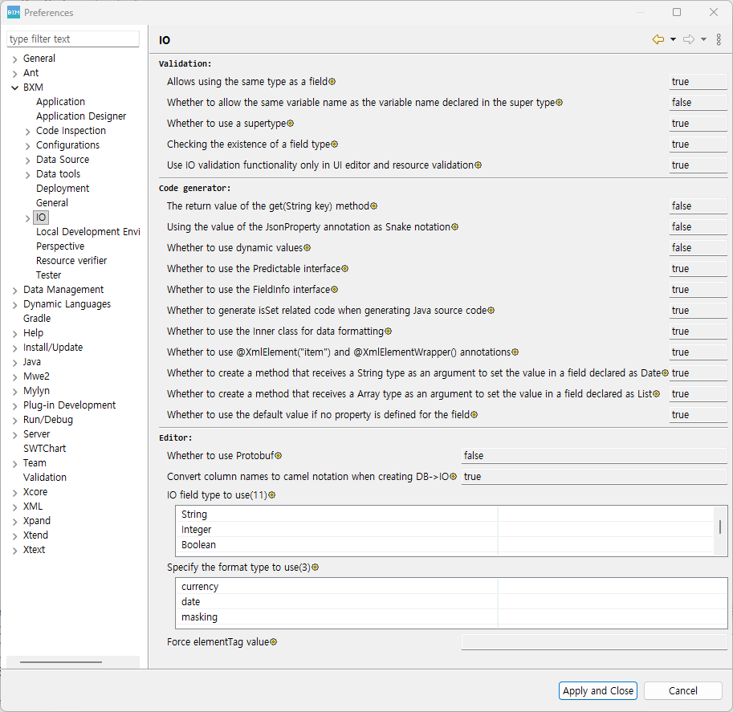
1. IO
ko/preferences/io01

You can check the settings related to validation, code generator, and editor for IO specified in the admin configuration.
When you select the gear icon, a popup window opens where you can view the configuration information.
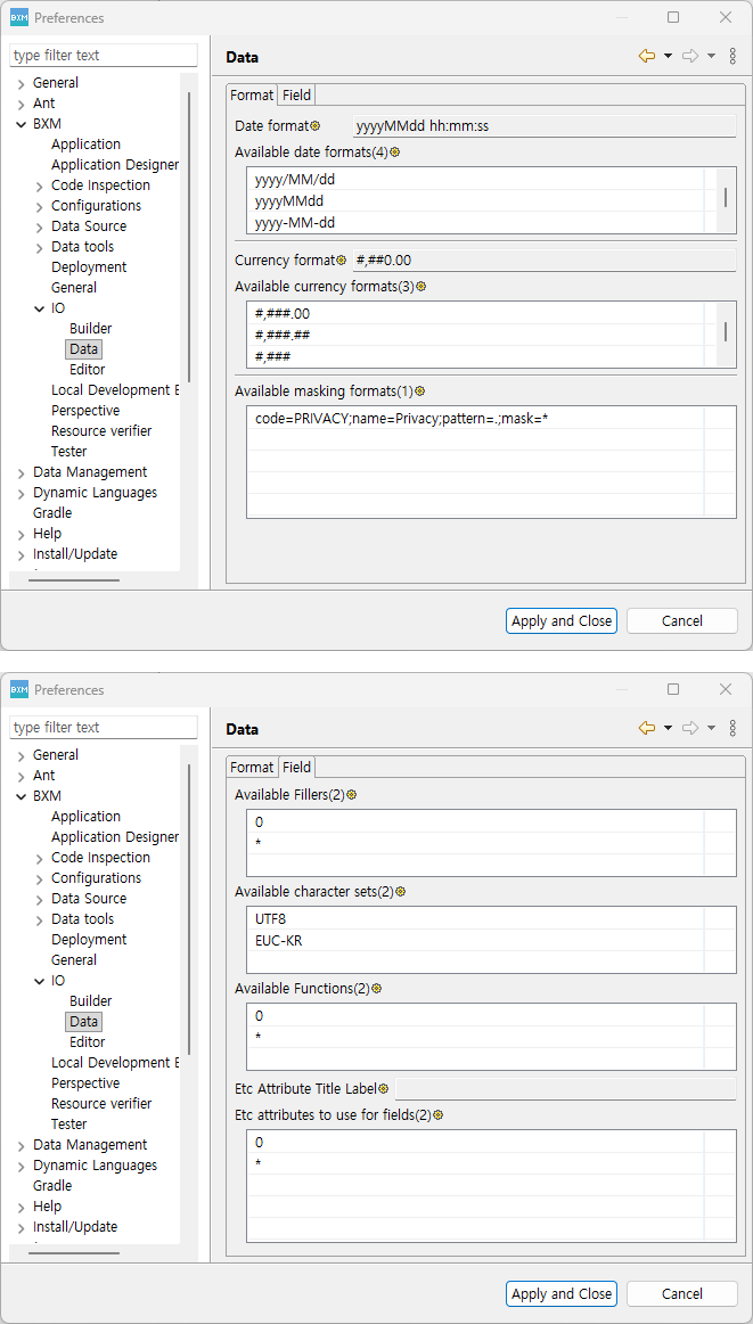
2. Data

ko/preferences/io02

You can check the settings related to IO field format, filter, character set, Function, and other attributes specified in the admin configuration.
When you select the gear icon, a popup window opens where you can view the configuration information.

3. Builder

ko/preferences/io03

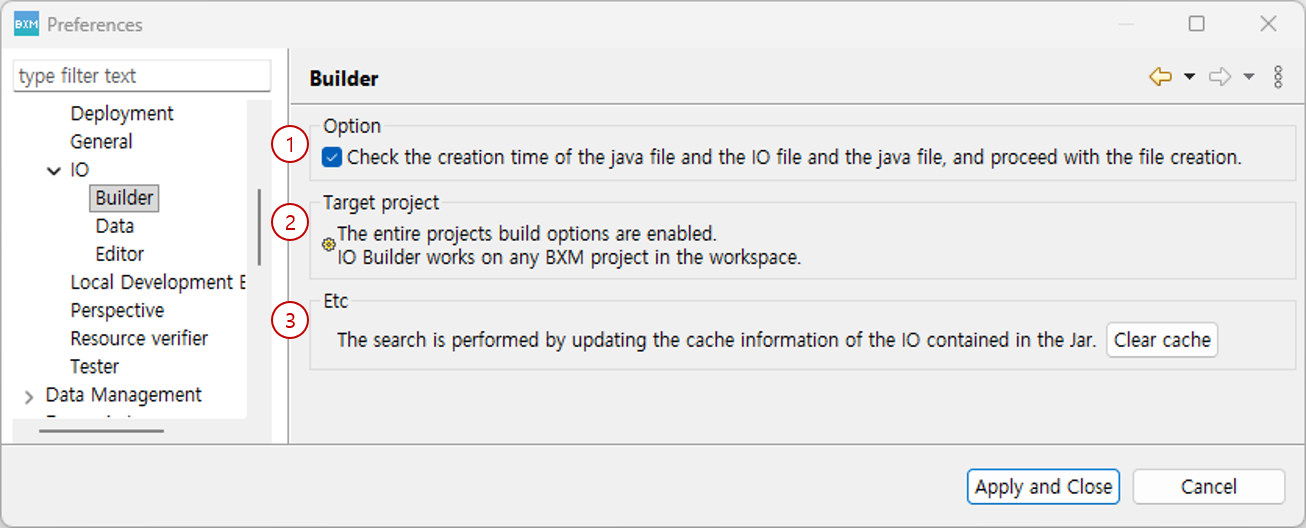
  1. Specify whether to generate derived java files for IO files.

  2. You can check whether IO build is applied to the entire project.

  3. Clears the cache information of IO included in the Jar.

SWLab Bankware Global
  • 전체
  • BXM
  • BXCM
  • BXCP
  • BXI
제품 선택 시 더 정확한 매뉴얼 가이드를 제공해드립니다.

Copyright© Bankwareglobal All Rights Reserved.