Online Group Management
This screen supports transaction control by grouping online transactions by group. You can add/modify/delete online groups, and configure transaction control and forced time-outs for each group. The control does not change existing values, but allows you to prioritize applying values when controlling transactions that belong to an online group.
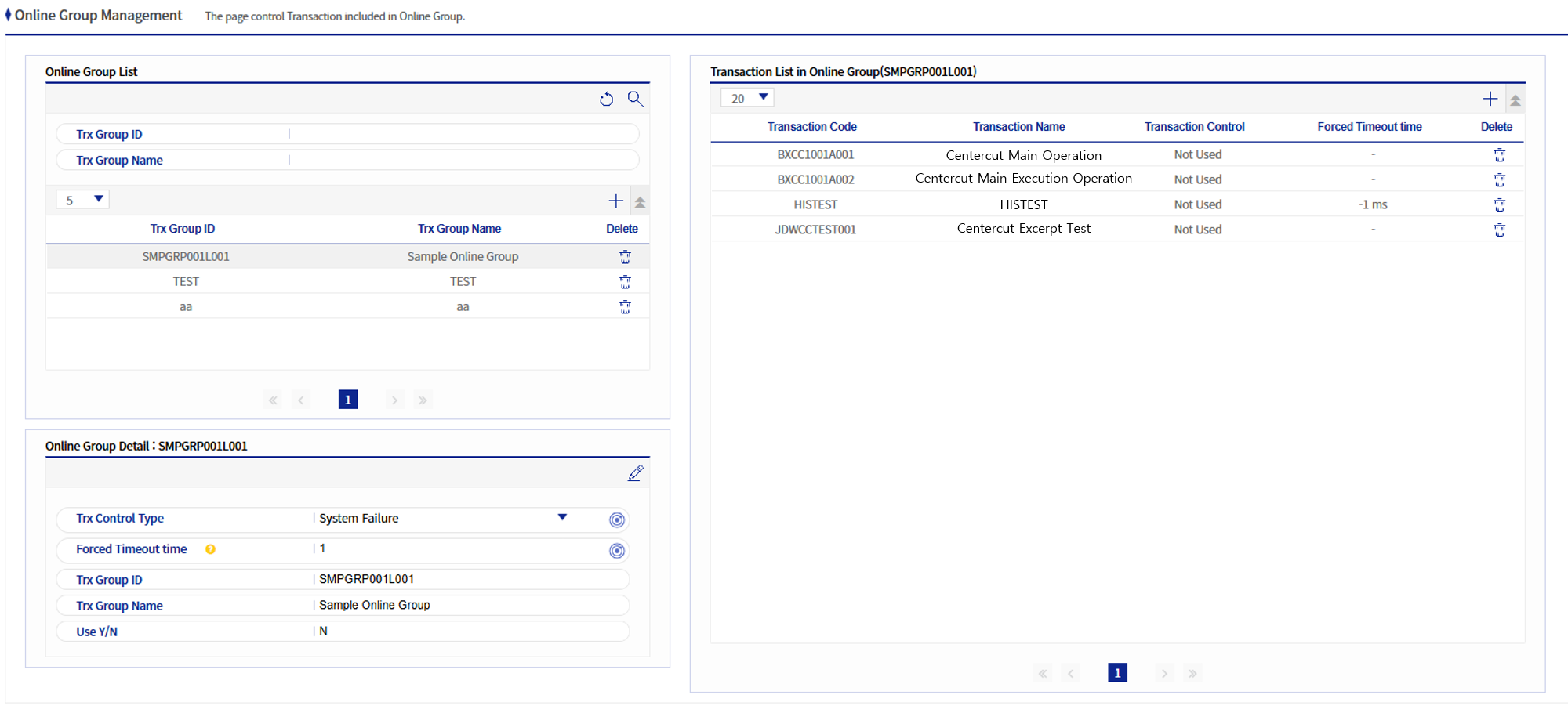
1. Online Group Information Area
1.1. Online Group Information
You can search and view online groups, and add/modify/delete the information for each group.
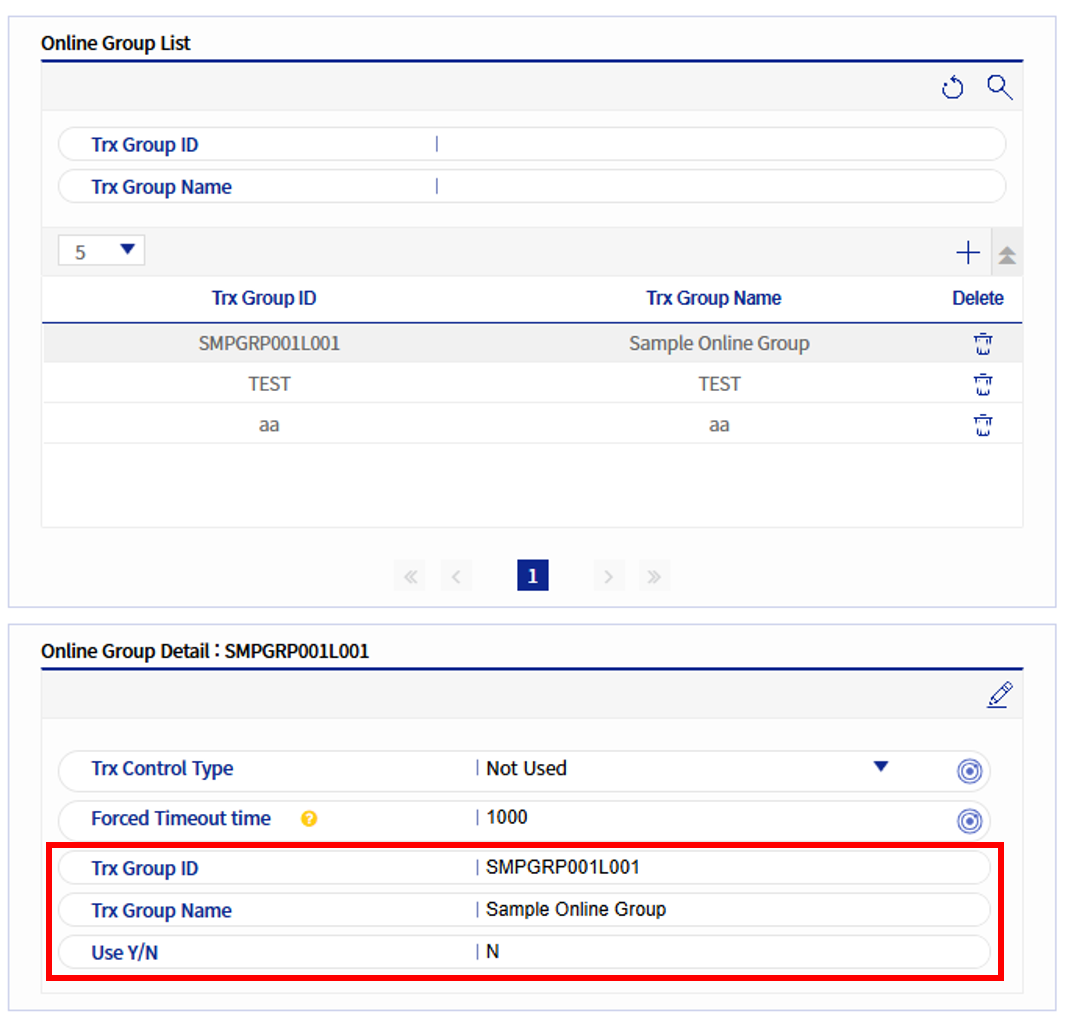
The following table describes the fields of the Online Group Information.
| Field Name | Description |
|---|---|
Transaction Group ID |
The ID of the online transaction group, which is the Primary Key. |
Transaction Group Name |
The name of the online transaction group. |
Usage Status |
Indicates whether the registered online group is in use. |
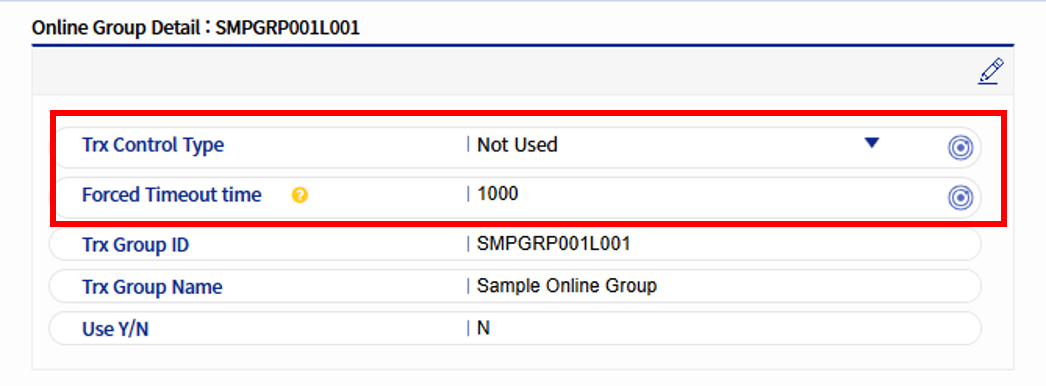
1.2. Online Group Control Area
-
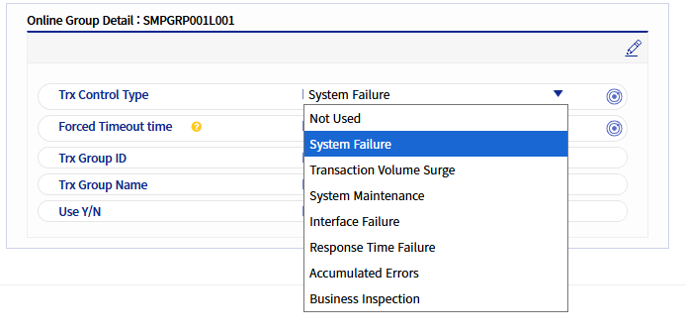
For all transactions that belong to an online group, transaction control and forced time-outs are prioritized when executing transactions.
-
Transaction control values are the same as those that can be configured in Transaction Parameter Management (excluding designated periods when transactions are prohibited). These include System failures, transaction congestions, system checks, interface failures, response time failures, job checks, and error accumulation. After selecting a transaction control, you can click the button on the right to apply it.
-
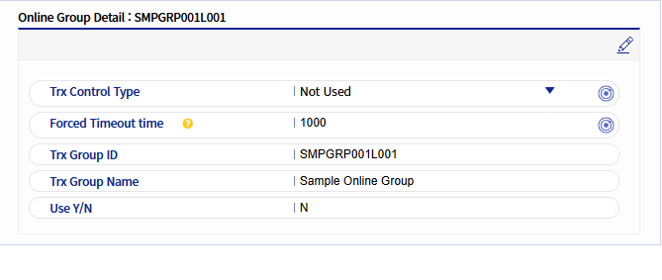
Forced time-outs are entered in milliseconds and can be applied by clicking the button on the right.
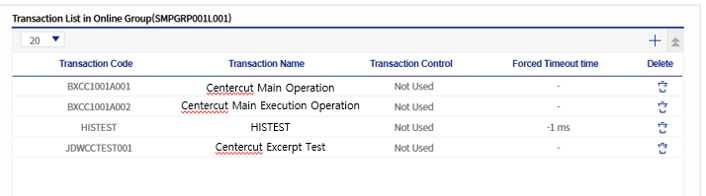
2. Area for Transactions Belonging to an Online Group
When you select a group from the online group list, this area displays the list of transactions belonging to that group. You can modify the transactions belonging to the group by adding/deleting them. The transaction control and forced time-outs shown in the transaction list are the values configured in Transaction Parameter Management.