New IO
Create an IO.
-
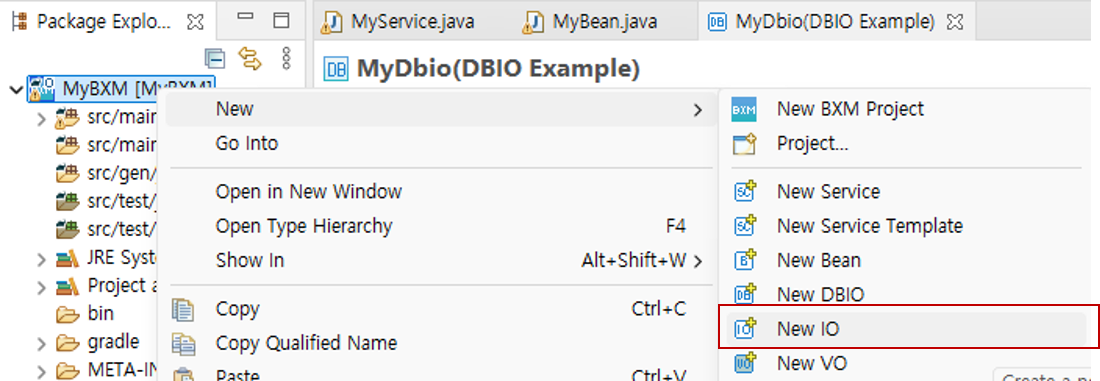
In Package Explorer, select the project in which to create the IO → right-click → select 'New IO'.
-
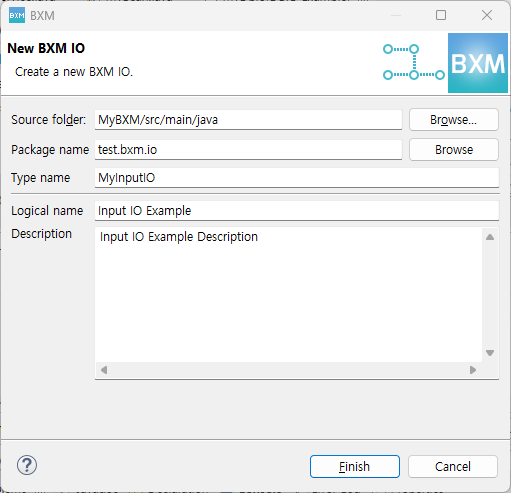
Enter the required information in the New IO wizard.
-
Source folder: You can select the source folder where the IO will be created.
-
Package name: You can select the package where the IO will be created.
-
Type name: Enter the name of the IO.
-
Logical name: Enter the logical name of the IO.
-
Description: Enter the description of the IO.
-
Author: Enter the author. The ID used at login is used as the default value.
-
-
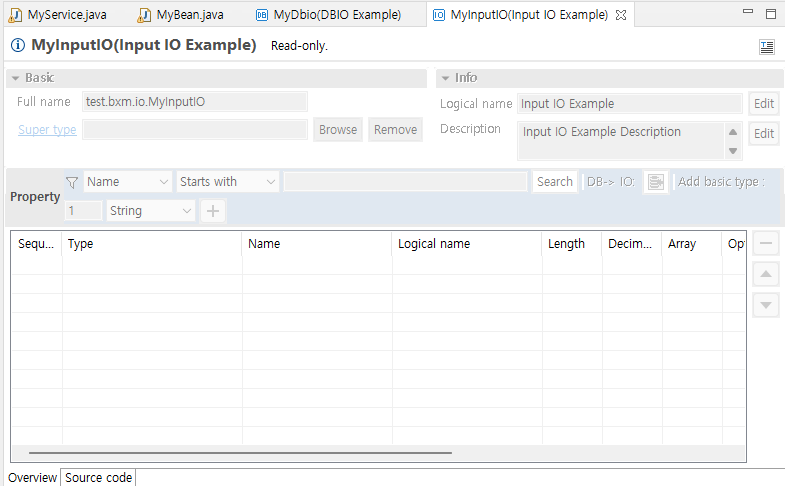
After entering the required information, click the Finish button. The IO resource is created and the IO editor as shown below opens.
|
For how to use the editor, refer to the IO page. |