Code Inspection
You can check the functions of the code inspector that validates JAVA and DBIO files.
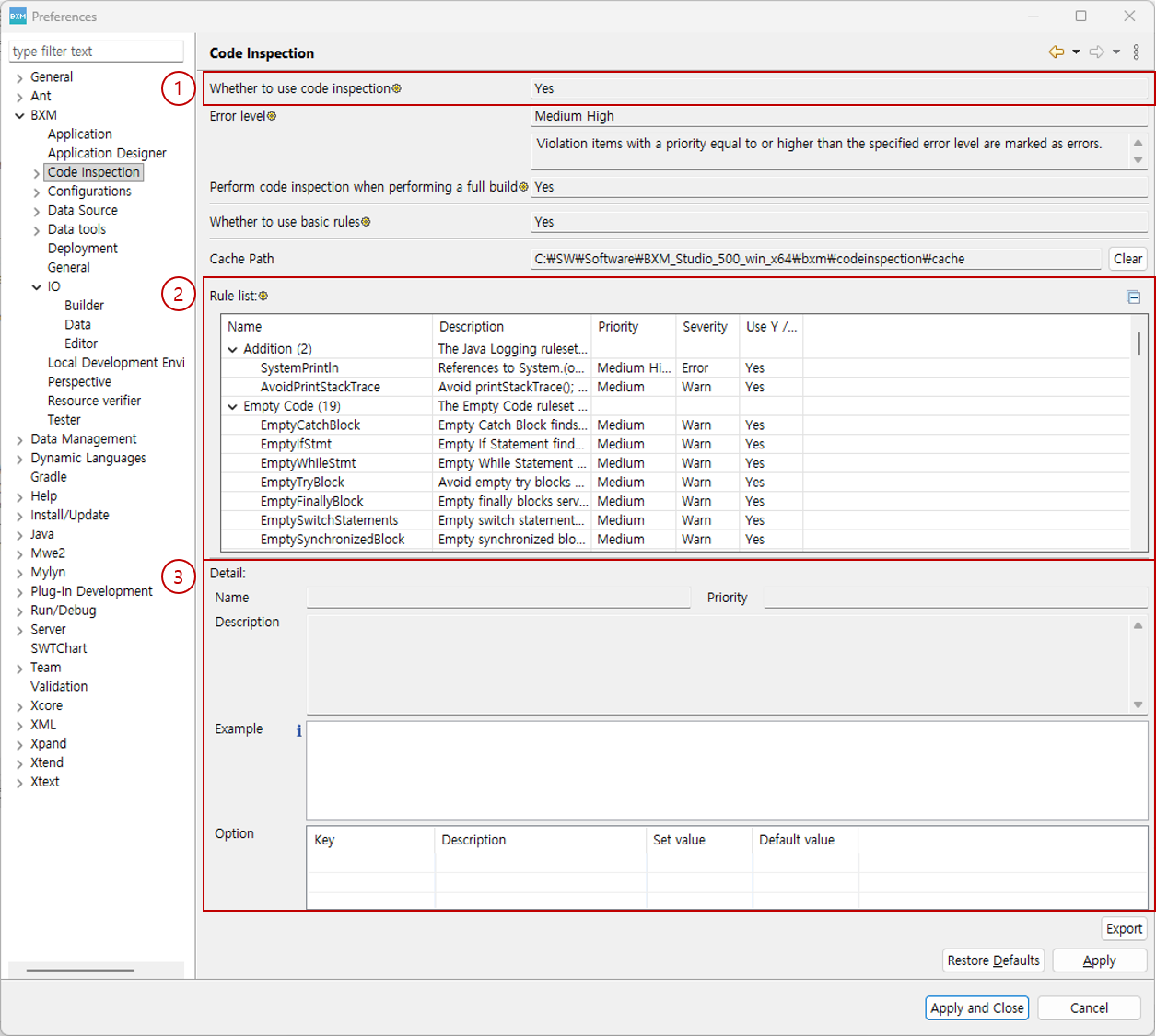
-
You can check the usage and options of code inspection.
-
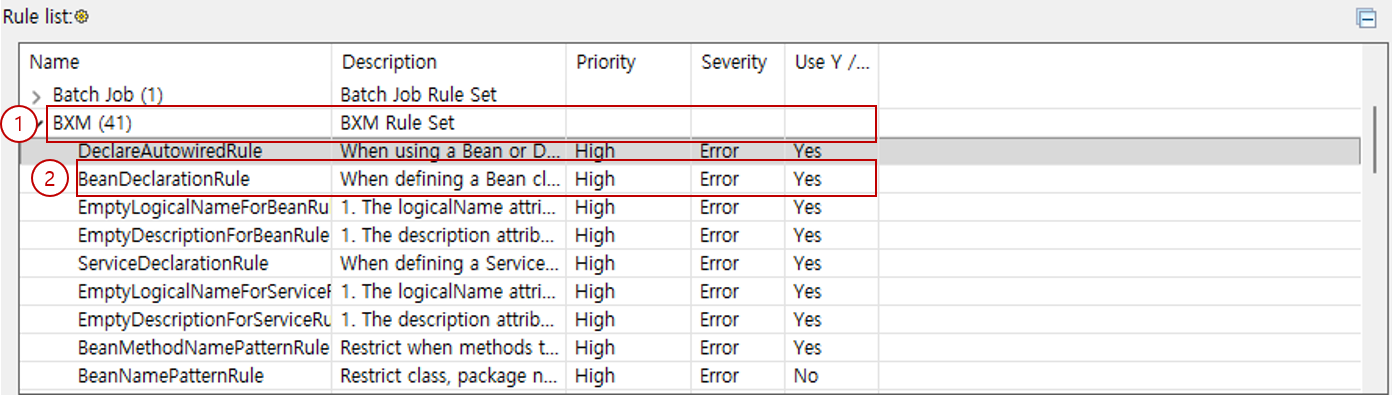
You can check the list of rules used for code inspection.
-
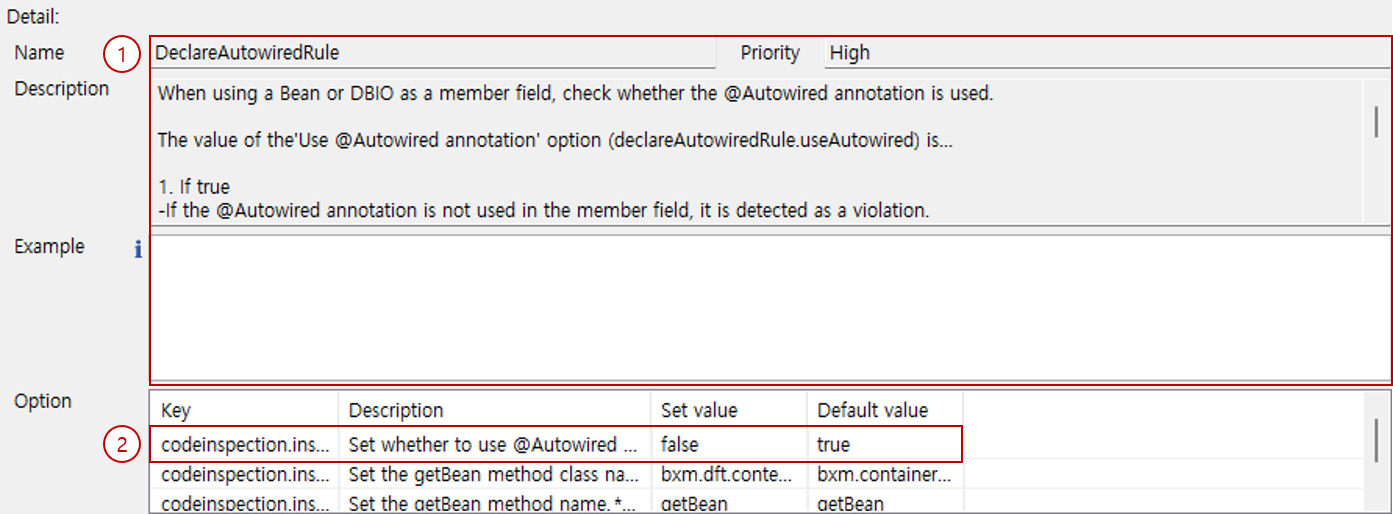
You can check detailed information of the selected rule.
1. Options
You can check the usage and options of code inspection.
-
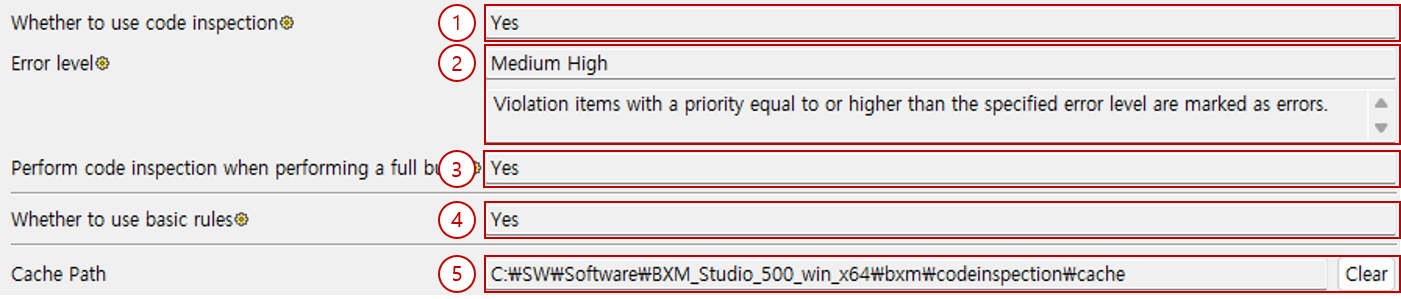
Whether to use code inspection: You can check whether code inspection is used.
-
Error level: Violation items whose priority is equal to or higher than the specified error level are displayed as errors.
-
Perform code inspection when perfroming a full build: You can check whether to perform code inspection on the entire source when performing a Full build (or Clean build).
-
Whether to use basic rules: You can check whether default rules are used.
-
Cache path: You can check the path where inspection results are cached. You can delete the cache by selecting the initialize button.