Export Design File
This section describes how to export design files to an Excel design.
-
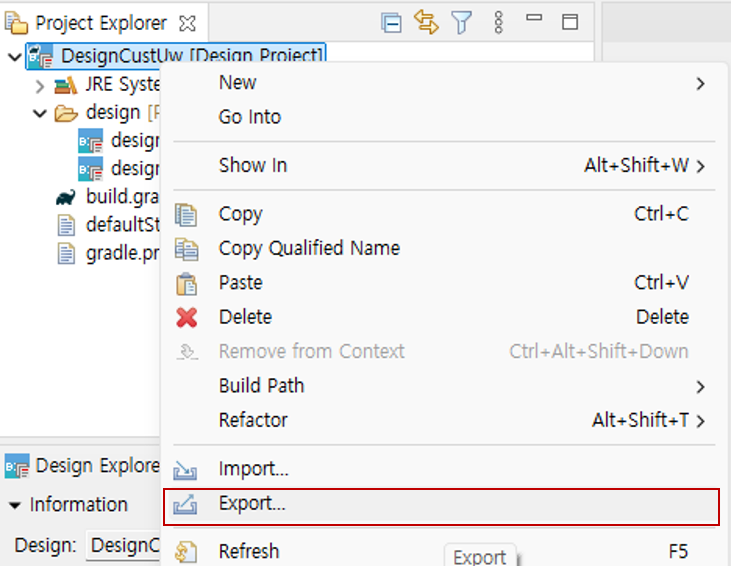
Right-click the design project or right-click in the Project Explorer view, then click the 'Export' menu to open the Export wizard.
-
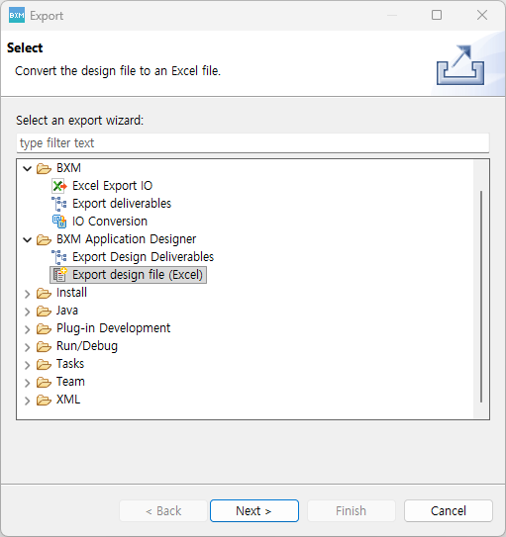
Select BXM → 'Export design file (Excel)', then click the NEXT button.
-
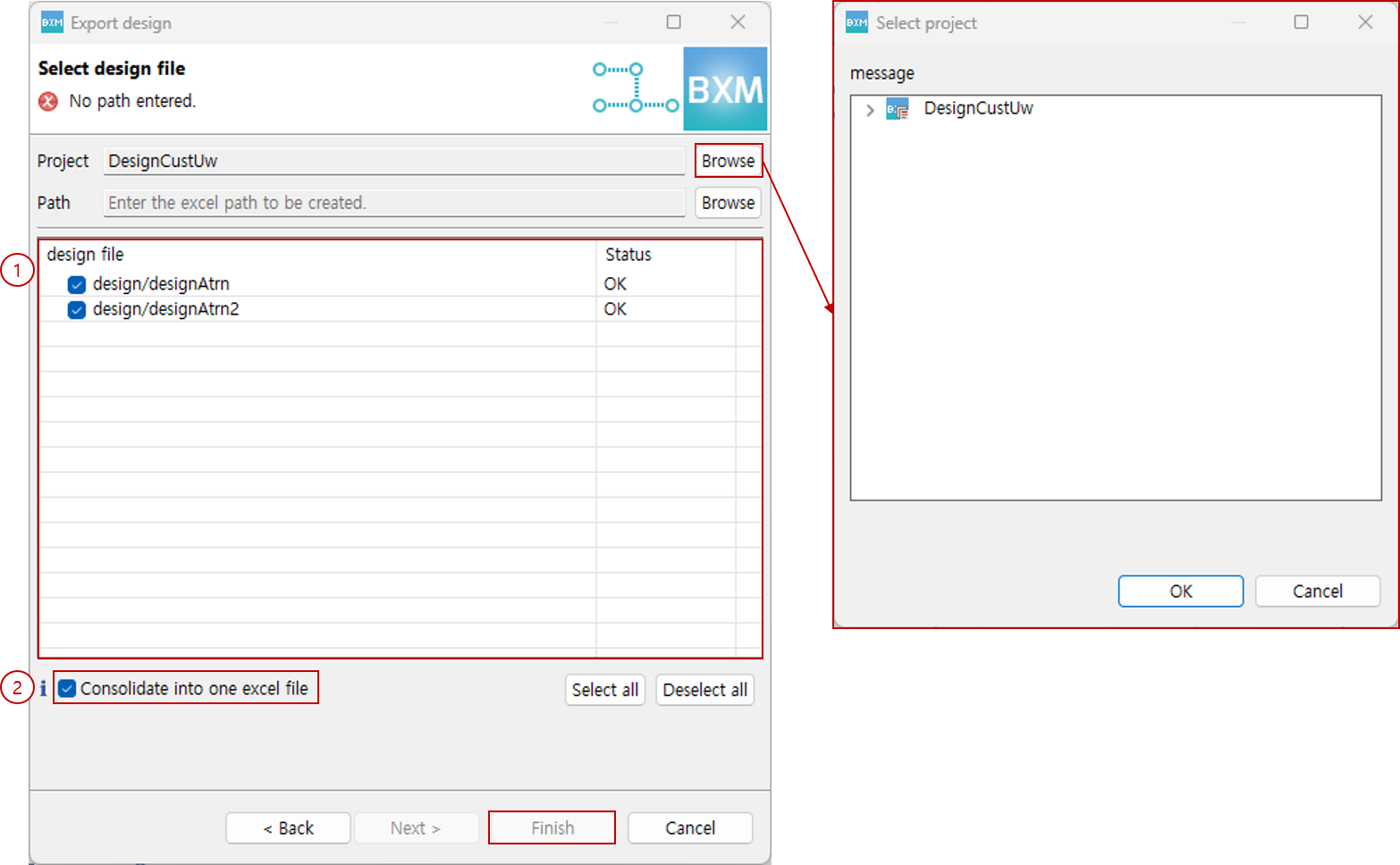
Select the information required to export to an Excel design.
-
Click the project Browse button to select a project. When a project is selected, the list of design files included in the project is displayed in (1).
-
Click the Browse button to specify the path of the Excel file to be generated.
-
Select the files to export. If the status is Error, export is not possible.
-
To integrate multiple design files into a single Excel file, check (2). If unchecked, Excel files are generated for each design file.
-
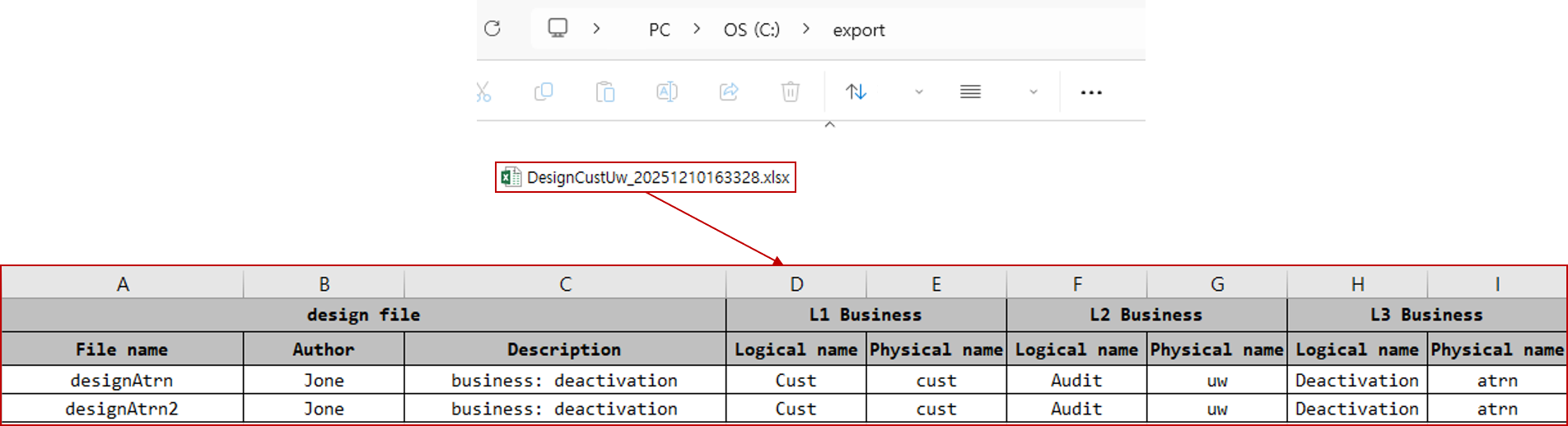
When you click the Finish button, the Excel file is created in the path specified in b.
-
-
Check the generated Excel file.