DBIO editor

This section describes the functions of the DBIO editor.

1. Editor layout
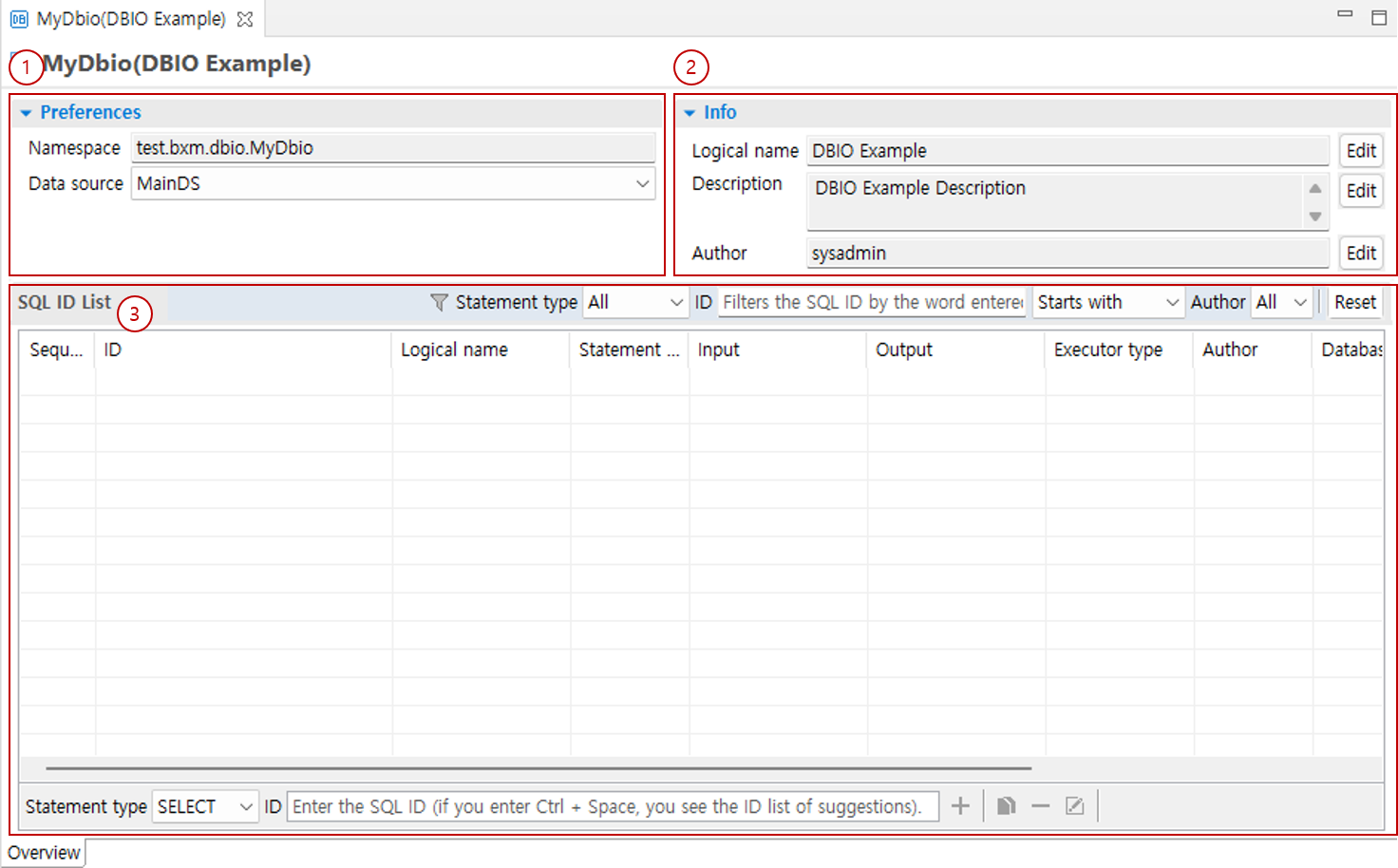
Overview

  1. Preferences: You can check data sources and other information.

  2. Info: You can check the basic information of DBIO.

  3. SQL ID List: You can manage the created SQL ID list.

1.1. Preferences

You can check data sources and other information.

Preferences

  1. Namespace: The namespace of DBIO, where the package name is generally used.

  2. Data source: Select the data source used by DBIO. You can select a data source from the list that is defined in META-INF/bxm-application.xml.
1.2. Info

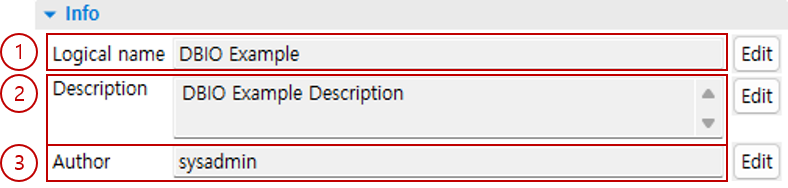
You can check the basic information of DBIO.

Information

  1. Logical name: You can edit the logical name of DBIO.

  2. Description: You can edit the description of DBIO.

  3. Author: You can edit the author of DBIO.

1.3. SQL ID list

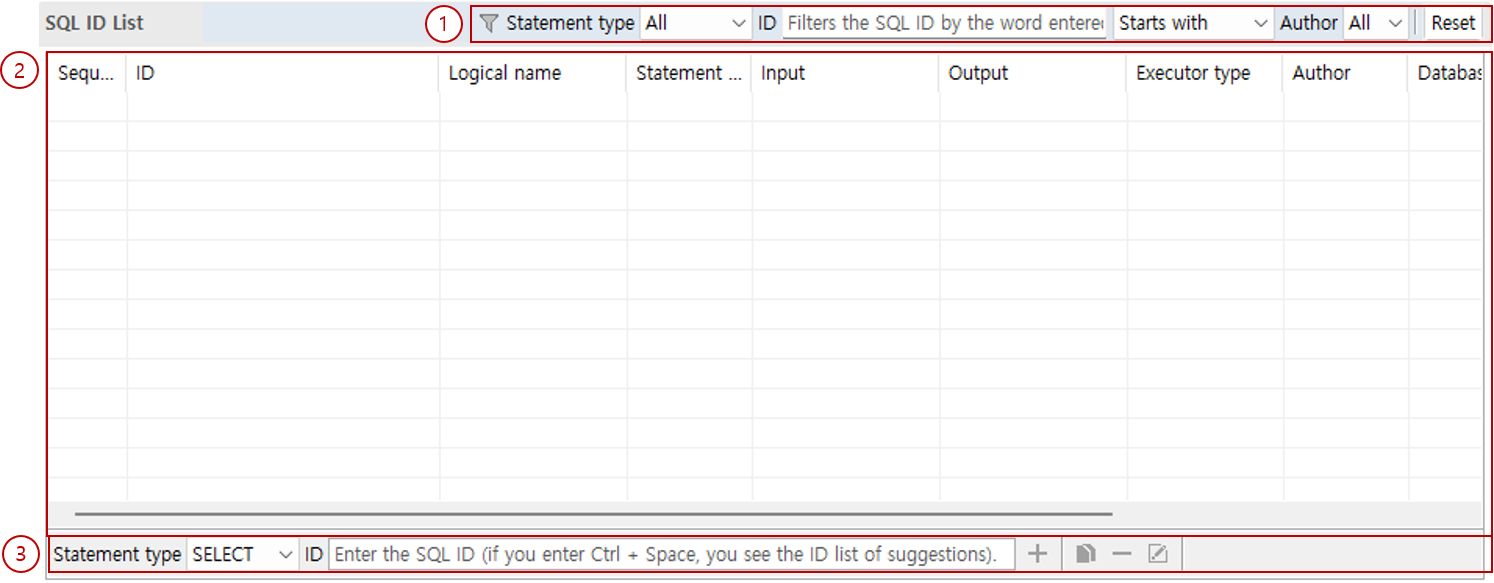
You can manage the created SQL ID list.

SQL ID List

  1. Filter: You can filter SQL IDs according to specified conditions.

  2. SQL ID list: You can check the created SQL ID list.

  3. Quick menu: You can add, copy, delete, and edit SQL IDs.

SWLab Bankware Global
  • 전체
  • BXM
  • BXCM
  • BXCP
  • BXI
제품 선택 시 더 정확한 매뉴얼 가이드를 제공해드립니다.

Copyright© Bankwareglobal All Rights Reserved.