Batch Utility
1. Batch execution count/amount aggregation
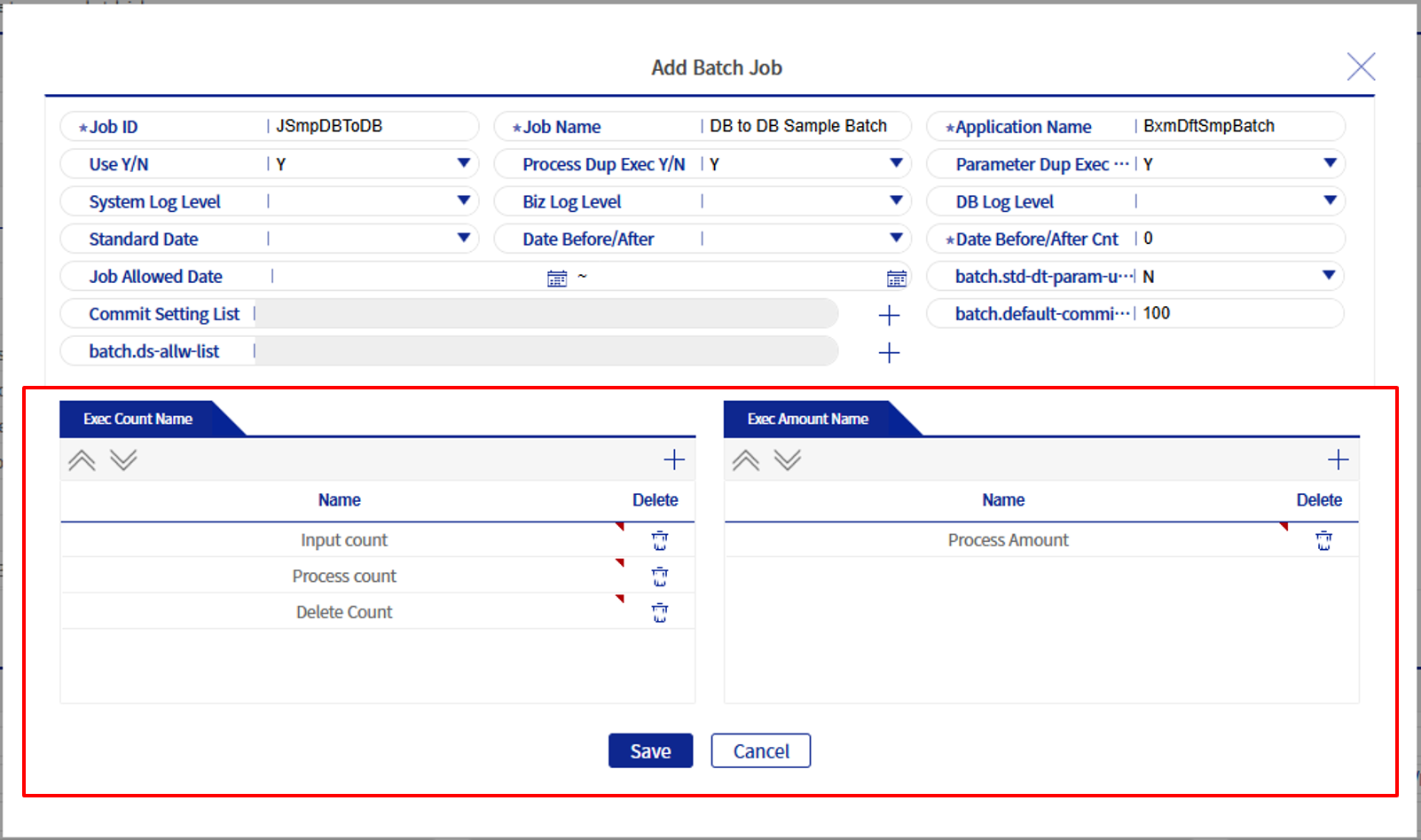
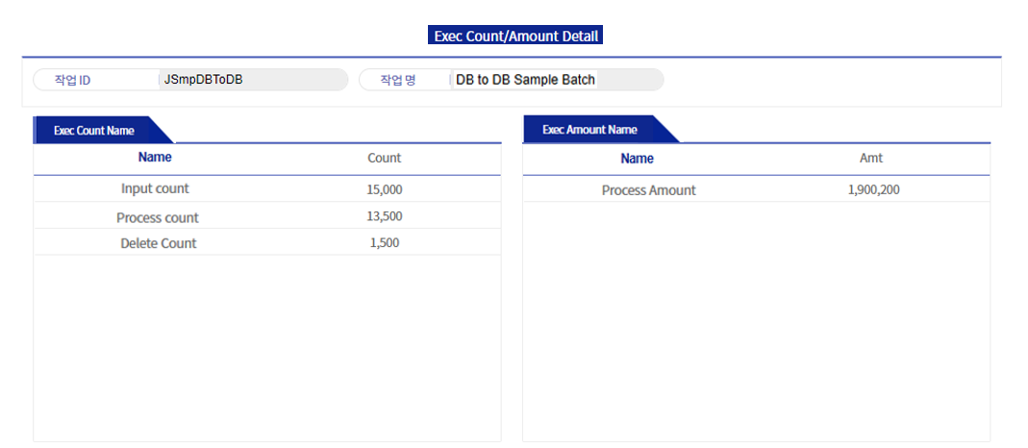
An API is provided to aggregate execution counts and amounts, and configuration values can be processed up to 20 for each. Through the batch job management screen, you can enter logical names for count/amount when registering a Batch job, and the entered values can be checked through the Batch job monitoring screen.
private long count1;
private long count20;
...
BxmJobLogUtils.setCount(1, count11);
BxmJobLogUtils.setCount(2, count2020);
...
private BigDecimal amt1;
private BigDecimal amt20;
...
BxmJobLogUtils.setAmt(1, amt1);
BxmJobLogUtils.setAmt(2, amt20);
...
2. Checking the last item when reading a file
When processing file reads using the file processing XML provided by the framework, unlike reading data from the DB, the framework performs the processing, so there is no way to directly check in the process method whether it is the last item (data). The framework provides a method as shown in the example below to check whether it is the last item when reading a file.
@Override
public MMdpCustMng02Dto process(MMdpCustMng01Dto input) throws Exception {

    if(DefaultBatchApplicationContext.isLastReaderItem(input)) { // (1)
        // Last item
    }
(1) By using DefaultBatchApplicationContext.isLastReaderItem(), you can check whether the item passed to the process method is the last item.