New Design
This section describes how to create a design and the configuration of the design editor.
1. Creating a Design
-
Right-click the
designfolder in the design project > NEW > click 'New Design' to open the design creation wizard.The created design file (.design) must be located in the
designfolder or its subfolders. If it is located in another folder, it will be excluded from the target files.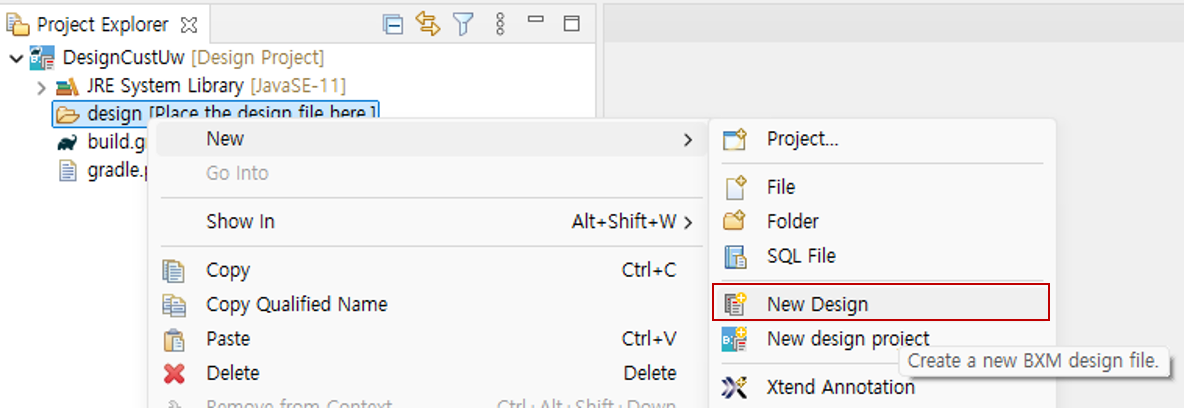
-
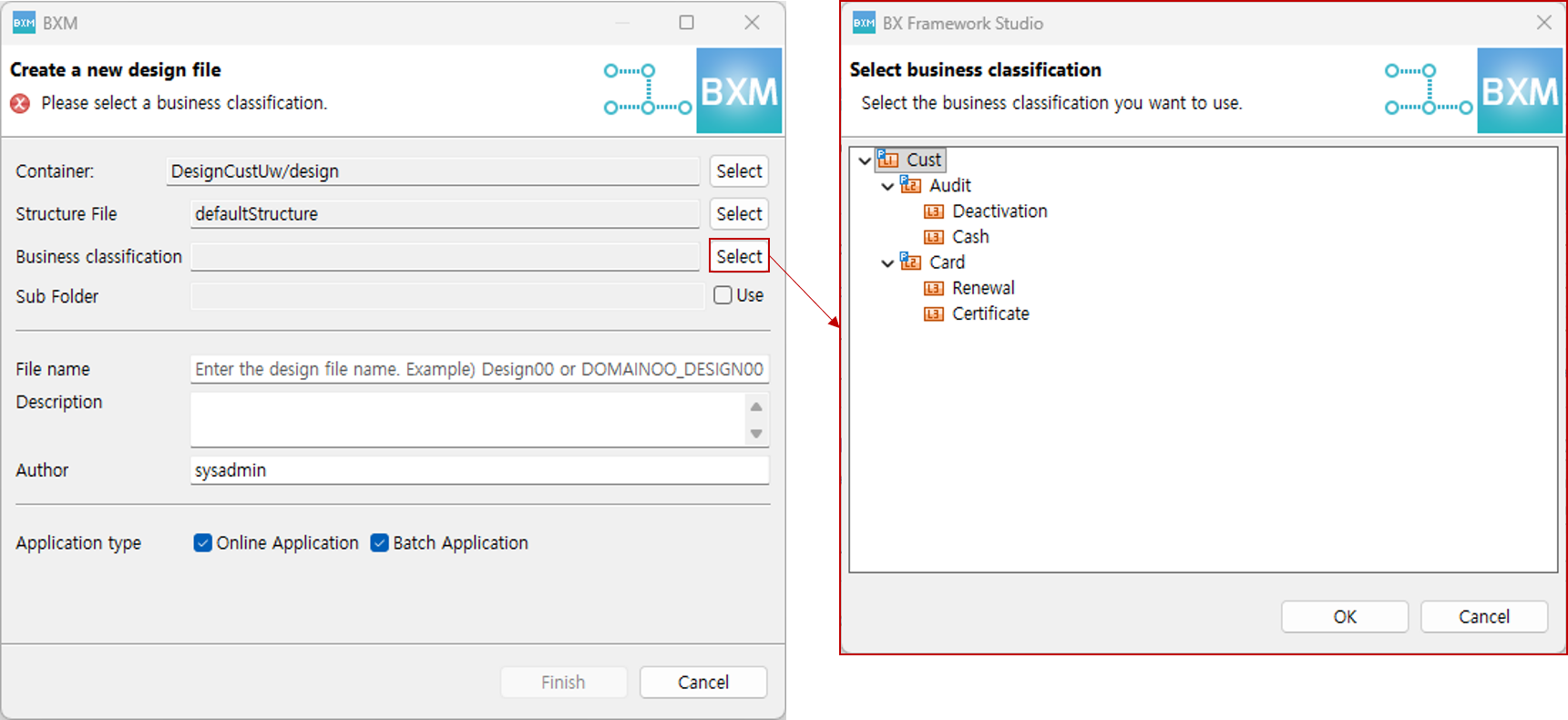
After the design creation wizard opens, open the 'Select business classification' Dialog and select the business to be designed.
-
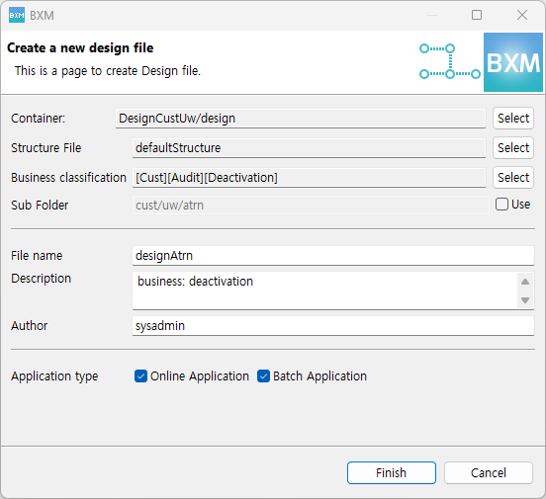
Enter the file name, description, and author information, select the application type to use, and then click the Finish button.
-
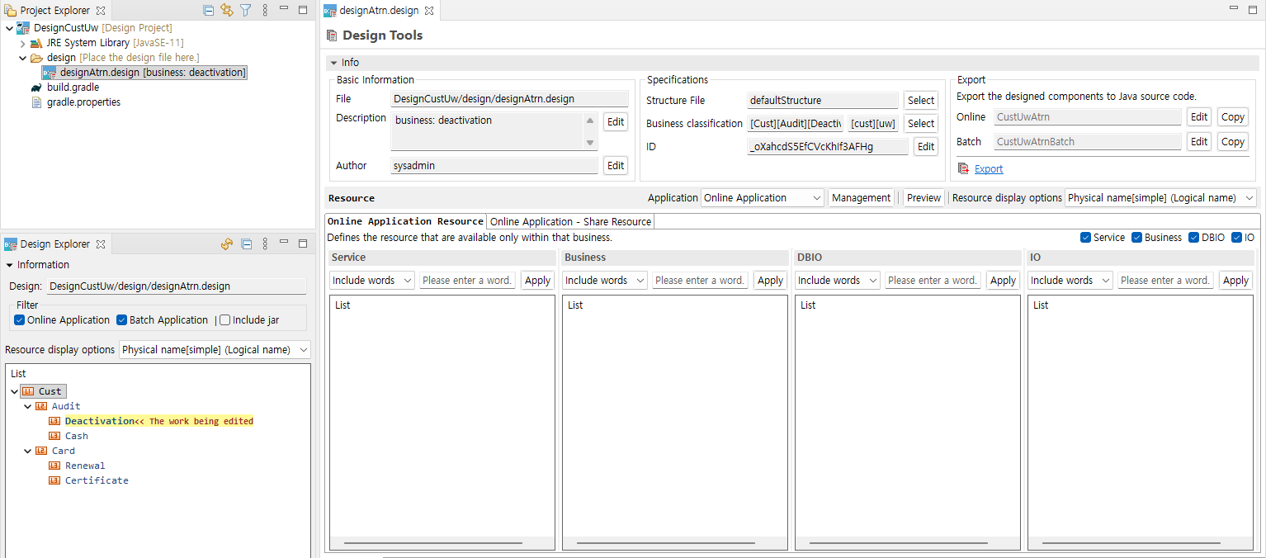
A design file is created under the project, and the editor opens.
|
For how to use the design editor, refer to the Design Editor page. |