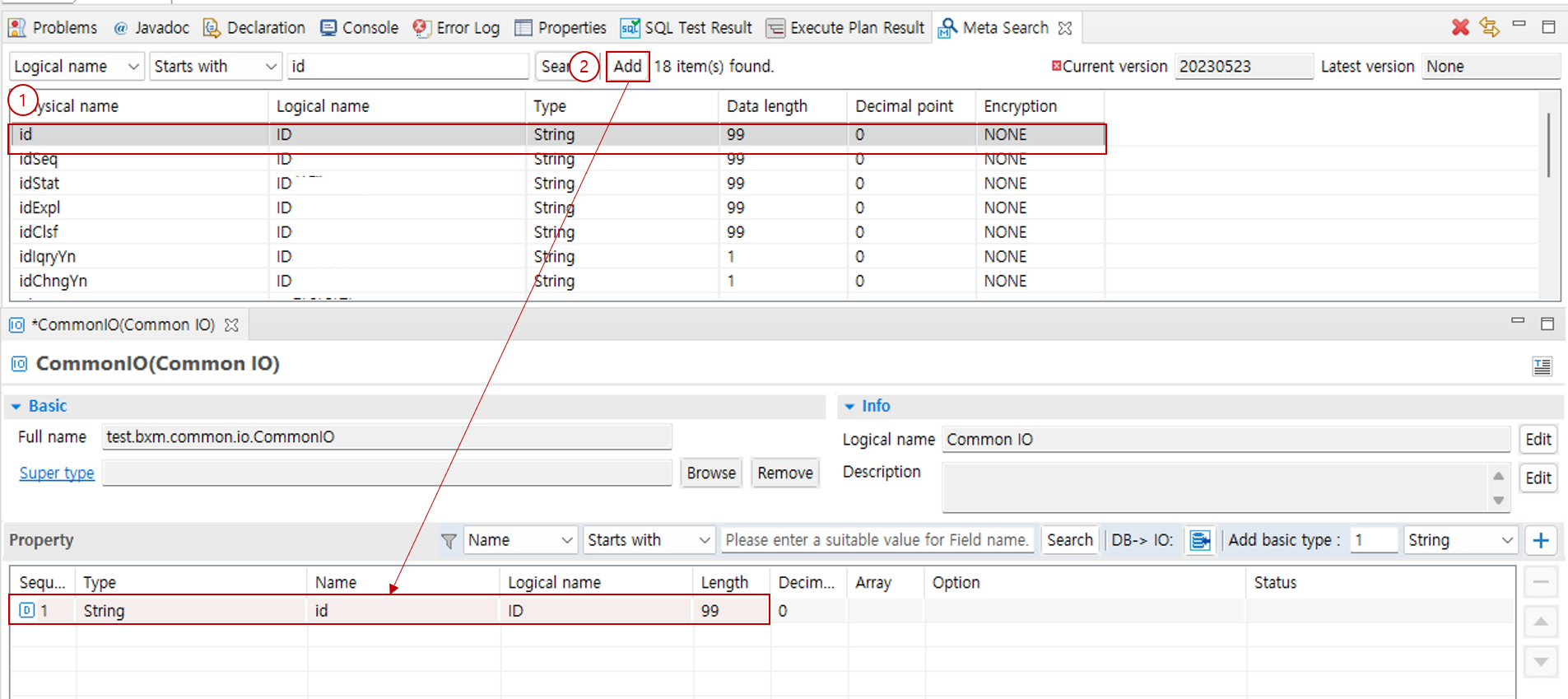
SWLab BXM Docs BXM User Guide - Studio Development Environment Perspective View Meta Search Meta Search This section describes how to search for registered meta and add it to the IO editor. 1. Meta Search Enter the search conditions and the word to search for, and then click the Search button. Meta that matches the conditions appears in the list. 2. Adding Searched Meta to the IO Editor Select the meta to add. If the IO editor is active, the Add button is enabled. Click the Add button. You can check the added meta in the IO editor. View Service Test Result