Creating a Batch Bean
Create a batch bean for processing inquiry input. The batch bean can be created through the "New Bean" menu. To read and process data for batch processing, you must implement the ItemStream, ItemReader, ItemProcessor, and ItemWriter interfaces.
(1) Creating a Batch Bean through the New Bean Wizard
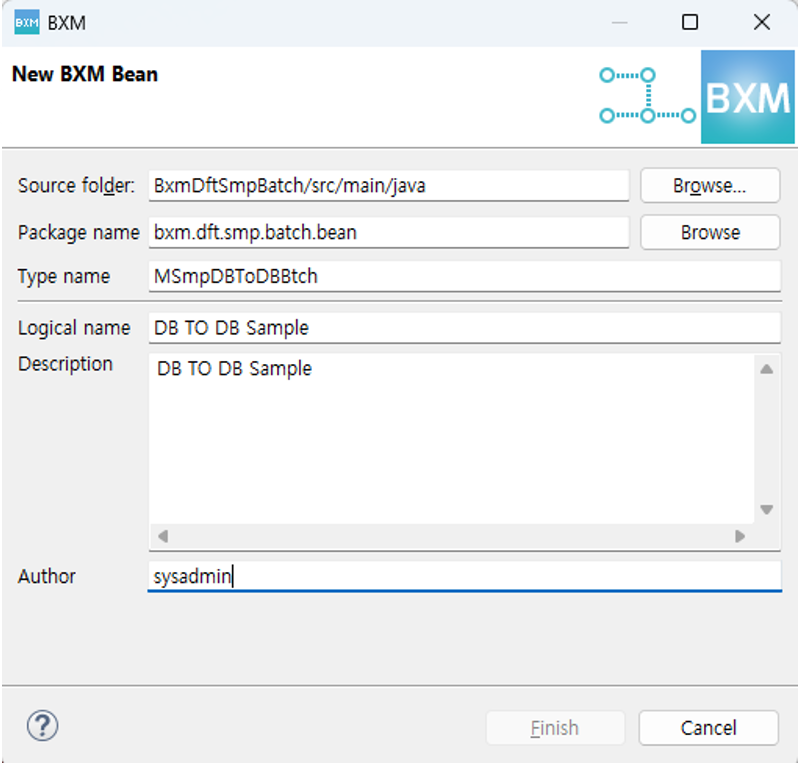
Figure 1. New Bean Wizard
(2) Setting Bean Annotation and Declaring Member Variables
@BxmBean("MSmpDBToDBBtch")
@Scope("step")
@BxmCategory(logicalName = "DB TO DB Sample")
public class MSmpDBToDBBtch implements ItemReader<MSmpDBToDBBtch01Dto>
        , ItemProcessor<MSmpDBToDBBtch01Dto, MSmpDBToDBBtch02Dto>
        , ItemWriter<MSmpDBToDBBtch02Dto>, ItemStream {

    final Logger logger = LoggerFactory.getLogger(this.getClass());

    private DSmpEmpTst001 dSmpEmpTst001;  // Inquiry DBIO
    private DSmpEmpTmp001 dSmpEmpTmp001;  // Input DBIO

    private Iterator<DSmpEmpTst001selectList01OutDto> iterator; // Variable for processing inquiry results as an Iterator