Default DBIO
You can create DBIOs using the Default DBIO wizard.
When you use the Default DBIO wizard, it generates basic CRUD SQL for the selected table. You can select multiple tables to generate DBIO files in bulk, and according to the development standards, the generated DBIO and IO can have different package and class names depending on the application and table name.
-
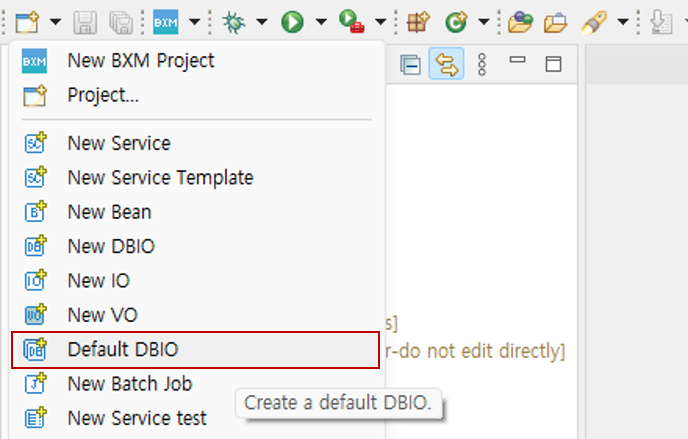
Click 'Default DBIO' from the New menu in the upper left quick menu.
-
Search/select the user table and click Next.
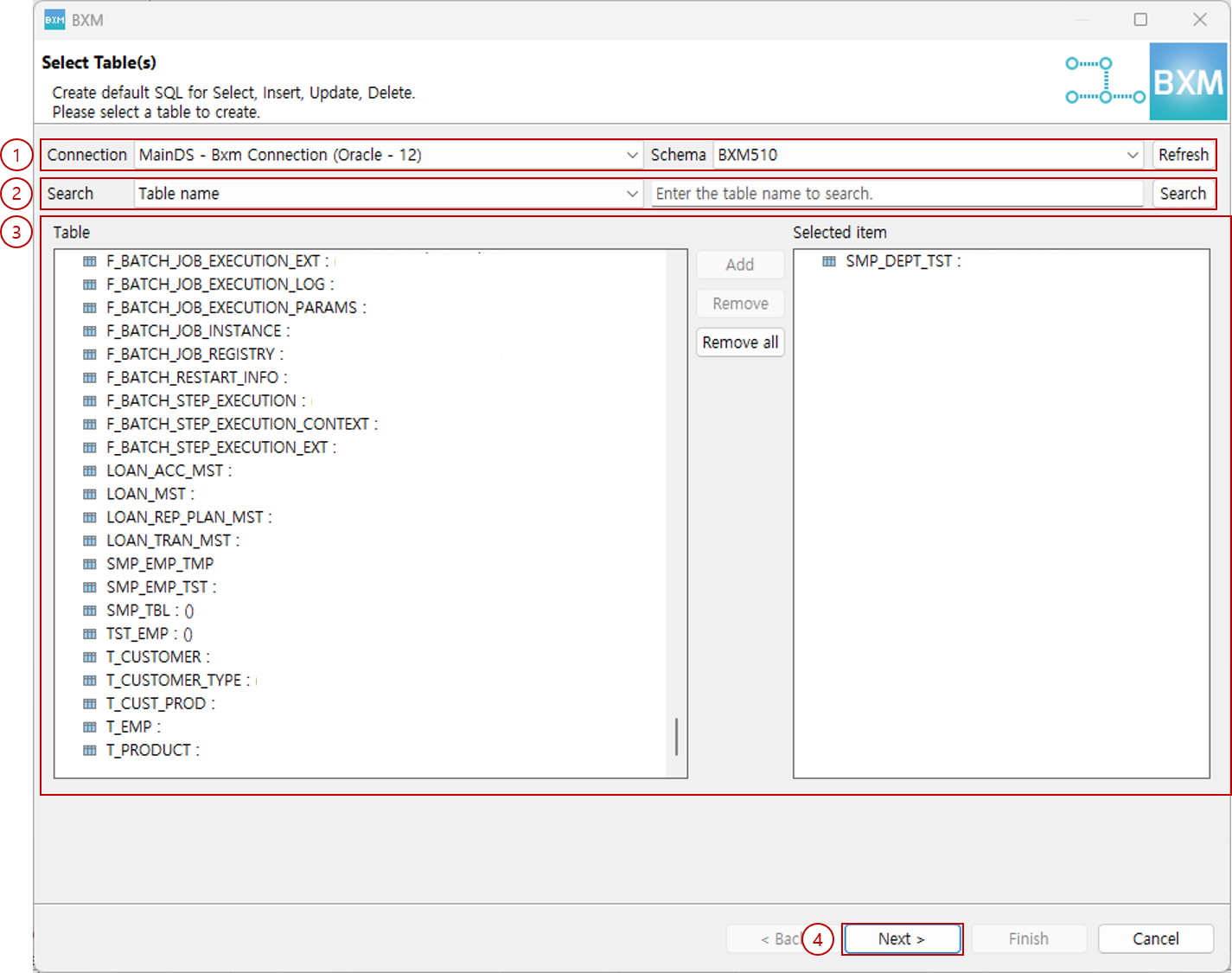
(1) Select connection and schema
(2) Enter search conditions
(3) Double-click the retrieved table or click Add
(4) Click Next -
Select the SQL ID to be generated, then click Finish.
At this time, the packages and class names of the DBIO and IO are generated by the module defined by the framework administrator.
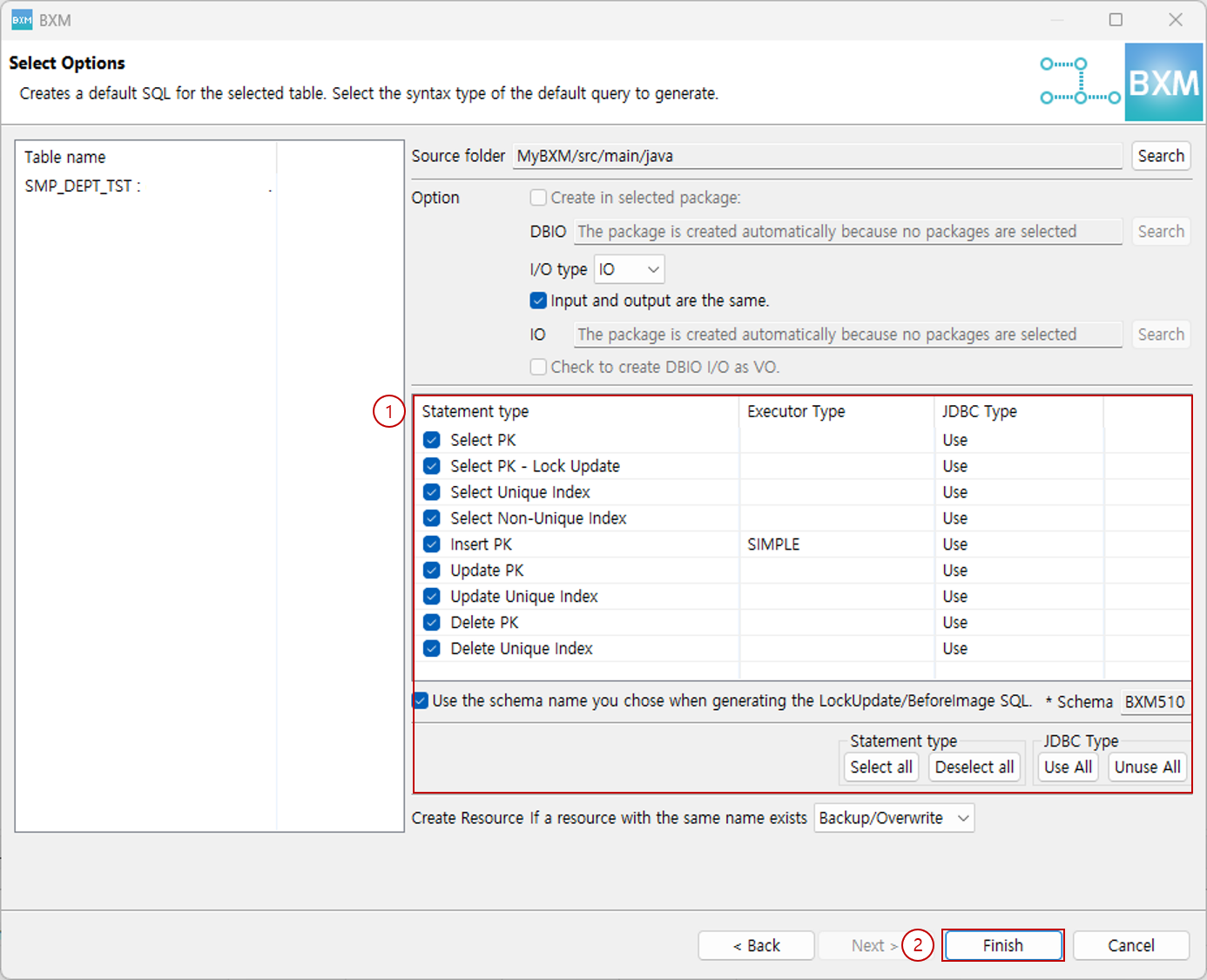
(1) Select queries to generate
(2) Click FinishStatement type Description Select PK
If the table has a Primary Key, generates a Select SQL that uses the Primary Key in the where clause.
Select PK - Lock Update
If the table has a Primary Key, generates a Select Lock Update SQL that uses the Primary Key in the where clause.
Select Unique Index
If the table has a Unique Index, generates a Select SQL that uses the Unique Index in the where clause.
Select Non-Unique Index
If the table has a non-Unique general Index, generates a Select SQL that uses the general Index in the where clause.
Insert PK
Generates an Insert SQL. You can select the execution type for this SQL. (Connected Batch, Simple)
Update PK
If the table has a Primary Key, generates an Update SQL that uses the Primary Key in the where clause.
Update Unique Index
If the table has a Unique Index, generates an Update SQL that uses the Unique Index in the where clause.
Delete PK
If the table has a Primary Key, generates a Delete SQL that uses the Primary Key in the where clause.
Delete Unique Index
If the table has a Unique Index, generates an Update SQL that uses the Unique Index in the where clause.
-
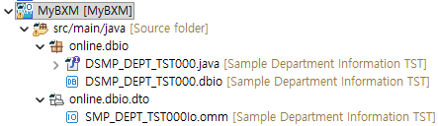
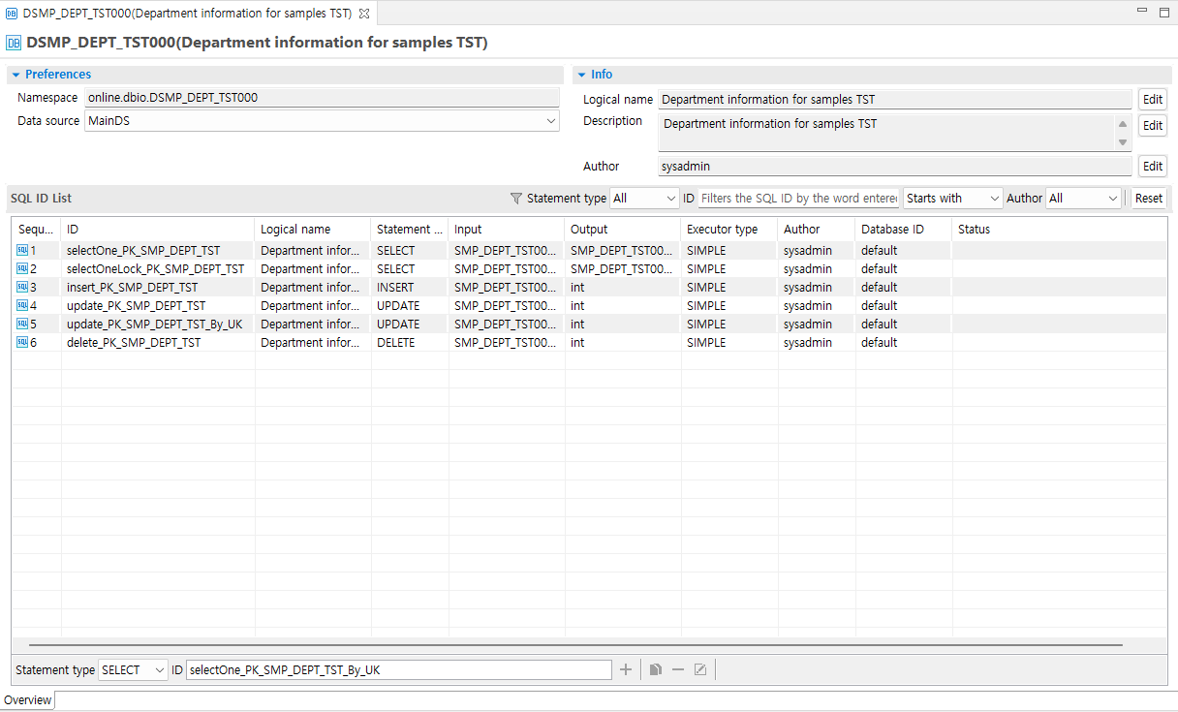
When generation is complete, the DBIO and IO for the selected tables are created.
-
Generated resources
-
Generated DBIO
-
Generated IO fields
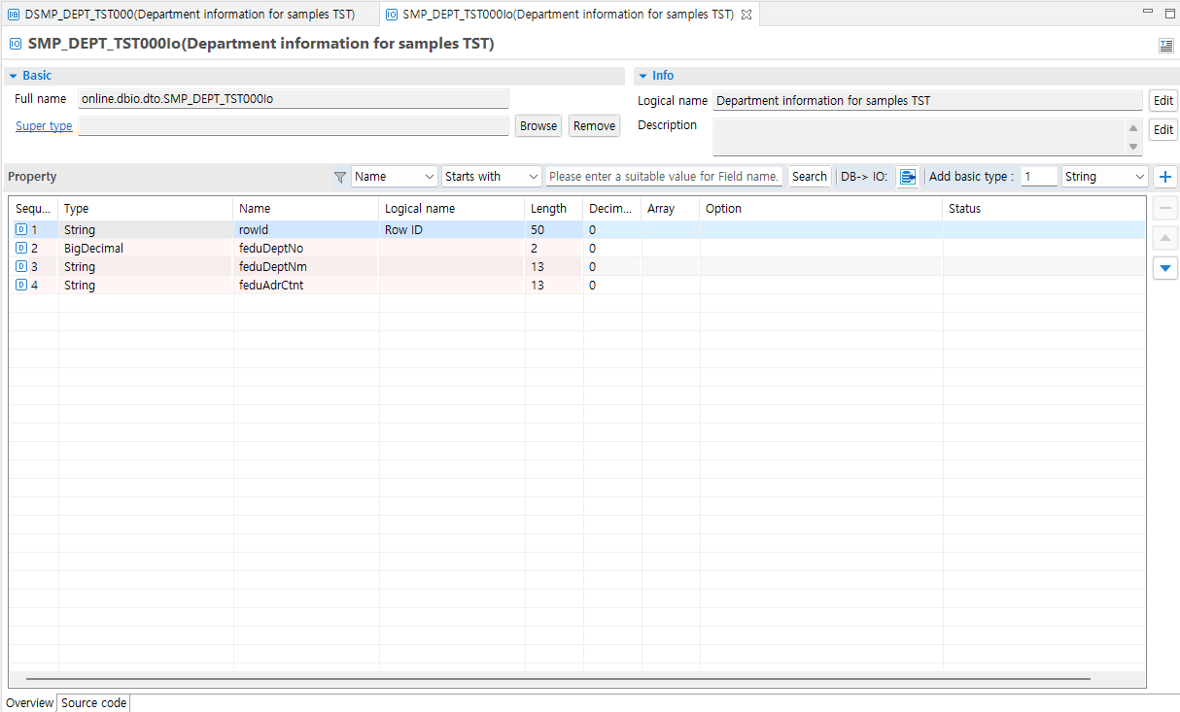
At this time, the packages and class names of the generated resources are created by the module defined by the framework administrator.
|
For how to use the editor, refer to the DBIO page. |