Create Project
-
Right-click in the Package Explorer → select New → select New BXM Project. (Shortcut: Ctrl + N → BXM → select New BXM Project)
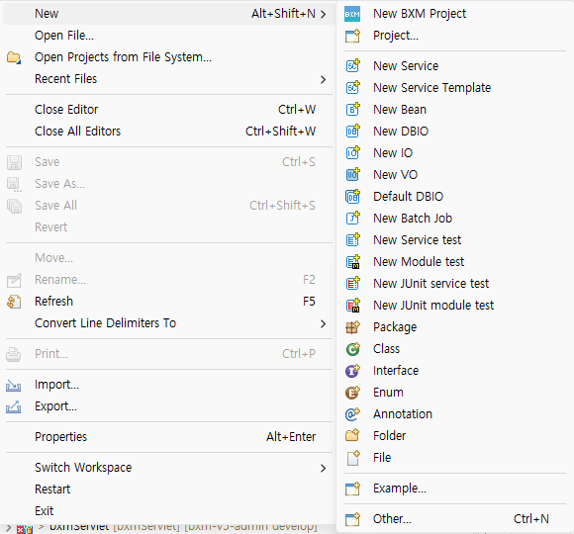 Figure 1. Create Project
 -
Set the type to online application, enter the project name, and click the Finish button.
The project name must be the same as the BXM application name.
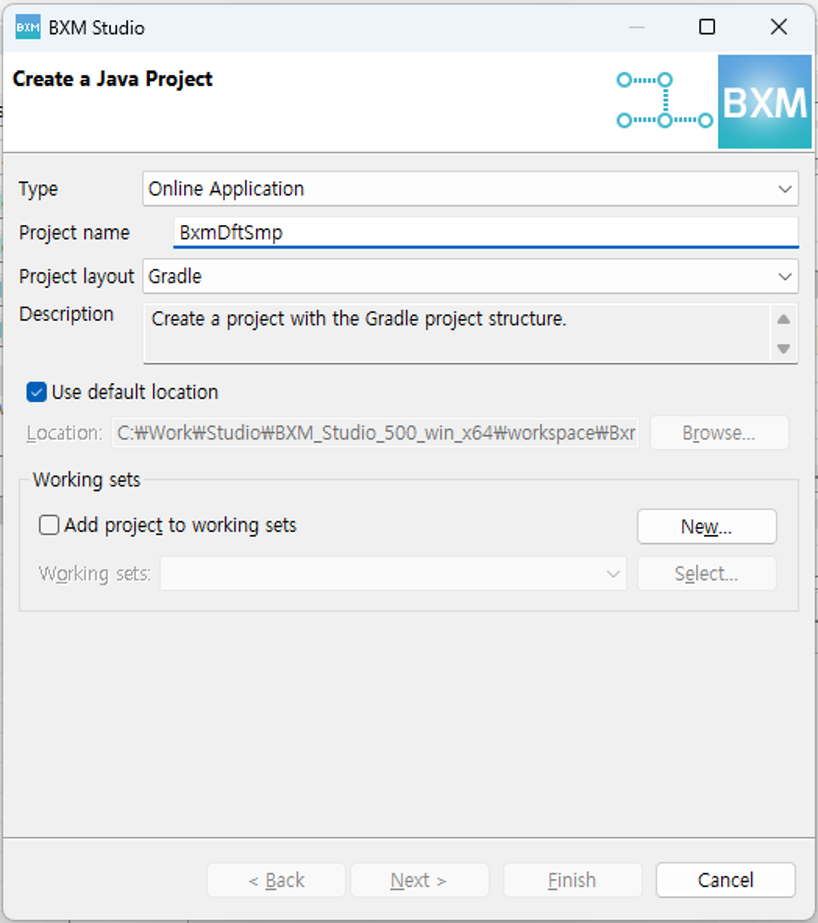 Figure 2. Create BXM Project Wizard
 -
In this chapter, define the package as shown below.
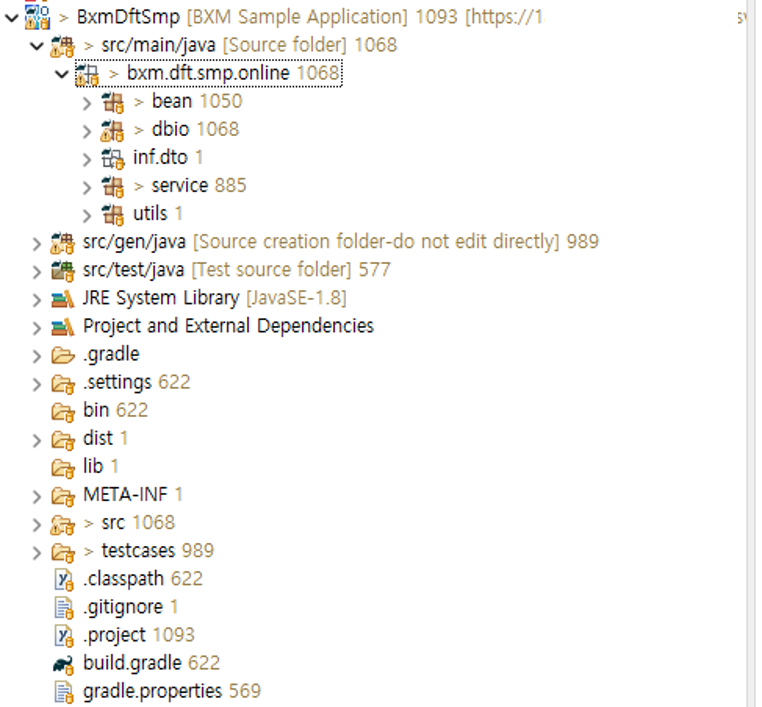 Figure 3. Create Package