Creating a Service
1. Creating Service IO
Creating Service IO is the same as creating DBIO IO. For how to create and write IO, refer to DBIO IO Creation. The following is the screen of the created IO.
|
Service IO was written under the dto package under bxm.dft.smp.onlne.service. |
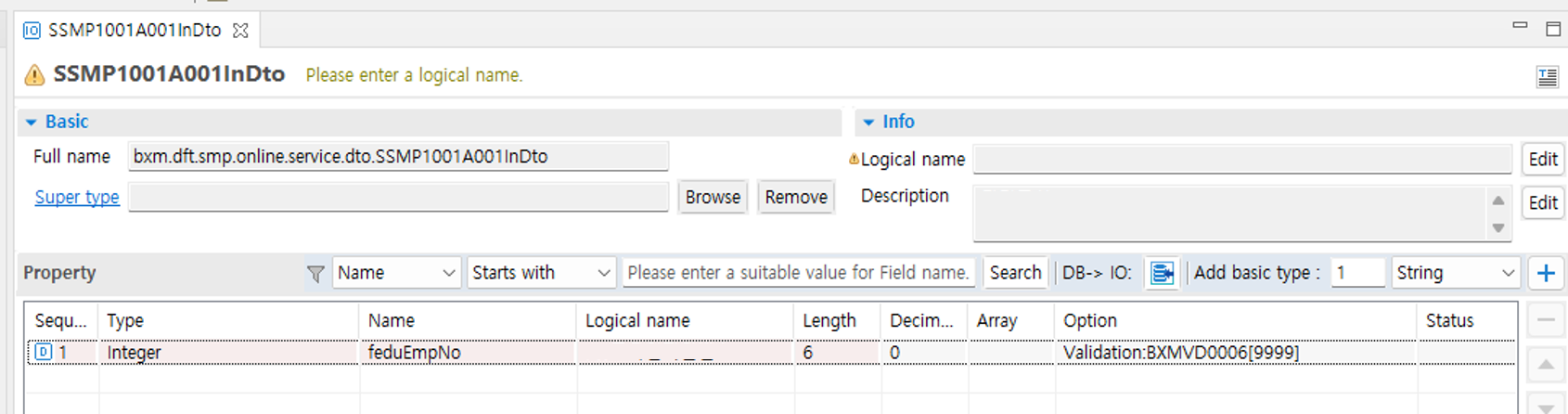
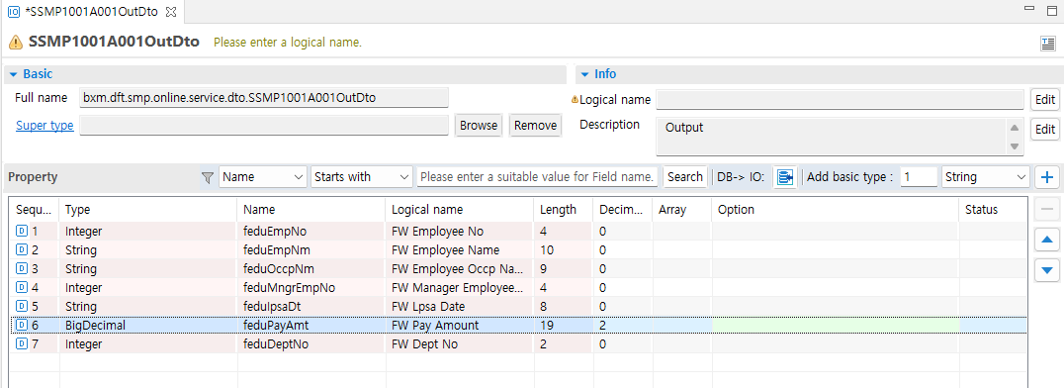
2. Creating a Service
-
Create a Service class. Right-click in the Package Explorer → New → select New Service.
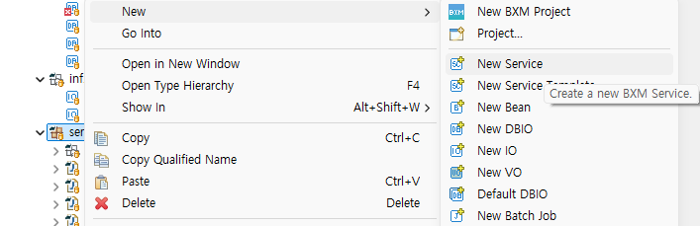 Figure 3. Creating a Service
 -
In the New BXM Service Wizard, enter the type name and logical name.
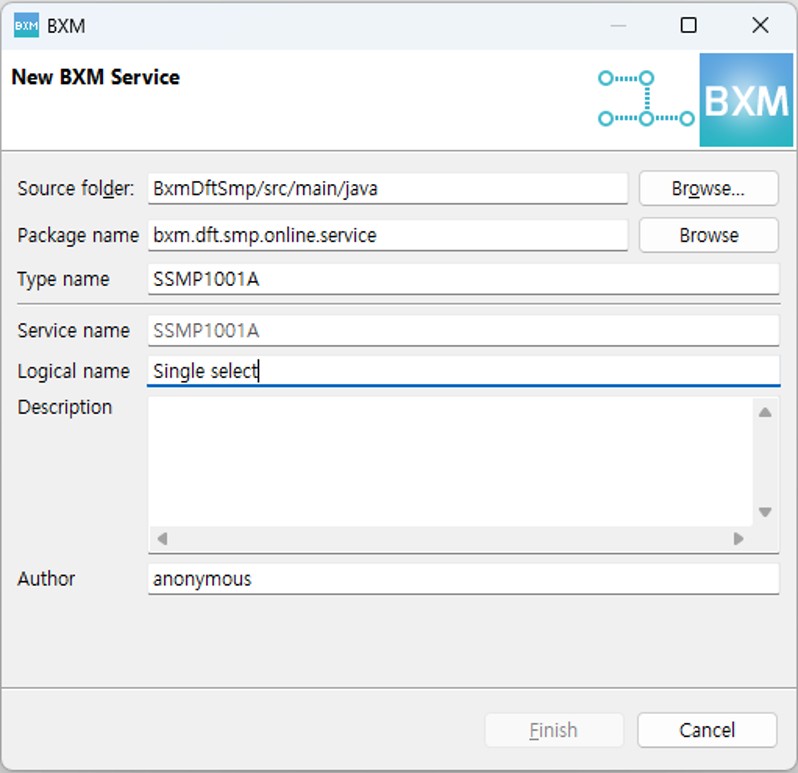 Figure 4. New Service Wizard
 -
Implement the logic. For the BXM development standard, refer to the BXM Developer Guide - Development Standards document. The following is the implemented Service class and Service operation.
@BxmService("SSMP1001A")
@BxmCategory(logicalName = "Single select")
public class SSMP1001A {
    final Logger logger = LoggerFactory.getLogger(this.getClass());

    private MSmpEmpInfMng mSmpEmpInfMng;

    @BxmServiceOperation("ssmp1001a001")
    @BxmCategory(logicalName = "Single select")
    public SSMP1001A001OutDto ssmp1001a001(SSMP1001A001InDto input) throws DefaultApplicationException {

        logger.debug("============== SERVICE START ==============");
        logger.debug("input = {}", input);

        mSmpEmpInfMng = DefaultApplicationContext.getBean(mSmpEmpInfMng, MSmpEmpInfMng.class);

        /**
         * @BXMType VariableDeclaration
         */
        DSmpEmpTst000Dto beanInput = new DSmpEmpTst000Dto();

        /**
         * @BXMType VariableDeclaration
         */
        SSMP1001A001OutDto output = new SSMP1001A001OutDto();

        /**
         * @BXMType IF
         */
        if (input.getFeduEmpNo().equals(BigDecimal.valueOf(9877))) {
            logger.error("Pre-Deploy Test Exception for FeduEmpNo [9877].");
            throw new DefaultApplicationException("BXME30000", new Object[] {},
                    new Object[] { "Pre-Deploy Test Exception." });
        }

        /**
         * @BXMType LogicalArea
         * @Desc DTO mapping
         */
        {
            beanInput.setFeduEmpNo(input.getFeduEmpNo());
        }

        /**
         * @BXMType BeanCall
         * @Desc Call bean single select method
         */
        DSmpEmpTst000Dto beanOutput = mSmpEmpInfMng.getEmpInf(beanInput);

        /**
         * @BXMType IF
         * @Desc DTO mapping if bean out is not null
         */
        if (beanOutput != null) {
            output.setFeduEmpNo(beanOutput.getFeduEmpNo());
            output.setFeduEmpNm(beanOutput.getFeduEmpNm());
            output.setFeduOccpNm(beanOutput.getFeduOccpNm());
            output.setFeduMngrEmpNo(beanOutput.getFeduMngrEmpNo());
            output.setFeduIpsaDt(beanOutput.getFeduIpsaDt());
            output.setFeduPayAmt(beanOutput.getFeduPayAmt());
            output.setFeduDeptNo(beanOutput.getFeduDeptNo());
        }

        /**
         * @BXMType LogicalArea
         * @Desc add message
         */
        {
            DefaultApplicationContext.addMessage("BXMI60000", null, new Object[] {});
        }

        logger.debug("output = {}", output);
        logger.debug("============== SERVICE END ==============");

        return output;
    }
}
3. Creating a New Service Test
-
Create a service test. Right-click in the Package Explorer → New → select New Service Test.
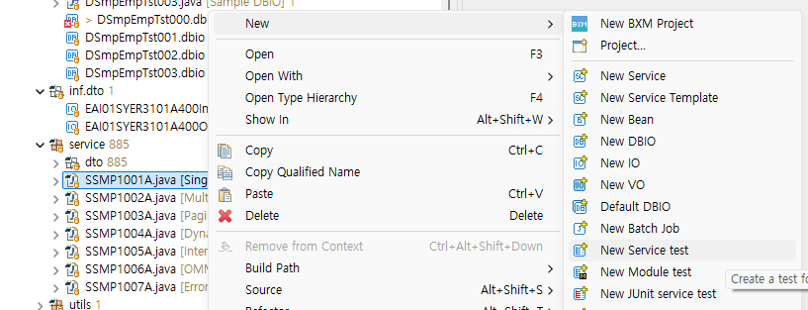 Figure 5. Creating a Service Test
 -
Select the operation, then click Finish.
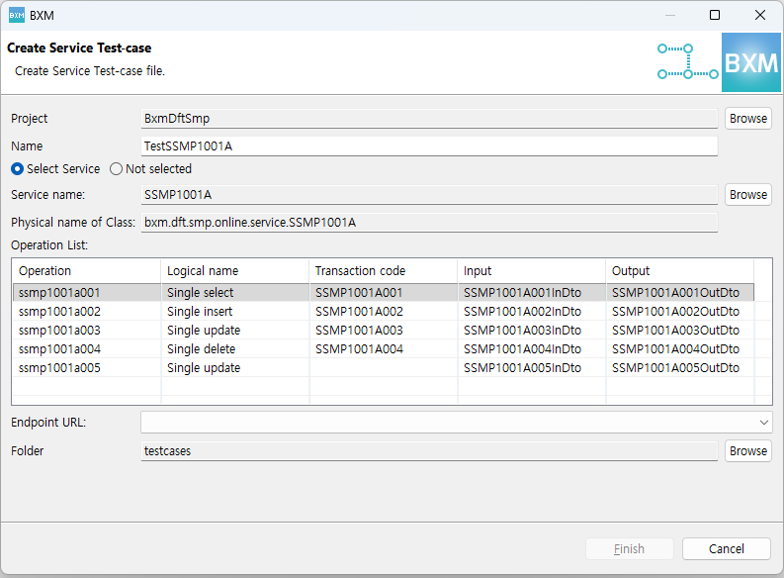 Figure 6. Selecting a Service operation
The following is the created service test, and the test is executed after server deployment. For executing a service test, refer to Executing a Service Test.
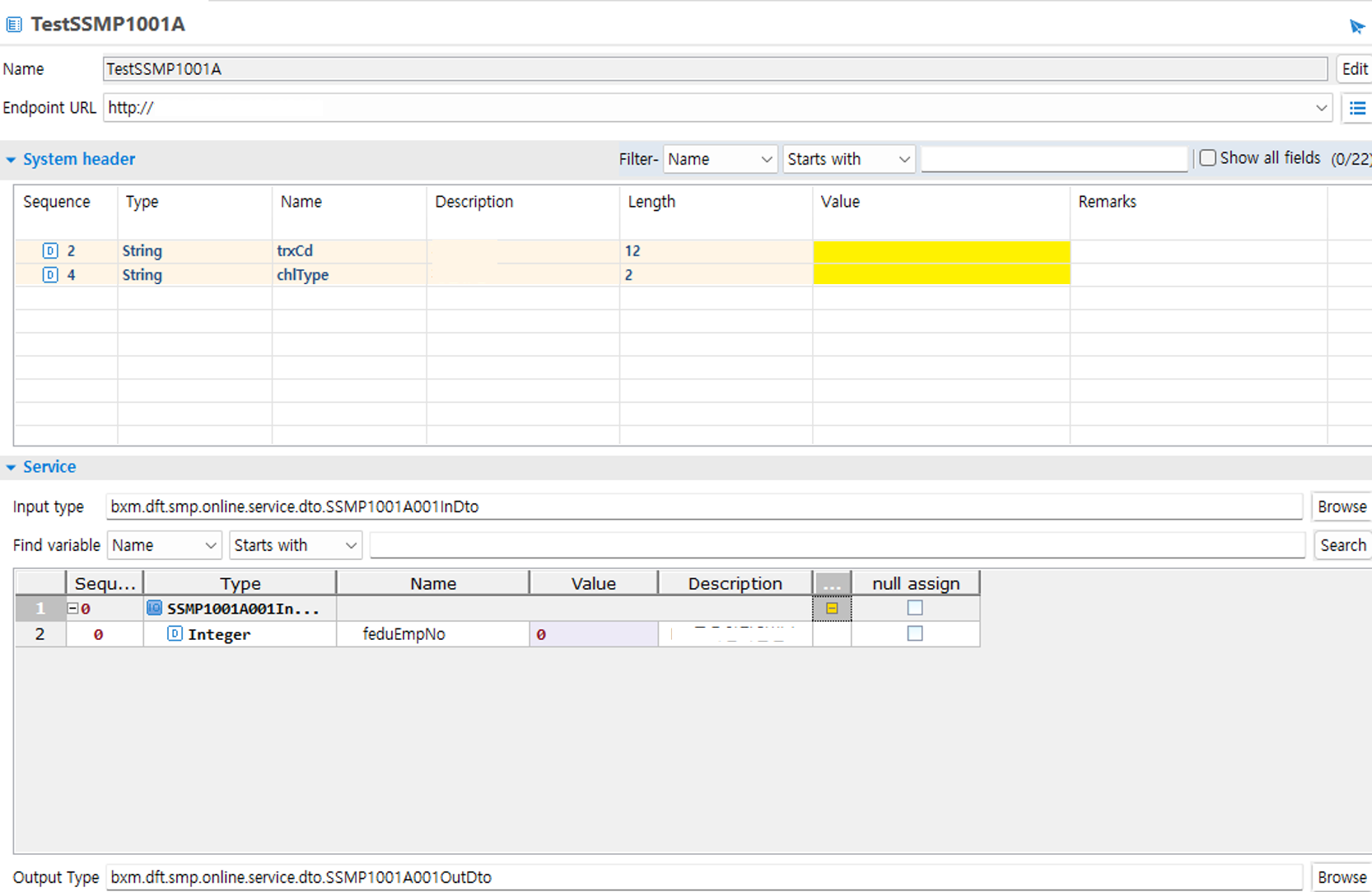 Figure 7. Service Test screen