Batch Job Management
This screen is for managing BXM batch jobs.
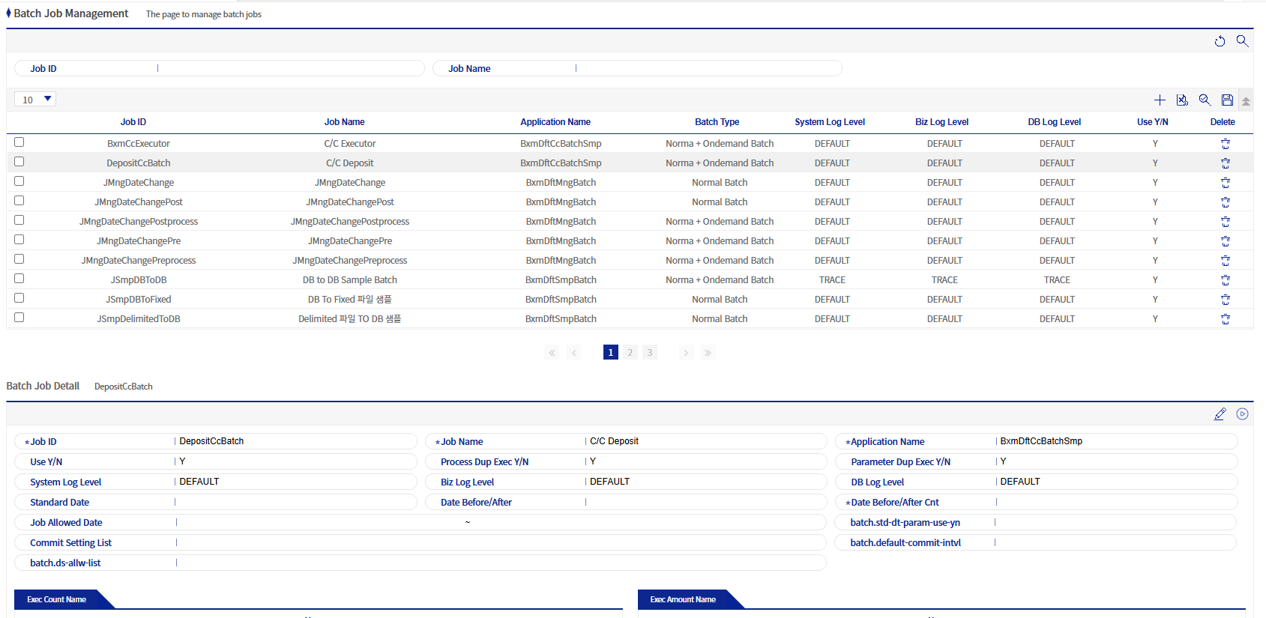
1. Batch Job Details
You can check the settings for a batch job and execute it remotely.
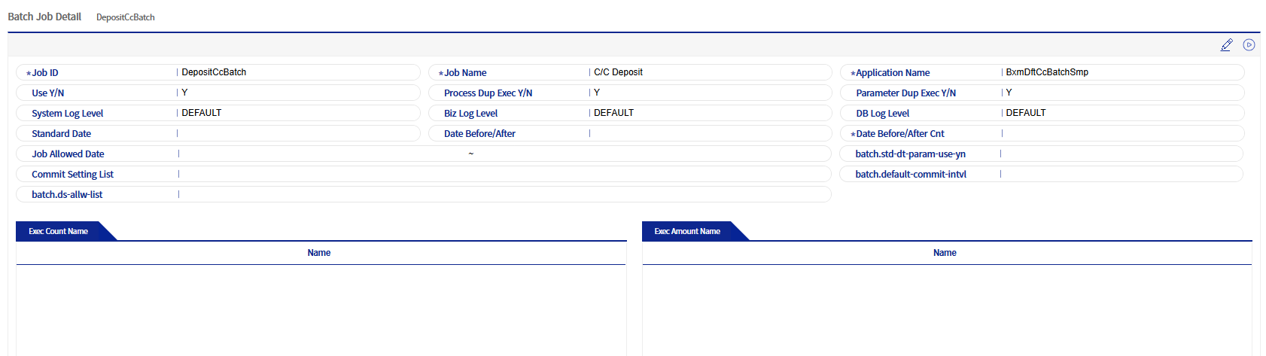
1.1. Normal batch
This is the execution of a normal batch that is run using the shell (runJob.sh) provided by BXM.
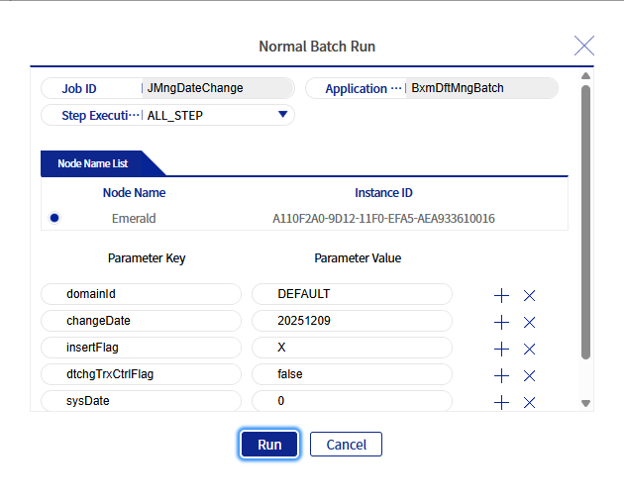
Select the node on which to execute the batch, and enter the parameters required for batch execution in the form of key=value.
1.2. Step execution classification
This is a description of the step execution classification options for batch execution. There are five options: ALL_STEP, ONE_STEP, STEP_TO_END, STEP_TO_STEP, MULTI_STEP.
| Option name | Description |
|---|---|
ALL_STEP |
Executes all steps belonging to the batch. This is the default value. |
ONE_STEP |
When ONE_STEP is set, a field for entering the step ID is created. Enter only one step ID. |
STEP_TO_END |
The STEP_TO_END option means that execution starts from the entered step ID and continues to the last step. Enter only one step ID. |
STEP_TO_STEP |
The STEP_TO_STEP option requires entering a start step ID and an end step ID. Assuming the start step ID is STEP001, the end step ID is STEP005, and the STEP sequence increases sequentially, STEP001, STEP002, STEP003, STEP004, and STEP005 are executed. |
MULTI_STEP |
The MULTI_STEP option executes only the specified STEPs. The delimiter is CSV (,). If you enter STEP001,STEP005,STEP999, only the three steps STEP001, STEP005, and STEP999 are executed. |
2. Batch Job Add/Edit Popup
This is a popup where you can add/edit batch jobs.
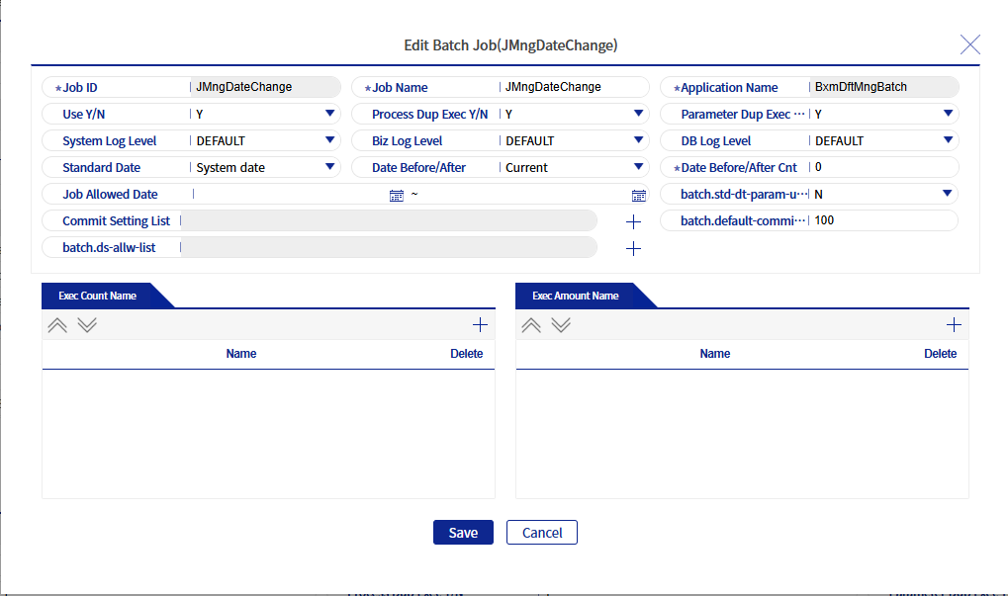
Refer to the following table for descriptions of each field.
| Field name | Description |
|---|---|
Batch type |
Sets the execution type of the batch. |
Job ID |
BXM batch job ID. This is required for BXM batch execution and must be the same as the ID value of JOB in the batch configuration xml file. |
Job name |
The batch job name. |
Application name |
The name of the application in which the BXM batch is created. |
Usage status |
Sets whether it is used. |
Whether processes can be executed repeatedly or not |
Sets whether the same batch can be executed multiple times in parallel. |
Whether parameters can be executed repeatedly or not |
Sets whether parameters can be executed repeatedly. |
System log level |
Sets the System log level. The log levels are in the order TRACE > DEBUG > INFO > WARN > ERROR. When set to DEFAULT, the log level configured in the corresponding BXM application is applied. |
job log level |
Sets the job log level. The log levels are in the order TRACE > DEBUG > INFO > WARN > ERROR. When set to DEFAULT, the log level configured in the corresponding BXM application is applied. |
DB log level |
Sets the DB log level. The log levels are in the order TRACE > DEBUG > INFO > WARN > ERROR. When set to DEFAULT, the log level configured in the corresponding BXM application is applied. |
Standard date classification |
Classifies the standard date. Select either the system date or the operating date. |
Date Before/After setting classification |
Classifies whether it is before or after the date. |
Number of days before and after the date |
Sets the number of days before and after the date. |
Dates jobs are allowed |
Sets the dates on which the batch can be executed. |
Commit configuration list |
Sets the commit interval for each Step. |