Update
1. Process
-
When adding an SQL ID, if you enter an id that starts with update*, the syntax type is automatically changed to update.
 Figure 1. Add update SQL ID
 -
Click the [Basic SQL] button, search for the SMP_EMP_TST table, and click the OK button. The UPDATE statement will be generated automatically.
-
After adding the input type, save it. The DSmpEmpTst000Dto IO created when making the single record inquiry service sample was reused.
-
The output type is automatically set to int.
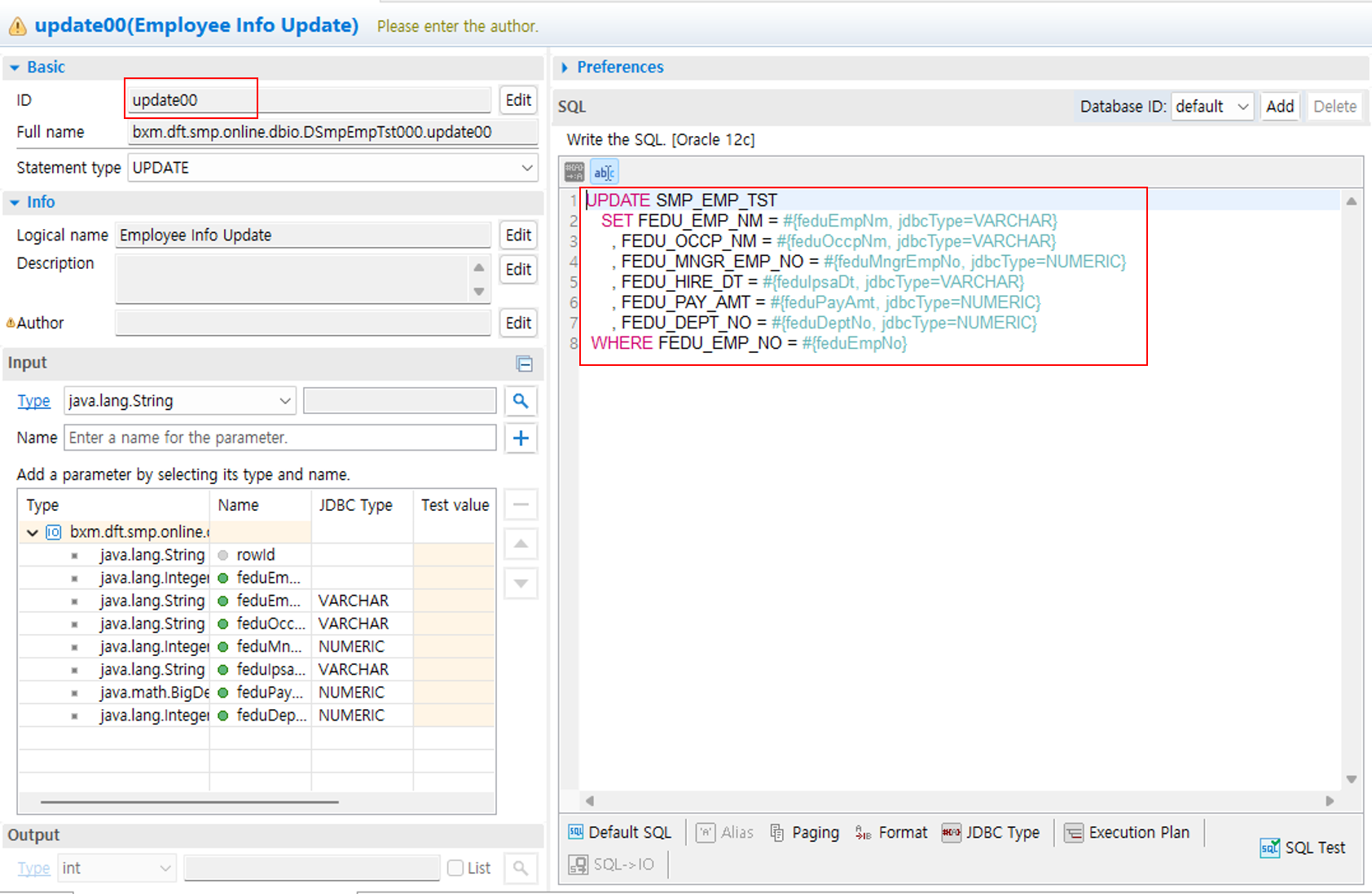 Figure 2. Update DBIO
2. DBIO Sample
UPDATE SMP_EMP_TST
   SET FEDU_EMP_NM = #{feduEmpNm, jdbcType=VARCHAR}
     , FEDU_OCCP_NM = #{feduOccpNm, jdbcType=VARCHAR}
     , FEDU_MNGR_EMP_NO = #{feduMngrEmpNo, jdbcType=NUMERIC}
     , FEDU_HIRE_DT = #{feduHireDt, jdbcType=VARCHAR}
     , FEDU_PAY_AMT = #{feduPayAmt, jdbcType=NUMERIC}
     , FEDU_DEPT_NO = #{feduDeptNo, jdbcType=NUMERIC}
 WHERE FEDU_EMP_NO = #{feduEmpNo}
3. Bean Sample
@BxmCategory(logicalName = "Single Update")
public int modifyEmpInf(DSmpEmpTst000Dto input) throws DefaultApplicationException {

    logger.debug("============== START ==============");
    logger.debug("input = {}", input);

    int modifyCnt = 0;

    dSmpEmpTst000 = DefaultApplicationContext.getBean(dSmpEmpTst000, DSmpEmpTst000.class);

    /**
     * @BXMType DbioCall
     * @Desc Update a single employee info
     */
    modifyCnt = dSmpEmpTst000.update00(input);

    /**
     * @BXMType IF
     * @Desc There are no if modified data
     */
    if (modifyCnt <= 0) {
        /**
         * @BXMType ApplicationException
         * @Desc throw application exception if there are no modified data
         */
        throw new DefaultApplicationException("BXME60006", new Object[] { input.getFeduEmpNo() } );
    }

    logger.debug("output = {}", modifyCnt);
    logger.debug("============== END ==============");

    return modifyCnt;
}