Analysis Report
This screen allows you to check the Caller/Callee relationship of resources that use the relevant attribute by table/column name, or to check DB data information used in the relevant attribute by class/method name. Large-volume information can be downloaded as an Excel file, and only about 20 data entries are displayed on the screen.


The Analysis Report screen can be largely divided into three parts.
-
Resource search / All tables and columns search tab
-
Data preview grid
-
Excel download
1. Resource Search Tab
Resource Search is a screen that outputs data by using table name and column name as search conditions among all analyzed resources. Only the first 20 or so are shown on the screen, and to see all data you must check it using an Excel file.

| Column Name | Description |
|---|---|
Method Name |
Method name. |
CRUD |
CRUD is an abbreviation for Create, Read, Update, and Delete, and refers to basic data processing functions. If there is a colored icon in the CRUD of each table, it means that the corresponding SQL is used. If the R is lit, it means that the table is used in a select statement, which is a Read. |
BXM Application ID |
Name of the BXM application to which the method belongs. |
Class Name |
Name of the class to which the method belongs. |
Input Type |
Input type of the method. |
Output Type |
Output type of the method. |
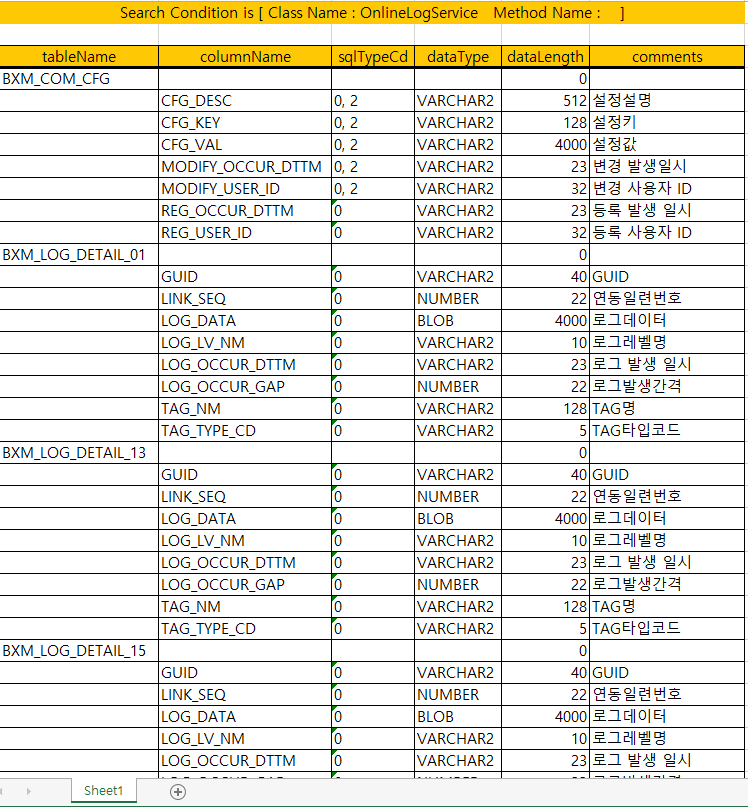
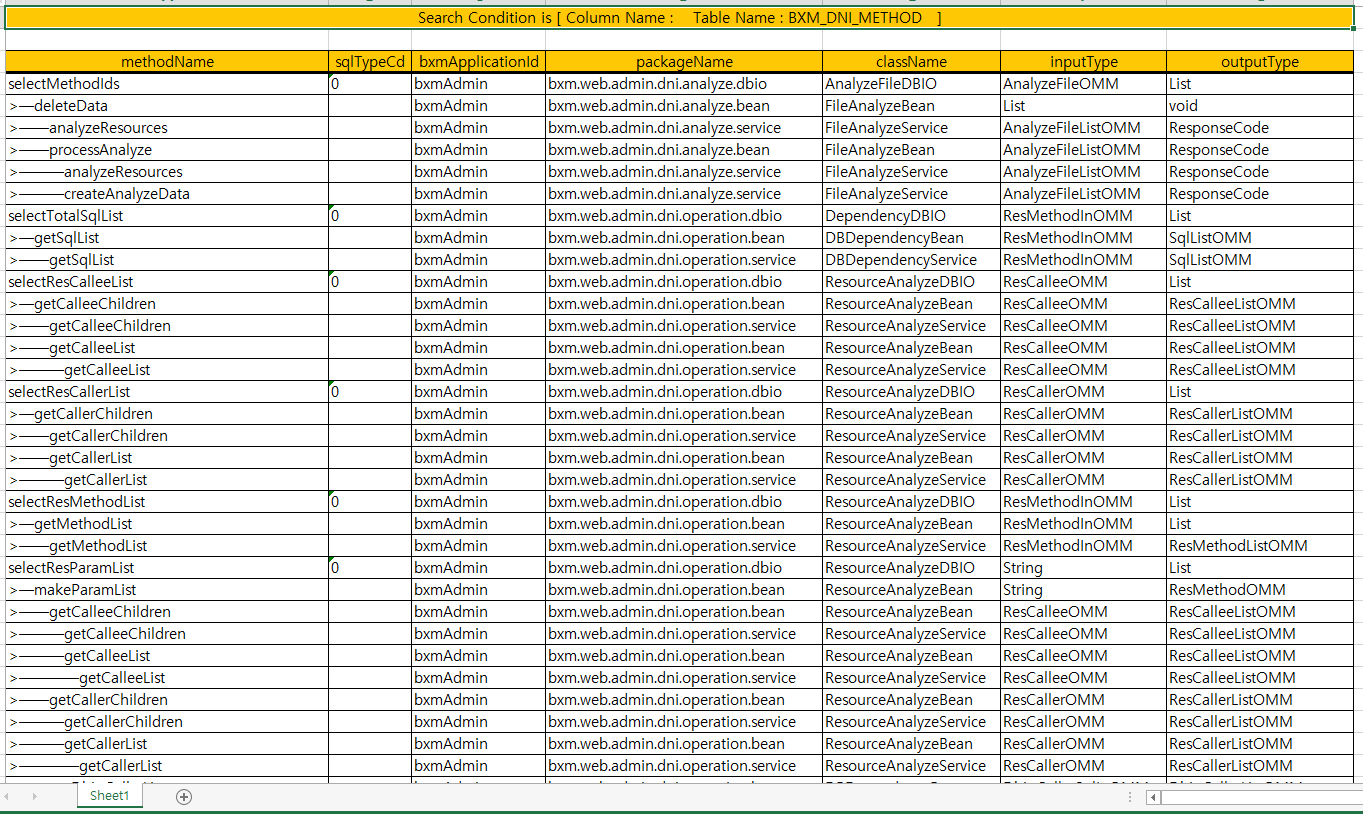
When you download Excel, all data is output as shown below.
In the Excel data, sqlTypeCd is 0 : Read / 1 : Create / 2 : Update / 3 : Delete.
2. All Tables and Columns Search Tab
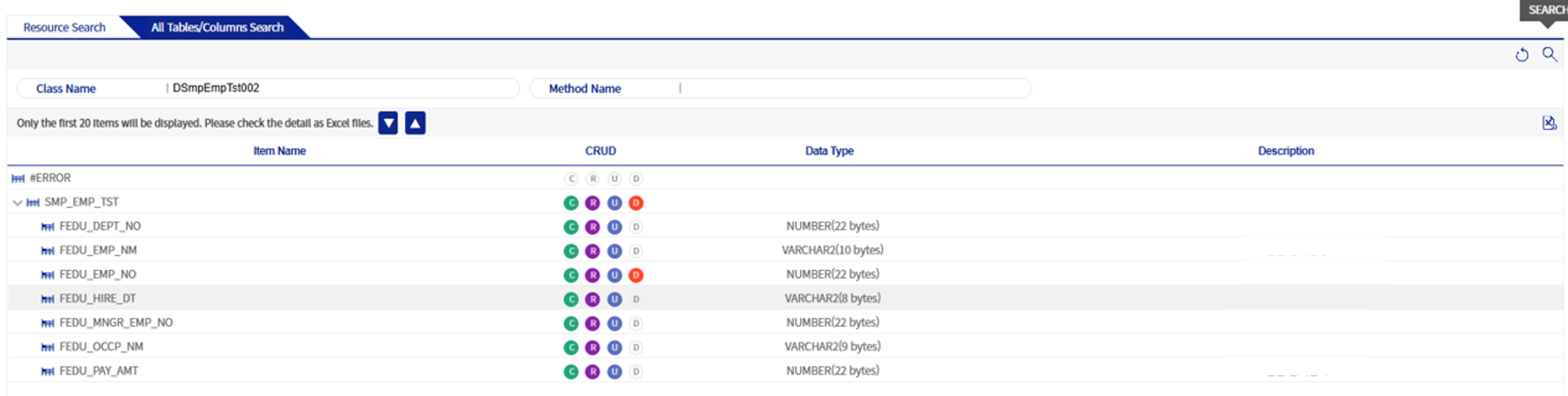
By using class name or method name as search conditions, this outputs the tables and columns used by the relevant class or method. Only DBIO-analyzed targets are output. Only the first 20 or so are shown on the screen, and to see all data you must check it using an Excel file.
| Column Name | Description |
|---|---|
Item Name |
Table and column name. |
CRUD |
CRUD is an abbreviation for Create, Read, Update, and Delete, and refers to basic data processing functions. If there is a colored icon in the CRUD of each table, it means that the corresponding SQL is used. If the R is lit, it means that the table is used in a select statement, which is a Read. |
Data Type |
Data type of the column. |
Description |
Description of the column. |