New JUnit service test
To perform a service test, you must create a new service test.
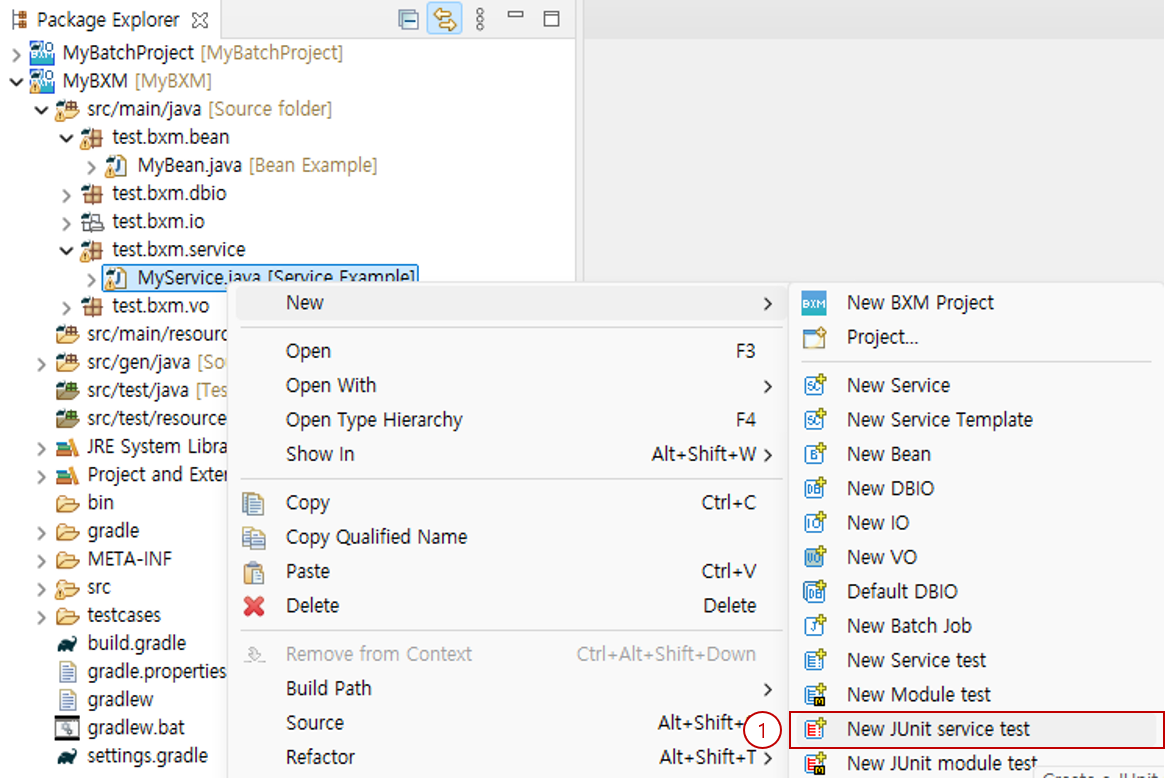
-
Select the service for which you want to create a service test → right-click → select the 'New JUnit service test' wizard.
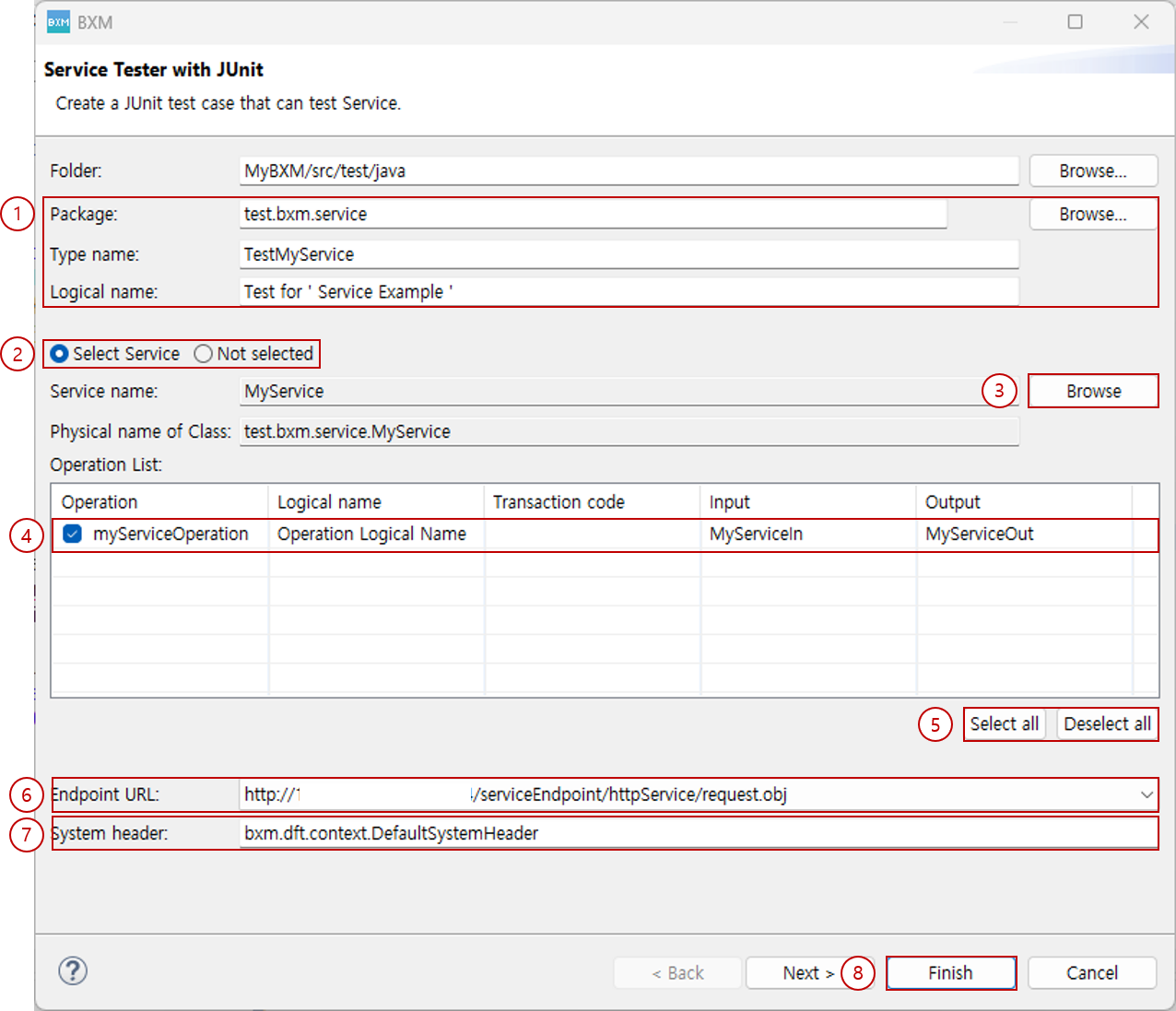
-
Enter the package, type name, and logical name of the new service test. The default value of the type name is generated based on the selected service.
-
To create a service test using a service operation, select Select Service, and to create an empty service test, select Not selected.
If you started the New JUnit service test wizard after selecting a service, Select Service is selected by default.
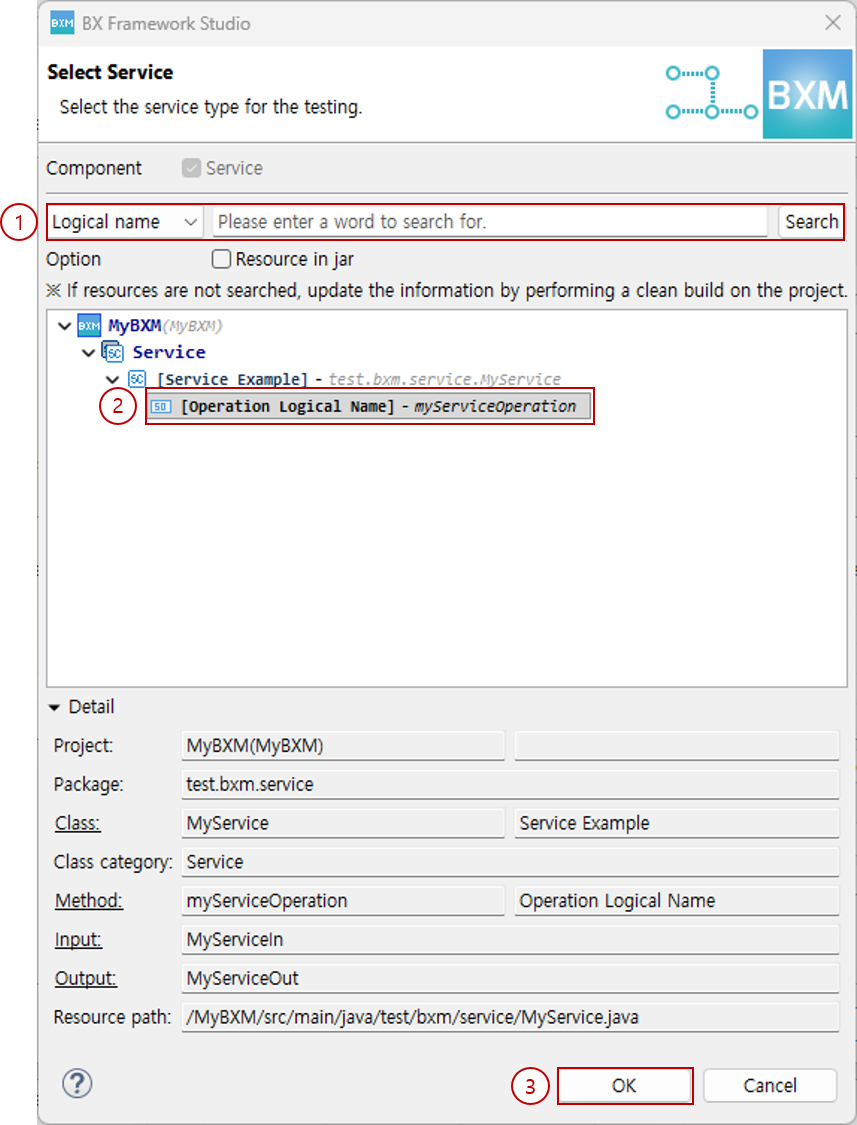
(1) Enter conditions in the Dialog and click the Browse button.
(2) From the search results, select the service operation to test.
(3) Click the OK button. -
If you started the New JUnit service test wizard without selecting a service, Not selected is selected.
To select a service, click the Browse button.
-
Check the operation to be tested in the operation list. Test code is generated for the checked operations.
-
You can select or deselect all operations.
-
Select the Endpoint URL to be tested.
-
Enter the system header to be used. The value specified in the admin configuration is used as the default.
-
Click the Finish button to close the Dialog. To specify code generation options, click the Next button to move to the next page.
1. Source code generation options
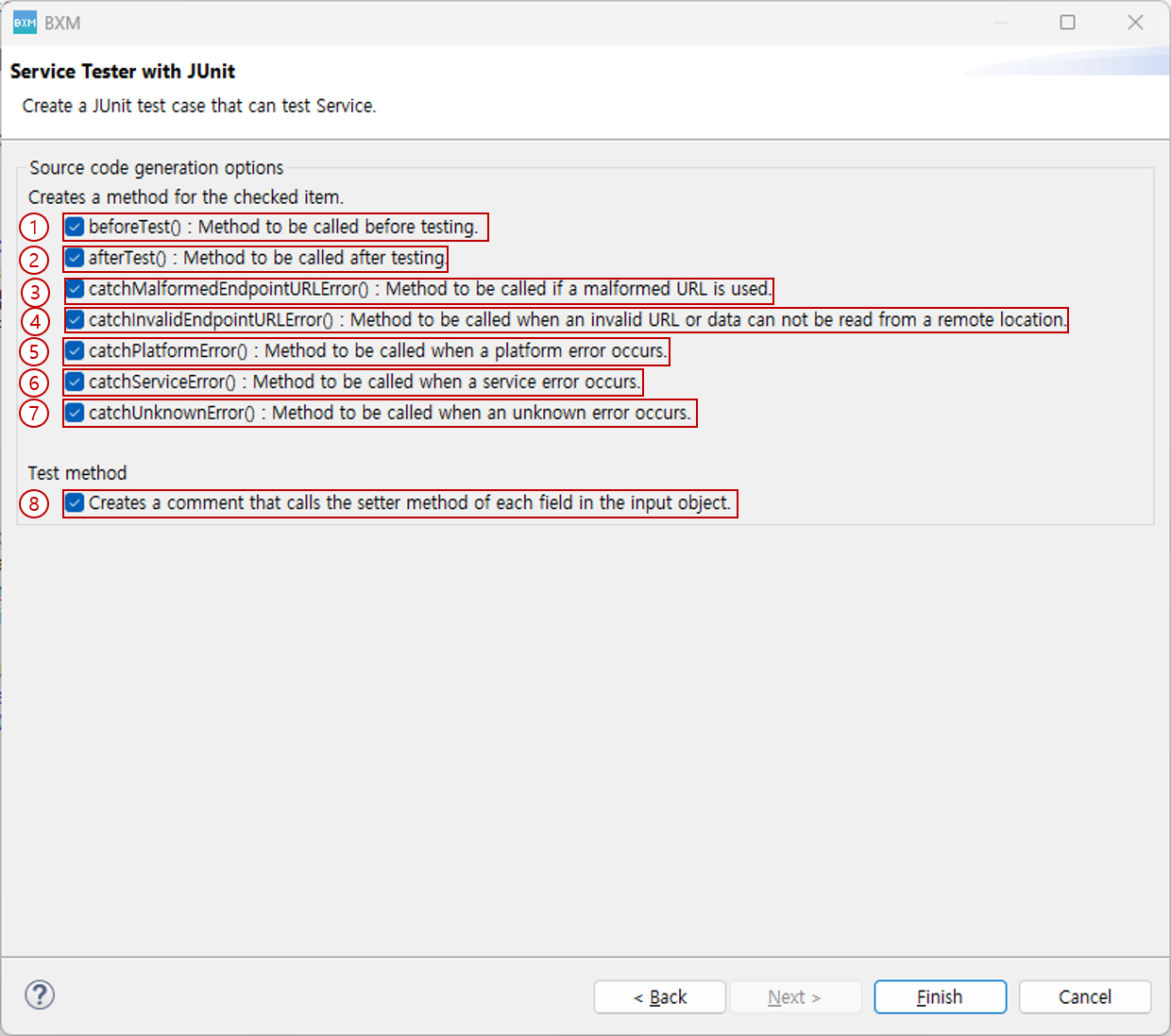
You can specify code generation options for JUnit tests.
Methods for the checked options are generated together, and you can implement the method bodies according to your development environment.
-
beforeTest(): Method called immediately before the test
-
afterTest(): Method called immediately after the test
-
catchMalformedEndpointURLError(): Method called when a URL with an invalid format is used
-
catchInvalidEndpointURLError(): Method called when the URL is invalid or data cannot be read from the remote site
-
catchPlatformError(): Method called when a platform error occurs
-
catchServiceError(): Method called when a service error occurs
-
catchUnknownError(): Method called when an unknown error occurs
-
Generates code in comment form that calls the setter methods for each field of the input object.
|
For how to execute tests, refer to the JUnit Service Test page. |