Common message management
This menu manages the Common messages used in the BXM development environment.
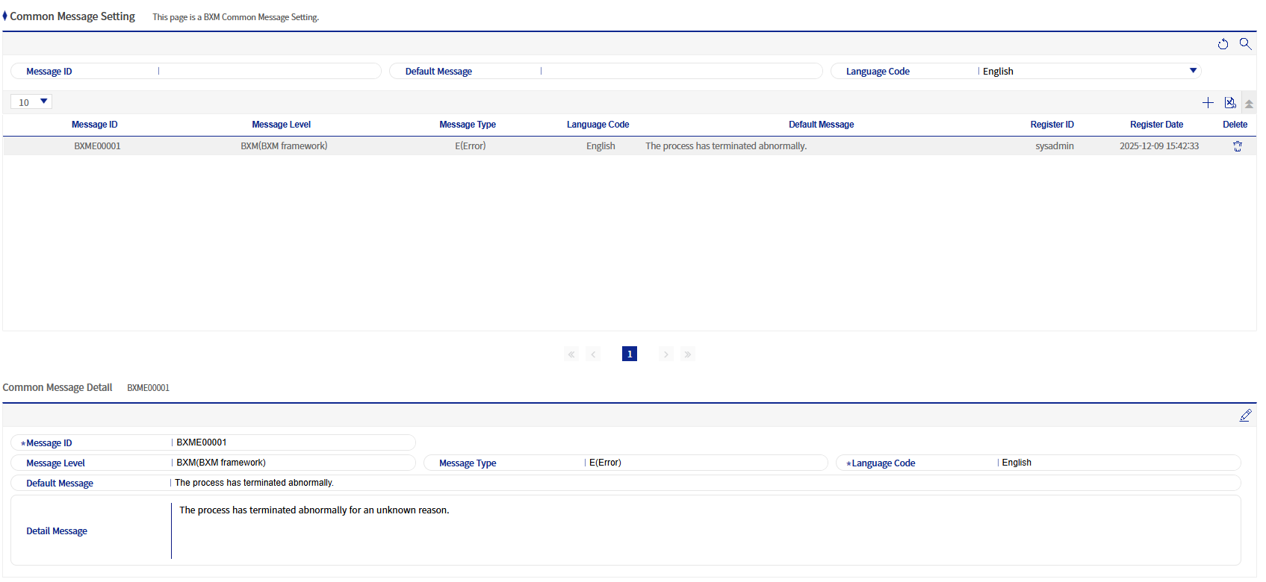
1. Common message add/modify popup
This is a popup where you can add/modify Common messages.
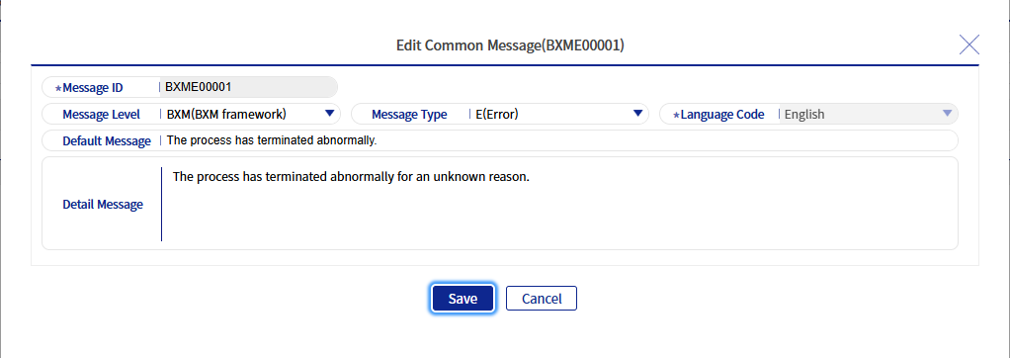
Refer to the following table for a description of each field.
| Field name | Description |
|---|---|
Message ID |
The ID of the Common message and the value that will be used in the BXM application. |
Message classification |
A field to distinguish the purpose for which the message will be used. |
Message type |
Sets the type that the message represents. |
Language code |
Sets the language code to be used. |
Basic message |
The basic content of the message. Up to 4000 bytes can be entered, but the basic message should be written briefly, and detailed content should be written in the “Detailed message”. |
Detailed message |
Sets the detailed content. Up to 4000 bytes can be entered. |

Figure 3. Automatic assignment of Message ID
When adding a message, the “Message ID” can be assigned automatically. If automatic assignment is used, a serial number is generated based on “Message classification” and “Message type”. For automatic message ID assignment, which is a customizable area, refer to BXM_Admin_Application_Customizing_Guide. |