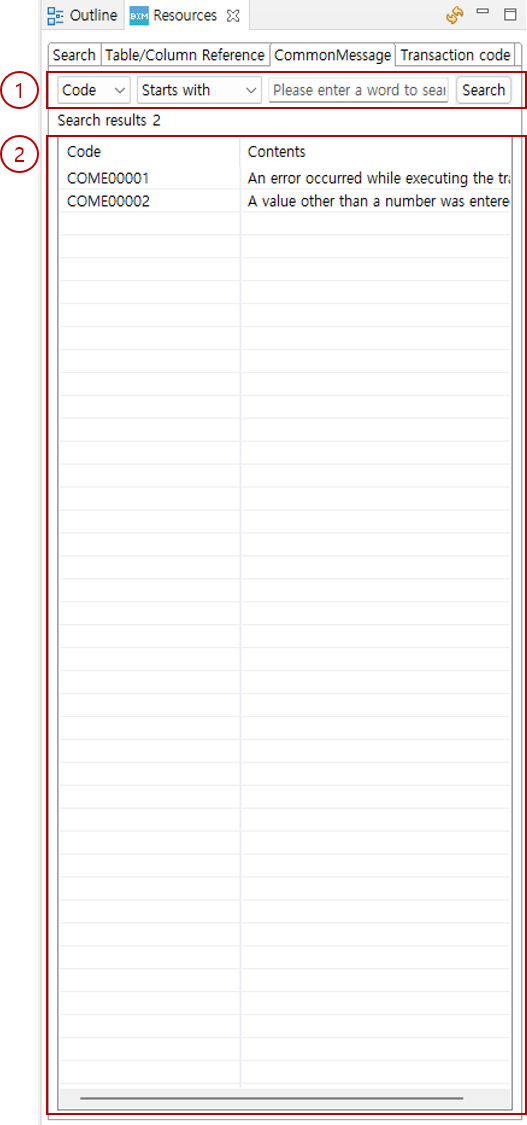
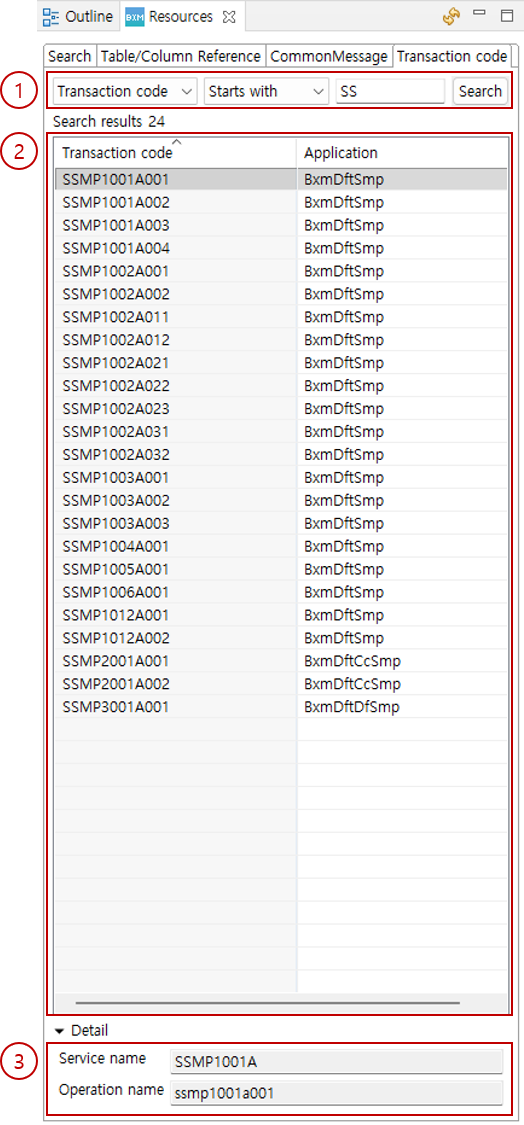
Resources
1. Search
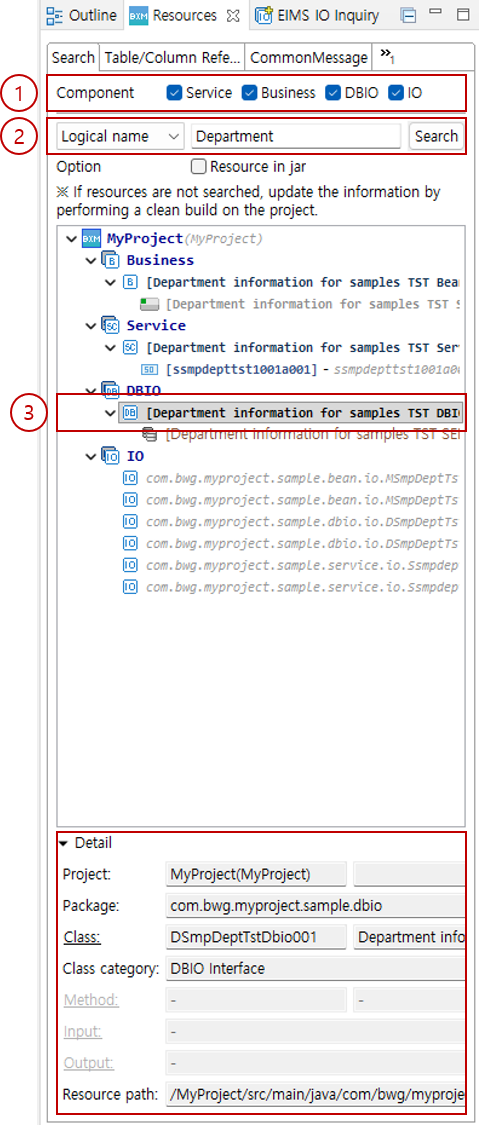
You can search for Services, Beans, DBIO, and IO existing in the workspace.
-
Check the components to include in the search. Only the checked components are searched.
-
Select the search condition and enter a search term. Click the Search button to search for resources. If you do not enter a search term, all resources are listed.
-
Select a searched item to check its details. Double-click to open the resource in the editor.
2. Table/Column Reference
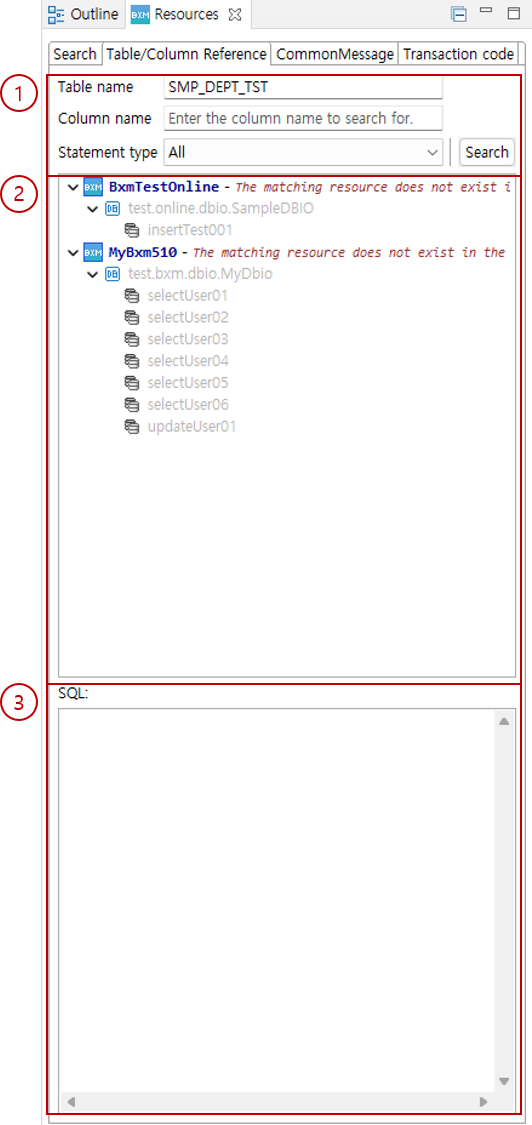
You can search for DBIO that uses a specific table and specific column.
|
Table/column data uses information collected at runtime. |
-
You can search by entering search conditions.
-
The list of searched DBIO is displayed.
-
If the selected DBIO item exists in the workspace, the SQL used is displayed.