Resource Analysis
This screen enables checking the Caller and Callee relationships and Root Services of resources belonging to each application. It provides detailed information such as input/output types, class names, and call lines for resources classified as DBIO, Bean Operation, Service Operation, and so on.
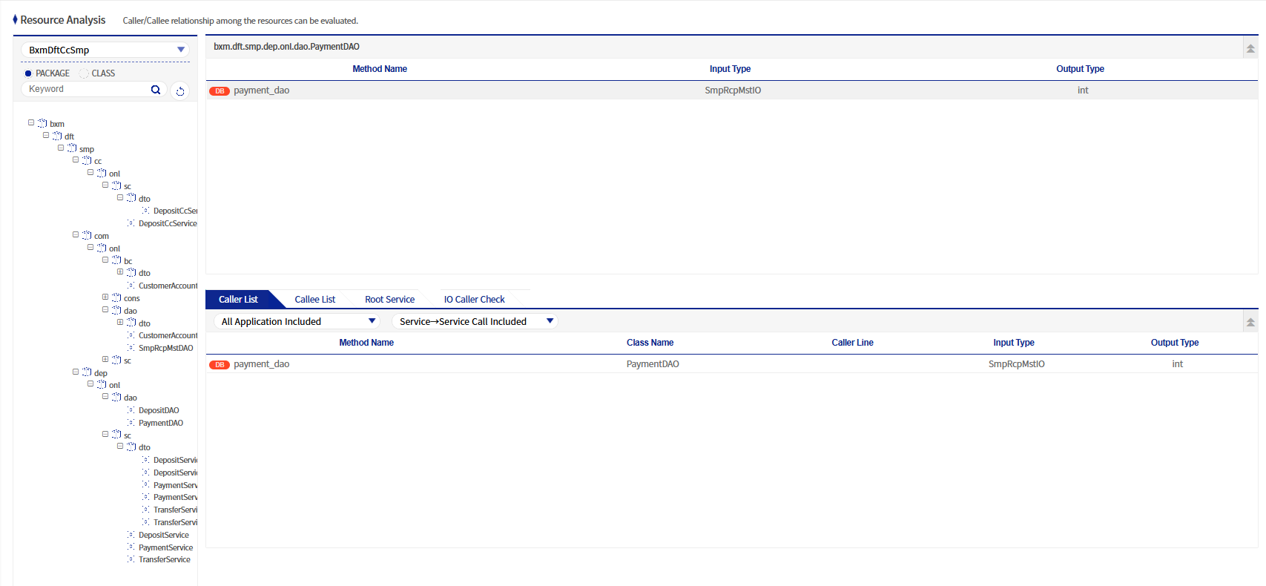
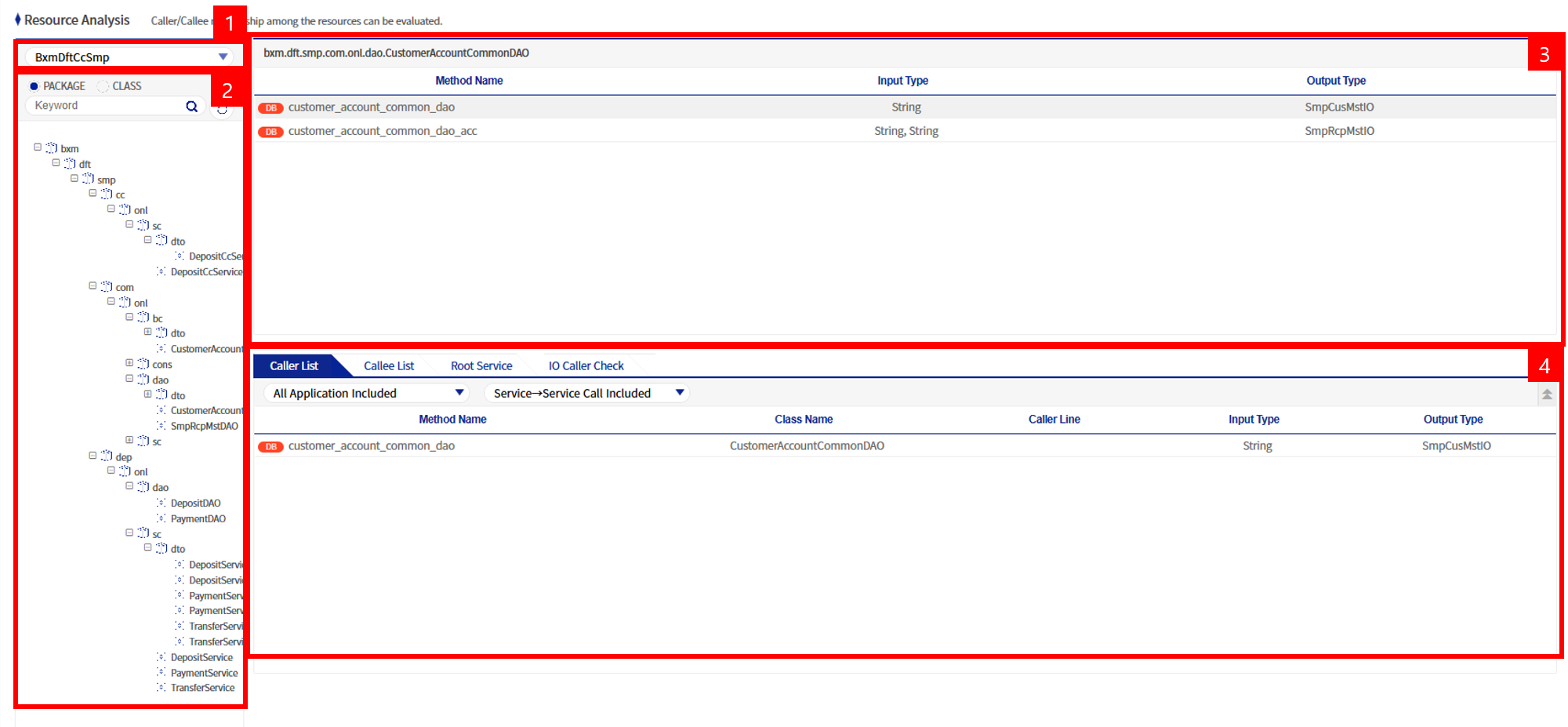
The Resource Analysis screen can be broadly divided into four areas:
-
Application selection area
-
Resource directory area of the corresponding application
-
Method information area belonging to the corresponding resource
-
Caller, Callee, Root Service list area
1. Application selection area
This displays the list of applications under APP_HOME configured in the impact analysis script dniAnalyzer.sh.
2. Resource directory area of the corresponding application
This area displays, in directory form, the resources located under the selected application. In general, the full package and class names are displayed. When you click a class name in this area, the method names and input/output type list belonging to that class appear in the upper-right area.
3. Method information area belonging to the corresponding resource
When you click a class name on the left, this area displays the method information and input/output type list belonging to that class.
| Column name | Description |
|---|---|
Method name |
Method names belonging to the class shown in the grid header section. |
Input type |
The input type of the method. In the |
Output type |
The output type of the method. In the |
4. Caller, Callee, Root Service list area
This area shows the Caller, Callee, and Root Service relationships of the method selected in the upper-right area.
Search options are available in the Caller·Callee List.
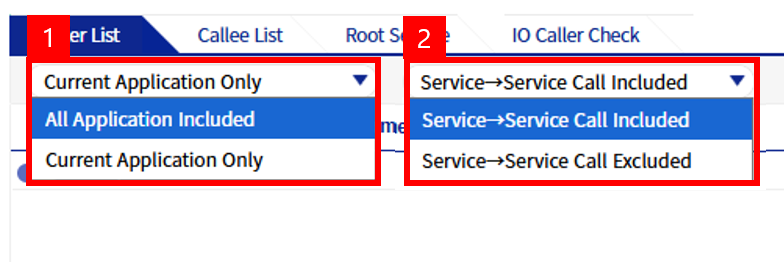
-
Option to include other applications / Option to search only the current application
Assuming the currently selected application name is
bxmAdmin, this option selects whether to search only the call relationships withinbxmAdmin, or to search all call relationships including those invoked from other applications. Generally, all applications are included in the search target. -
Option to search Service→Service calls / Option to exclude Service→Service calls
In BXM, call relationships are generally structured in the order of Service > Bean > DBIO. When a service needs to call another service,
ServiceExecutoris used. This option selects whether to include or exclude call relationships between services in the search target.
4.1. Caller List
This is the list of Caller methods that call the corresponding method.

From the Caller List above, you can see where selectImageLog in the OnlineLogDBIO class is being called. selectImageLog of OnlineLogDBIO is called at line 764 in the checkImgLogExist method of OnlineLogBean, and at line 292 in the getImageLog method of OnlineLogBean. You can also see that the checkImgLogExist method of OnlineLogBean is called by the getErrorLog, getServiceLog, and getTransactionLog methods of OnlineLogBean. The final Root Service becomes the last depth of the tree.
4.2. Callee List
This is the list of Callee methods that the corresponding method calls. It is the opposite concept of the Caller List.

From the Callee List above, you can see which methods are called by the getImageLog method of OnlineLogBean. The getImageLog method of OnlineLogBean calls checkErrLogExist, checkSvcLogExist, and checkTrxLogExist of OnlineLogBean, getDateFormatDay of DateFormatUtil, and selectImageLog of OnlineLogDBIO.