Test Parameter Management
This menu allows you to arbitrarily specify the operating date and others for testing.
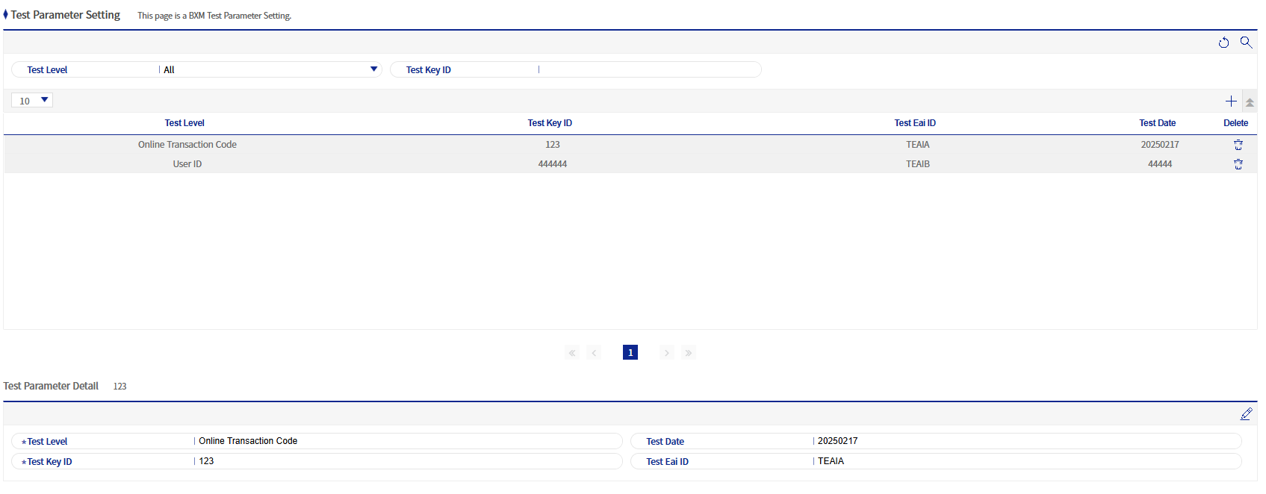
Figure 1. Test Parameter Management
1. Test Parameter Add/Modify Popup
This popup is used to add/modify test parameters.
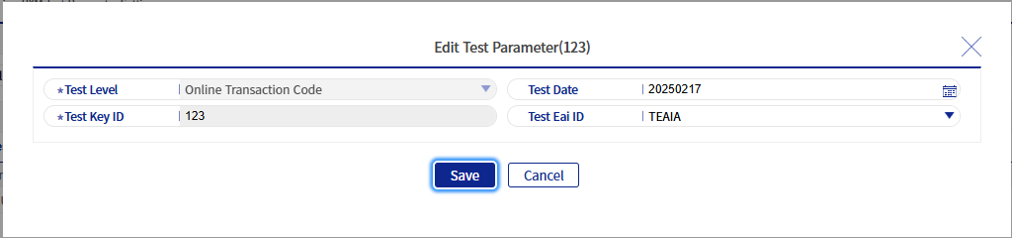
Figure 2. Test Parameter Add/Modify Popup
Refer to the following table for descriptions of each field.
| Field Name | Description |
|---|---|
Test Classification |
Indicates the type of target to which the test parameter will be applied. |
Test Key ID |
Indicates the target to which the test parameter will be applied. For example, if the test classification is 'online transaction code', the test key ID becomes the transaction code. |
Test Date |
Enter the date to be used for the test. |
Test EAI ID |
Select the EAI ID to be used for the test. |
The test EAI ID can be registered/deleted and used with code ID BXMAD0026 in Section 7.5. "Common Message Management".