Center-Cut Server Management
Center-Cut Server Management is a screen for managing the servers of the center-cut main and processing services.
|
This menu is used when registering center-cut server information after installing instances and configuring the main/processing service environment, as described in the BXM Center-Cut Installation Guide. |
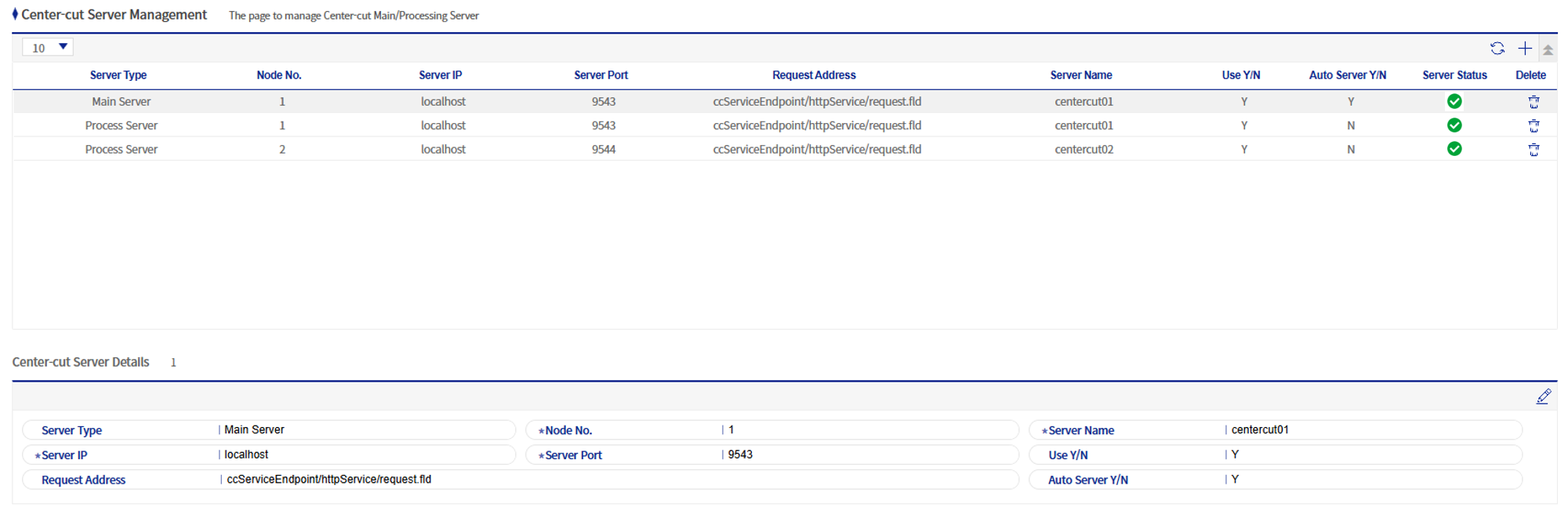
1. Add/Modify Center-Cut Server
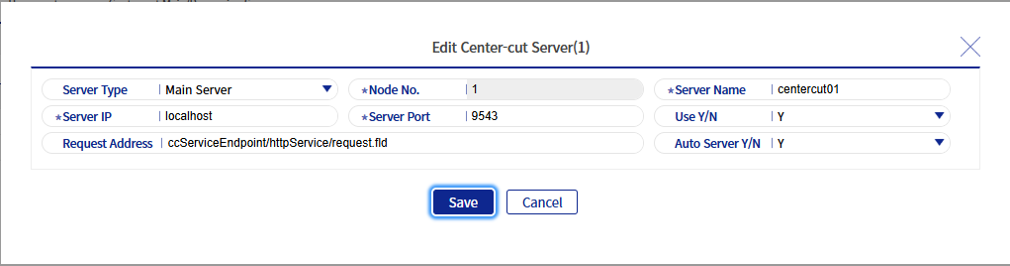
The field descriptions are as follows.
| Field Name | Description | ||
|---|---|---|---|
Server Type |
Select the type of server to register (main server/processing server). |
||
Node Number |
Register the unique number for each node.
|
||
Server Name |
The instance name of the server. Enter the value of "-Dbxm.instance.name=" in the JVM options. |
||
Server IP |
Enter the server call IP. |
||
Server Port |
Enter the server call port. |
||
Usage Status |
Determine whether to use the server. |
||
Call Address |
Enter the server call address. |
||
Automatic Server |
Register whether this is an automatic server that handles automatic execution/automatic re-registration on error. This can be selected only when the server type is a main server. |