Version Control
This describes a feature that commits resources to version control and deploys them to the server.
1. SVN
When the version control tool is SVN, committing resources allows the committed resources to be deployed to the server at the same time.
1.1. Project Sharing
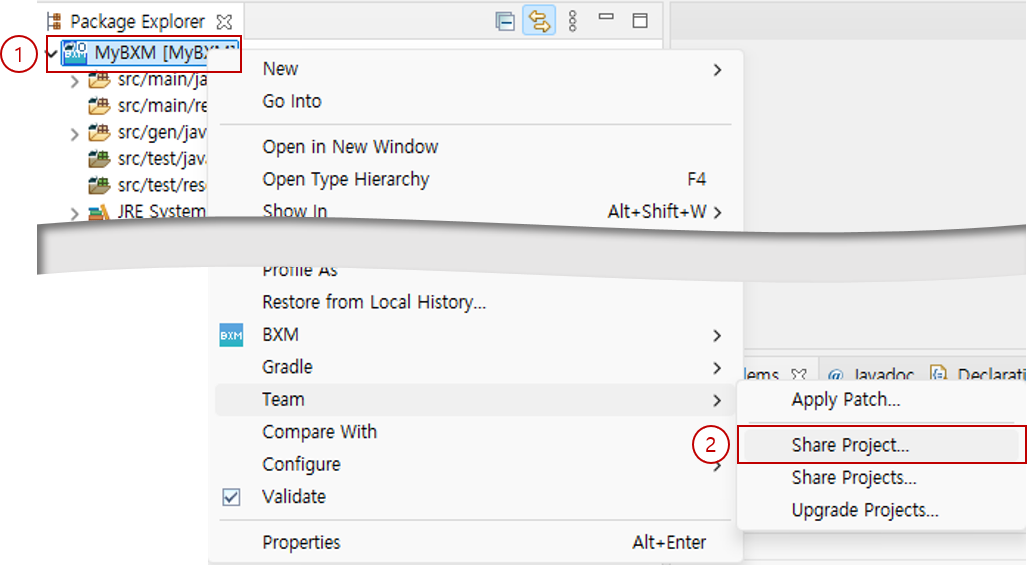
When a project is first created, it is not shared on SVN. To commit resources, you must first share the project.
-
Right-click the project.
-
Select Team/Share Project….
-
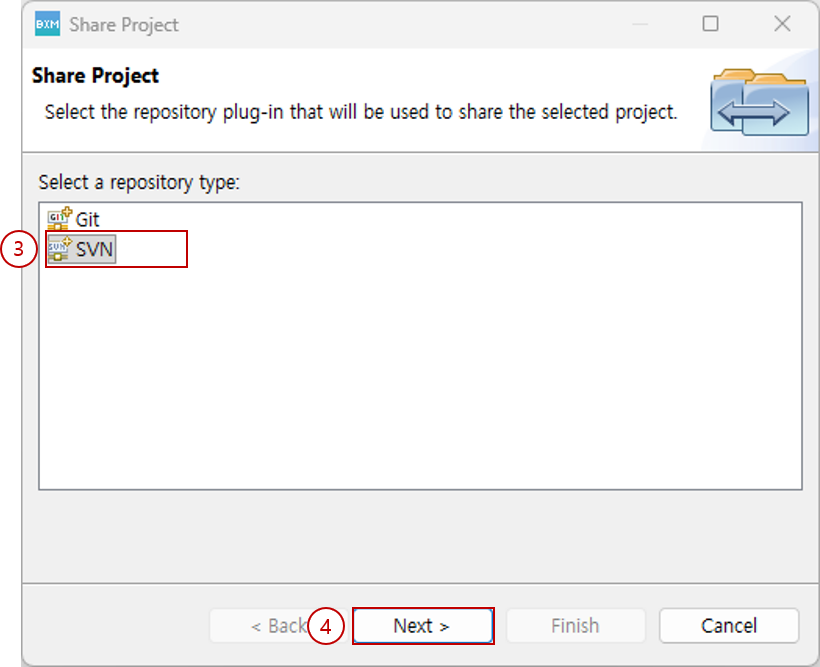
Select SVN.
-
Click the Next button.
-
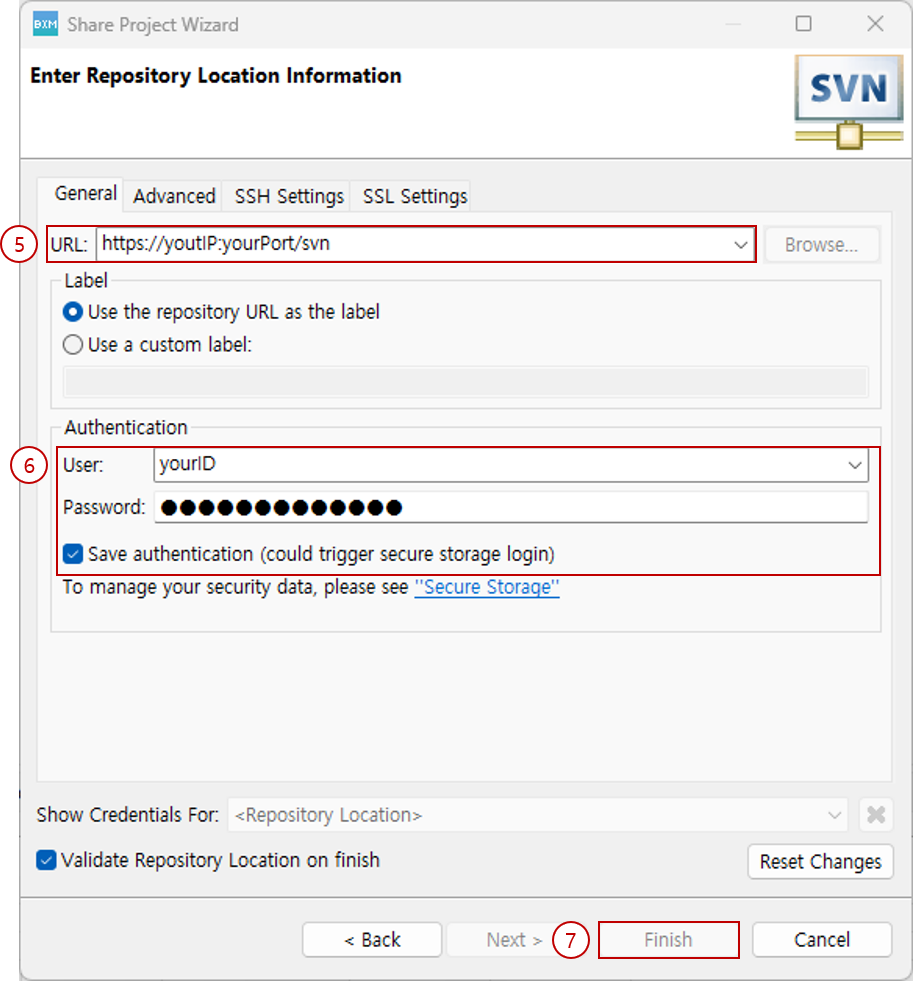
Enter the SVN repository URL.
-
Enter the account information that has access to the repository. To make subsequent commits easier, check Save authentication to save the account information.
-
Click the Finish button.
-
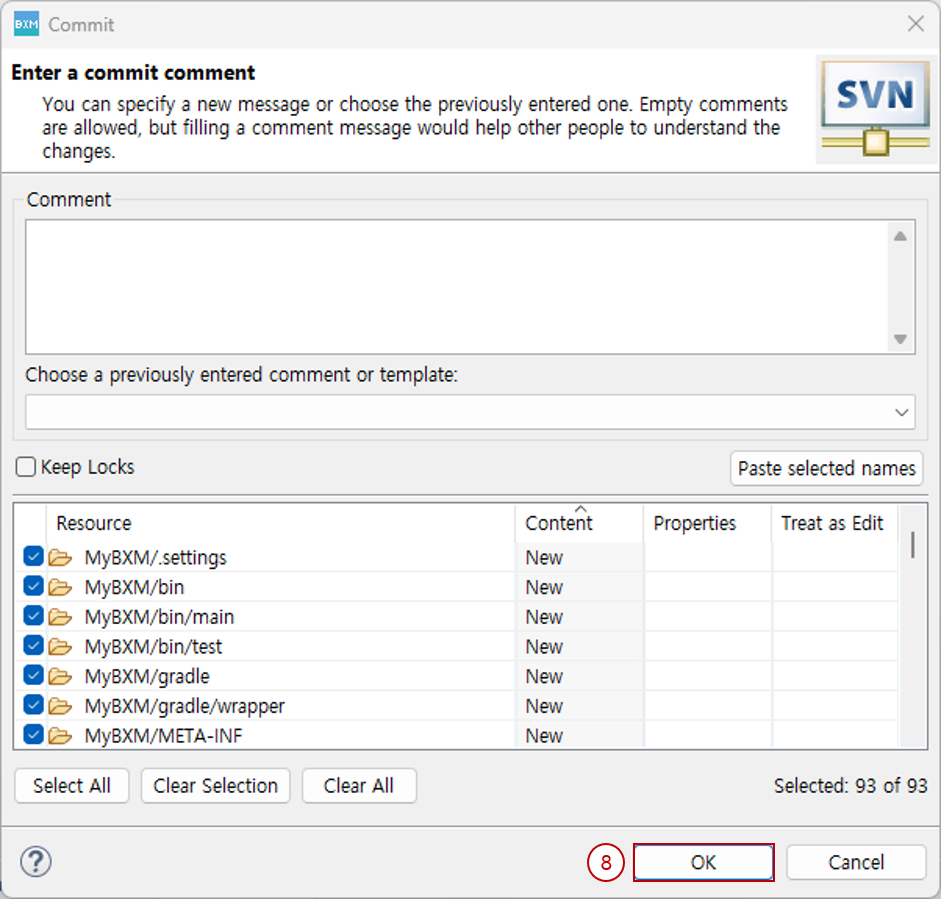
Check the resources to be shared and click the OK button to complete project sharing.
1.2. Project Update
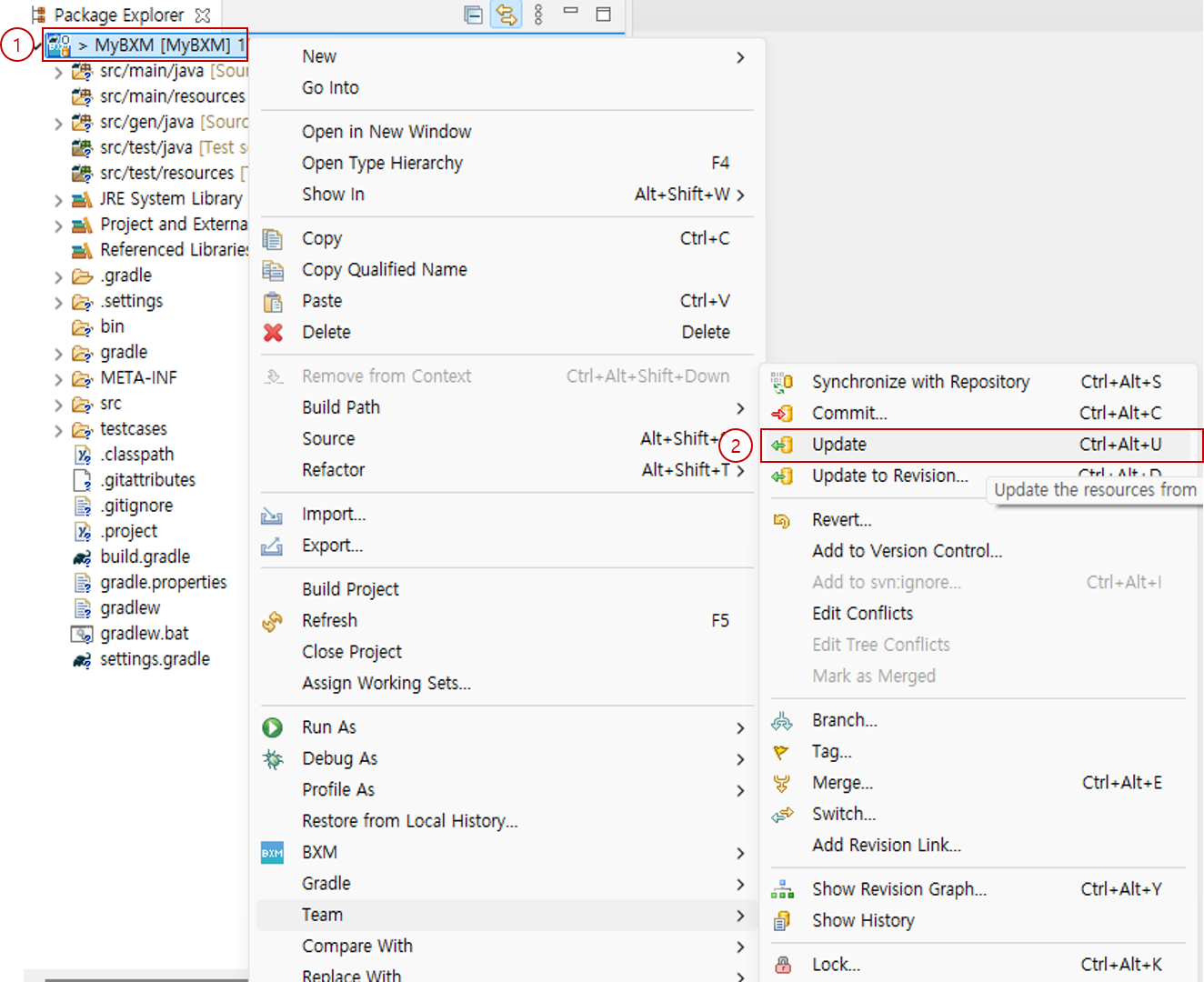
To prevent resources modified by other developers from conflicting with the resources you have modified, you must update the project before committing the modified resources.
-
Right-click the project.
-
Select Team/Update.
1.3. Resource Commit
When you commit resources to SVN, the resources being committed are also deployed to the specified server. Commit/deploy proceeds in the following order:
-
Perform resource validation. It validates source code and SQL written with problems in the source code or in violation of rules. If validation fails, the resources cannot be committed.
-
Deploy the resources to be committed to the specified server. If deployment fails, the process stops; if it succeeds, the commit is performed.
-
Commits resources to the version control repository.
|
For details on resource validation, see the Resource Validation page. |
-
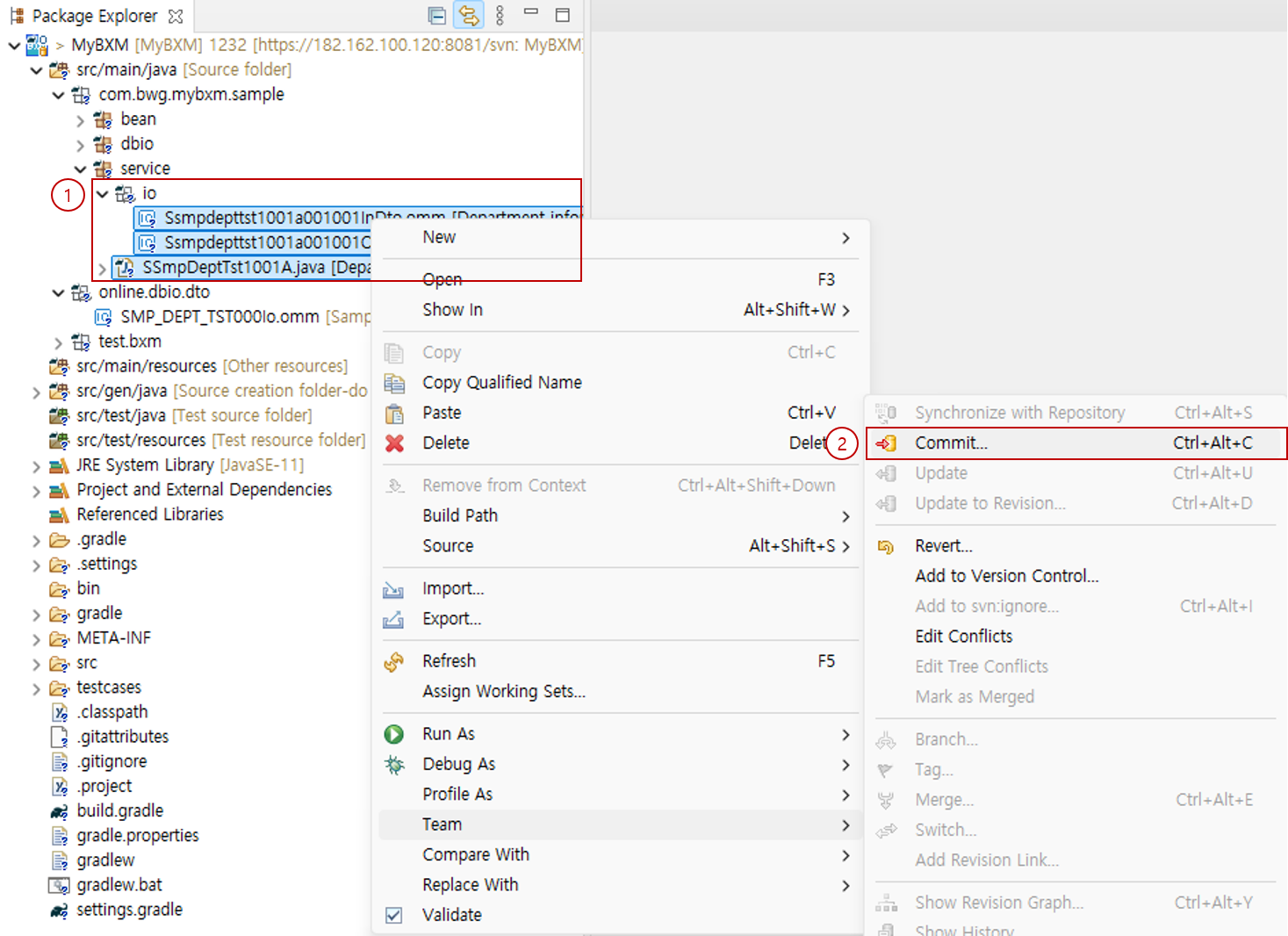
Select the modified resources and right-click.
-
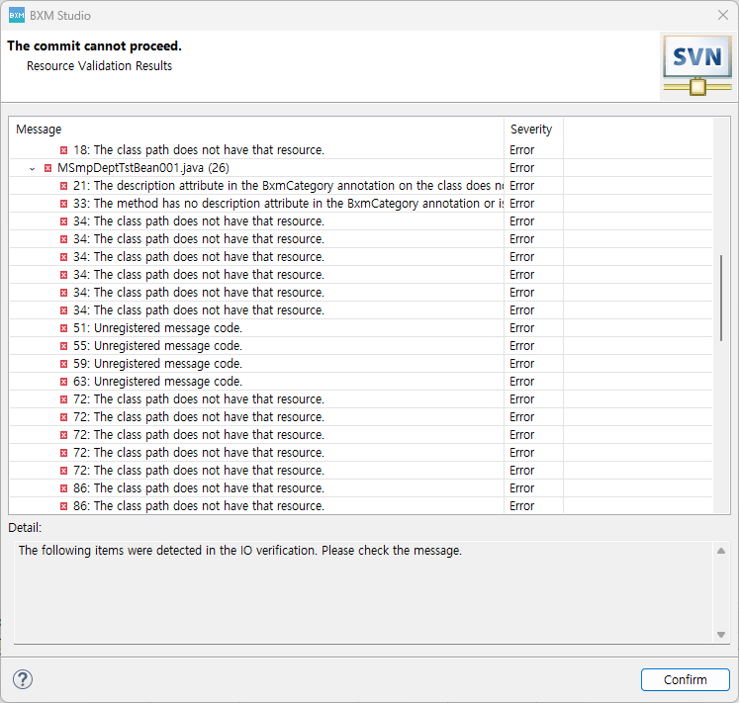
Select Team/Commit. If the resources to be committed fail validation, a Dialog like the one below pops up.
-
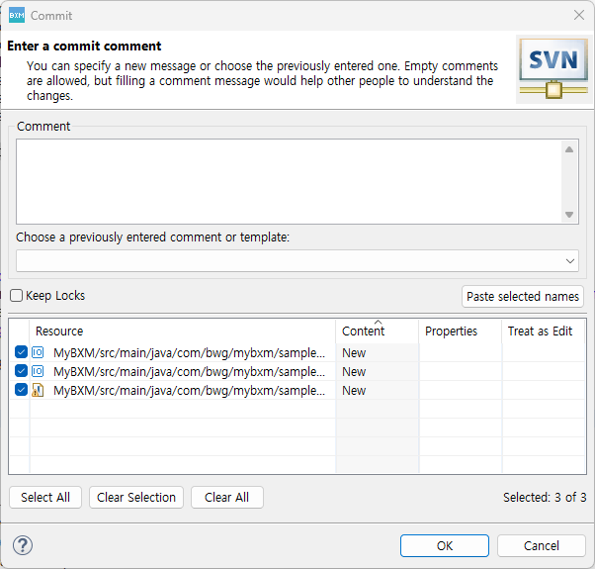
If the resources to be committed pass validation, a Dialog like the one below pops up. When you click the OK button, commit/deploy is performed.
-
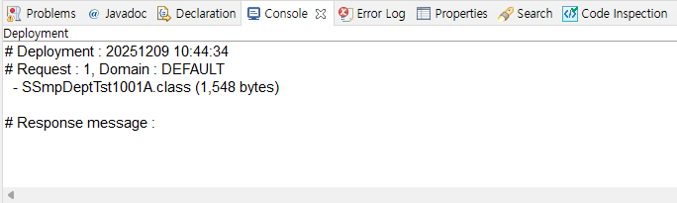
When the deployment succeeds or fails, logs are printed to the console as shown in the figure below. If the deployment succeeds, the resources are committed to the version control repository; if it fails, they are not committed.
2. GIT
When the version control tool is Git, committing resources allows the committed resources to be deployed to the server at the same time.
2.1. Project Sharing
When a project is first created, it is not shared on GIT. To commit resources, you must first share the project.
-
As with SVN, right-click the project.
-
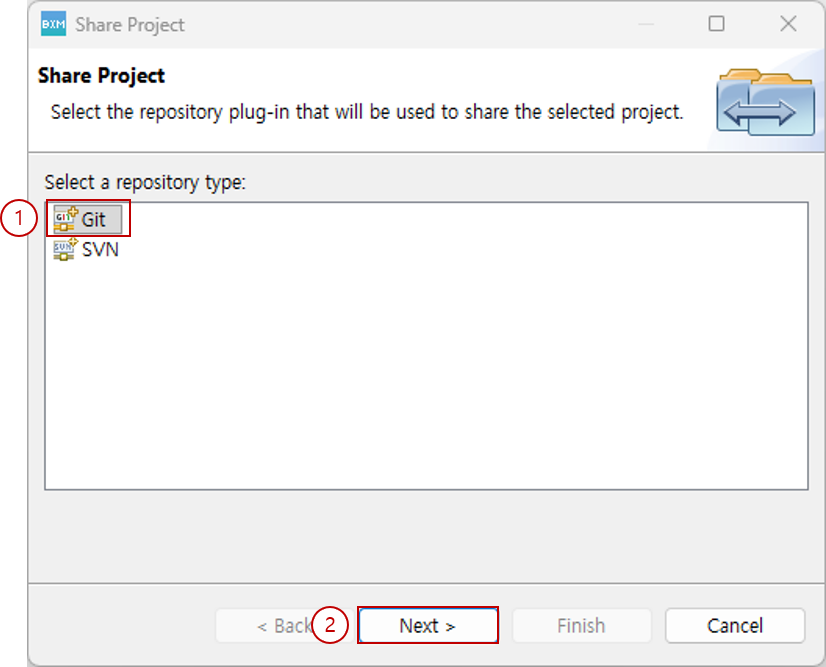
Select Team/Share Project….
-
Select GIT.
-
Click the Next button.
-
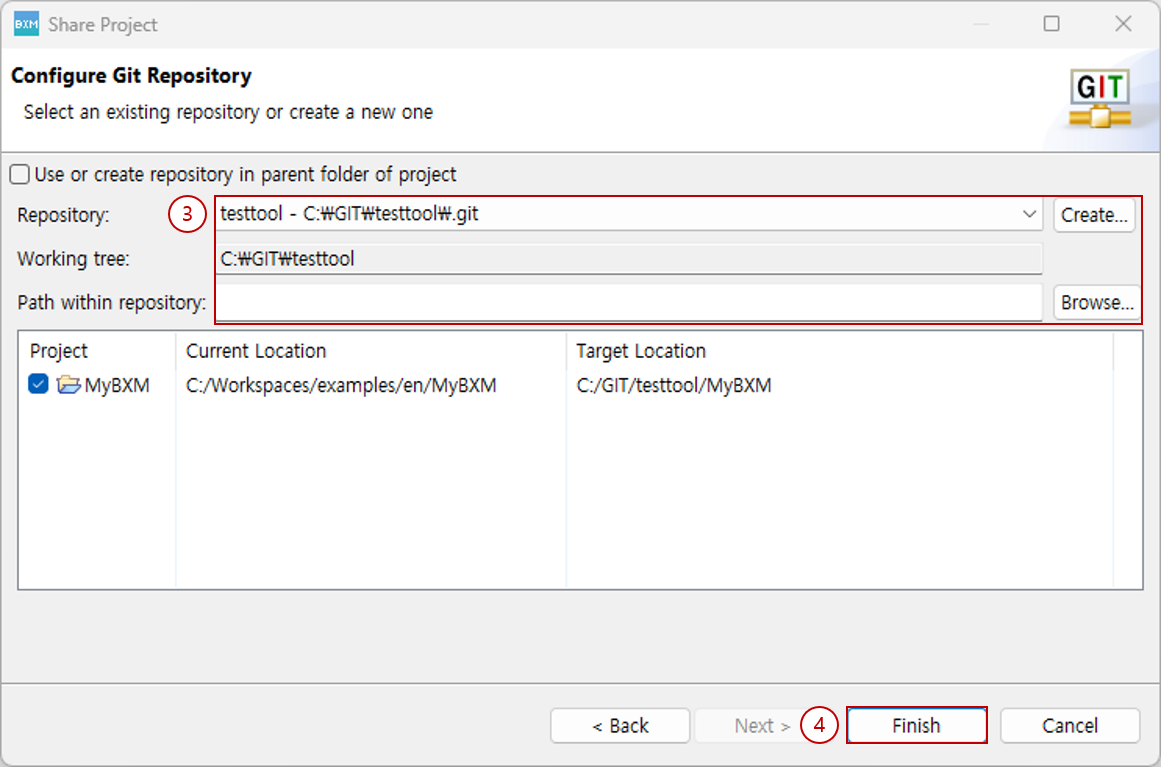
Select the GIT repository to share. If there is no GIT repository, you can create a new one or clone from a remote.
-
Click the Finish button.
-
The subsequent procedure is similar to SVN.