Batch daemon management
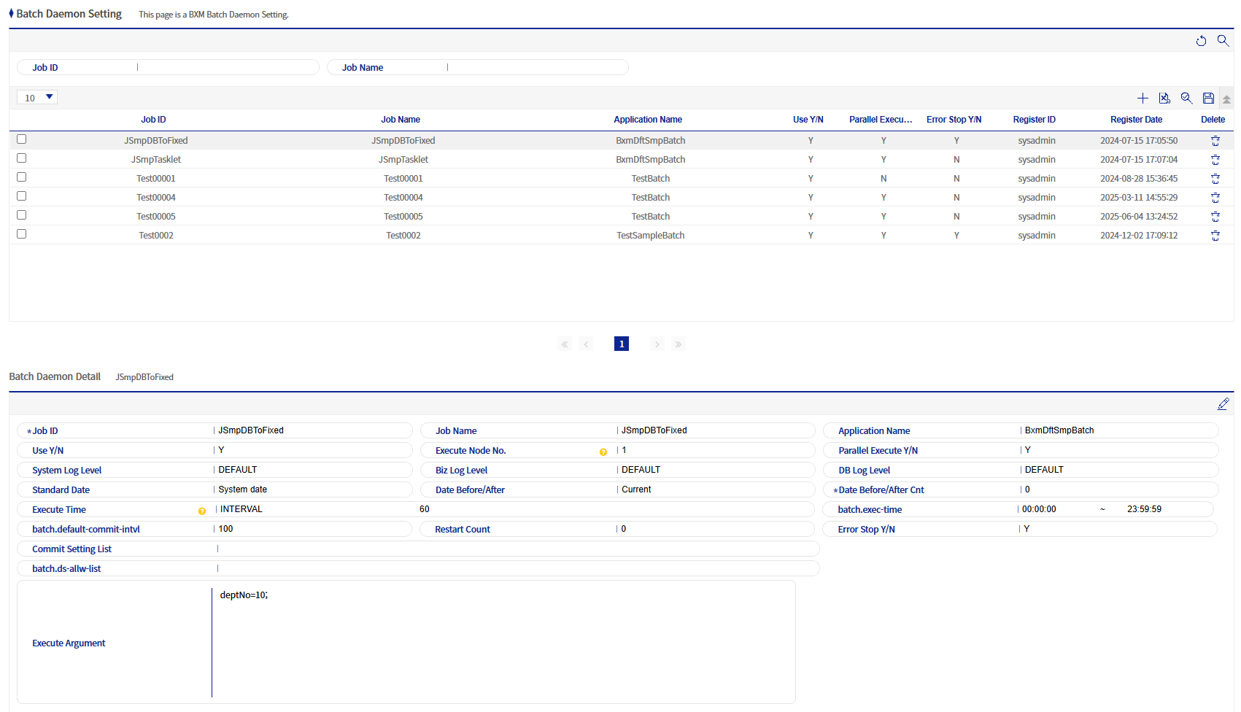
This screen is used to manage BXM batch daemons.
1. Batch daemon Add/Edit popup
This is the popup for adding/editing a batch daemon.
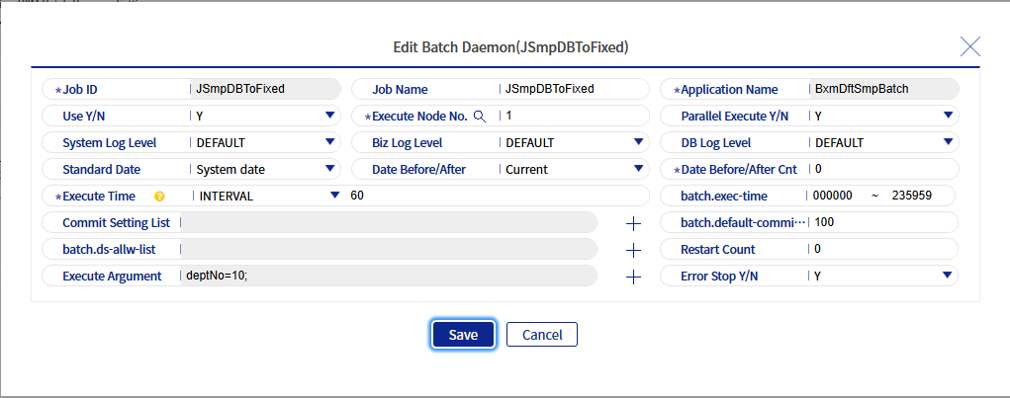
Refer to the following table for each item of the batch daemon.
| Field name | Description |
|---|---|
Job ID |
The ID of the batch job to be used as a batch daemon. |
Job name |
The name of the batch daemon job. |
Application name |
The name of the BXM application in which the batch daemon is implemented. |
Use status |
Indicates whether to use the batch daemon. |
Execution node number |
The node number on which the batch daemon will run. Only numbers can be entered, and multiple nodes can be registered in CSV format. |
Parallel execution status |
Indicates whether the batch daemon can be executed in Parallel Processing. |
System log level |
Sets the System log level. The log levels are in the order of TRACE > DEBUG > INFO > WARN > ERROR. If set to DEFAULT, the log level configured in the corresponding BXM application is applied. |
Job log level |
Sets the job log level. The log levels are in the order of TRACE > DEBUG > INFO > WARN > ERROR. If set to DEFAULT, the log level configured in the corresponding BXM application is applied. |
DB log level |
Sets the DB log level. The log levels are in the order of TRACE > DEBUG > INFO > WARN > ERROR. If set to DEFAULT, the log level configured in the corresponding BXM application is applied. |
Standard date classification |
Classifies the standard date. Select between the system date and the operating date. |
Date Before/After setting classification |
Classifies whether the date is before or after. |
Number of days before and after the date |
Sets the number of days before and after the date. |
Error stop verification |
Indicates whether to stop the batch daemon when an error occurs. If set to 'Y', the batch daemon stops when an error occurs (status code: ERROR). |
Execution time |
Execution time is supported in the 'Interval' and 'Cron' methods. For the Interval method, it is set in seconds, and for Cron, it is set in Crontab format (example: 59 23 * * * → executes every day at 23:59). |
Execution time settings |
Sets the time when the batch daemon will run. The input format is HHmmss. |
Commit configuration list |
Sets the commit interval for each job step. |
Execution Argument |
Sets the input values required when the batch daemon is executed. |