How to Use the Input Control
This section explains how to use the input control used in the service test tool/module test tool.
1. Creating IO Objects
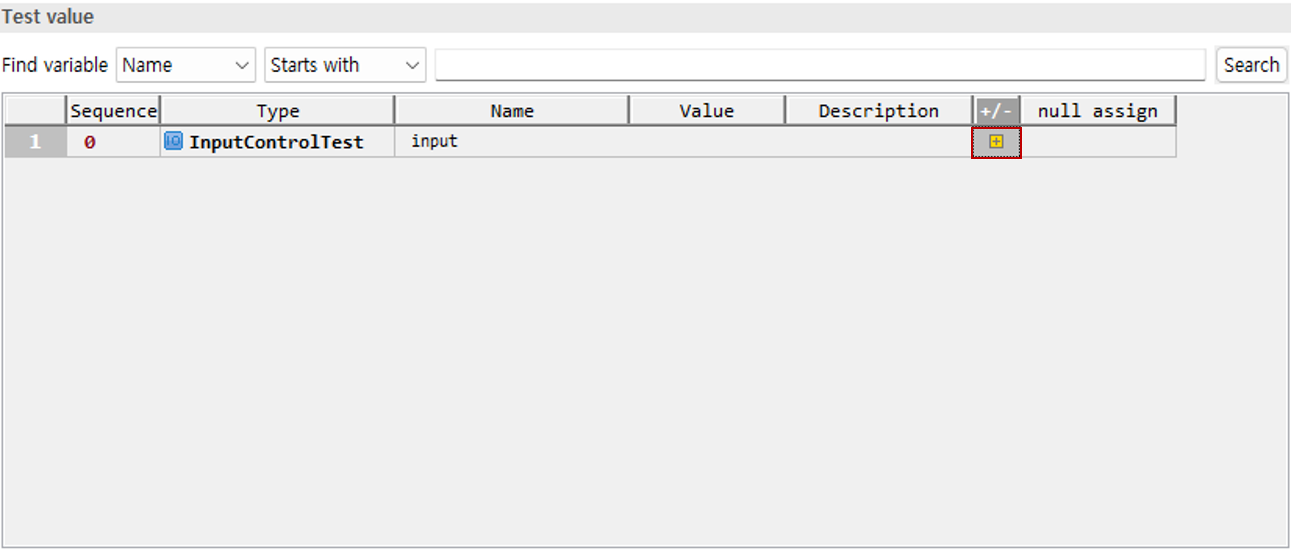
If an IO (or VO) is defined as a parameter of the method under test, you must create an object to pass it to the method. The following figure shows the case where the parameter passed to the method is null.
Click the + button to create the parameter object.
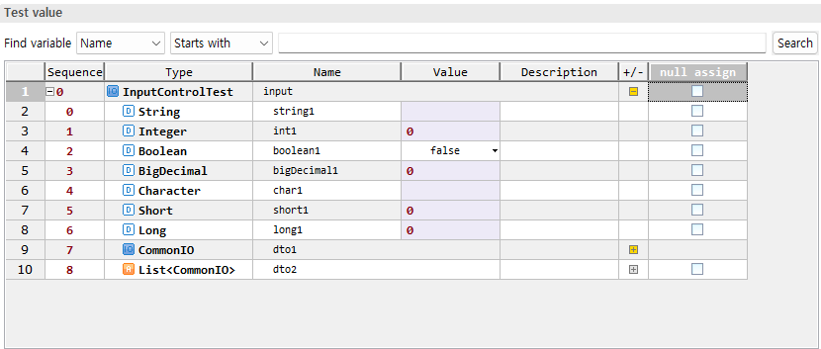
When the object is created, the fields of the IO appear in the list as shown below.
2. Entering Field Values
You can set the values of the fields defined in the IO. If the field type is String, Integer, Long, BigDecimal, etc., you can directly specify the value. These types can also be directly specified even when they are directly defined as method parameters.
Enter the desired value in the Value item. In the example below, the string TEST is entered into a field of type String.

If you do not enter a value for a field of type String, it is treated as a blank.

To assign null, check the null assign item.

3. Fields of IO Type
If the field is an IO (or VO), you must create an object in the same way as in Creating IO Objects. When you click the + button, an object is assigned to the field.
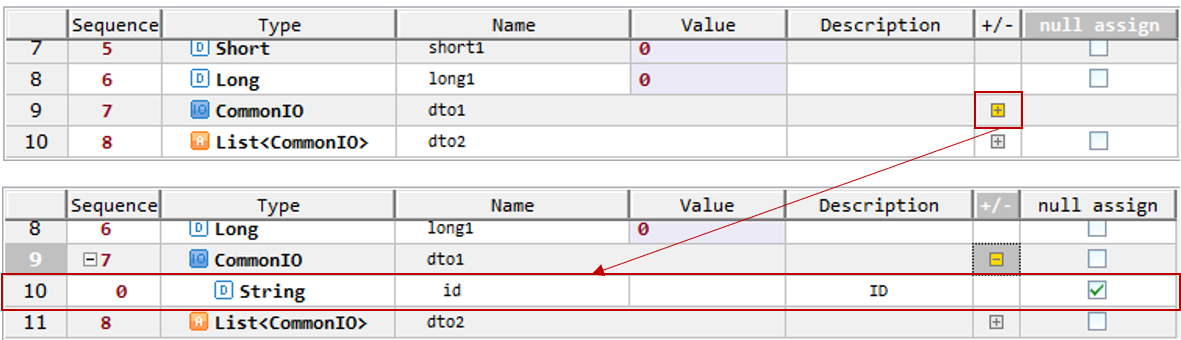
4. Fields of List Type
If the field is a List and null assign is checked, null is assigned. Otherwise, an empty List object is passed.
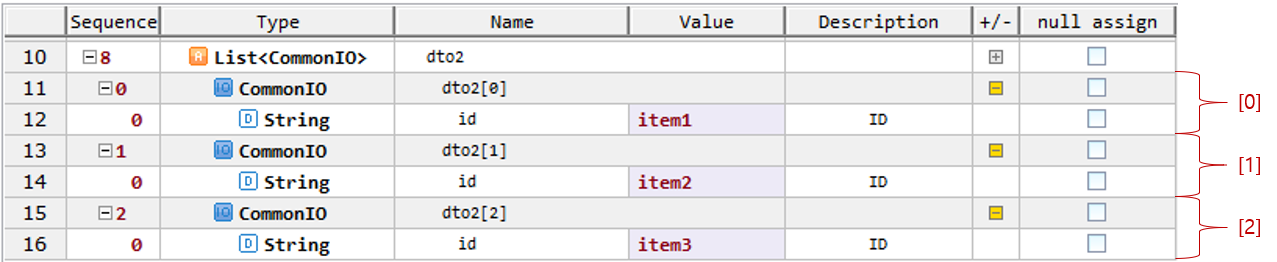
To add an item to the List, click the + button and an object corresponding to the field type is created and added.

To add more objects, click the + button again.
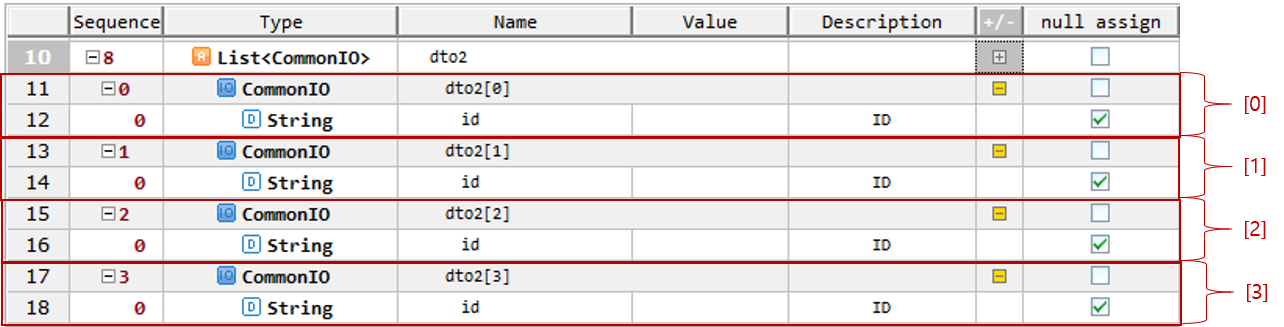
To delete an added object, click the - button of the object to delete.
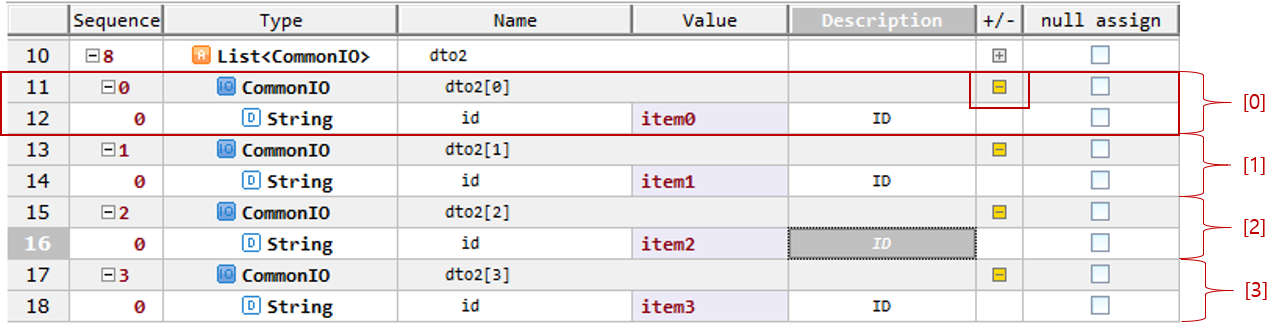
In the Dialog asking for deletion confirmation, select Yes to delete the object.