Export Deliverables
This feature allows you to export deliverables of developed resources to an Excel file.
1. Export
-
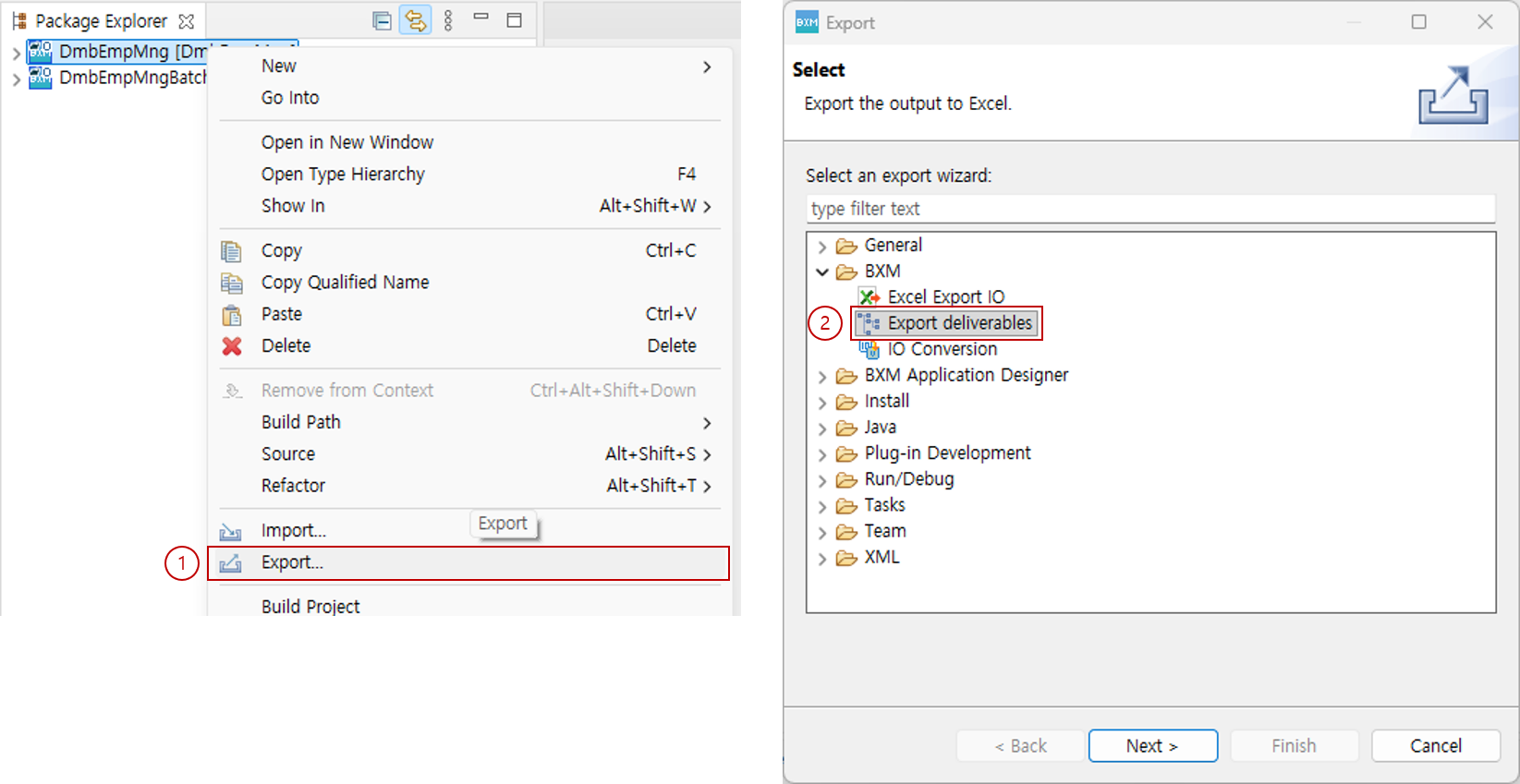
Select a project → right-click → select the Export menu.
-
Under BXM, select the Export deliverables menu.
-
Click the Next button to move to the next page.
-
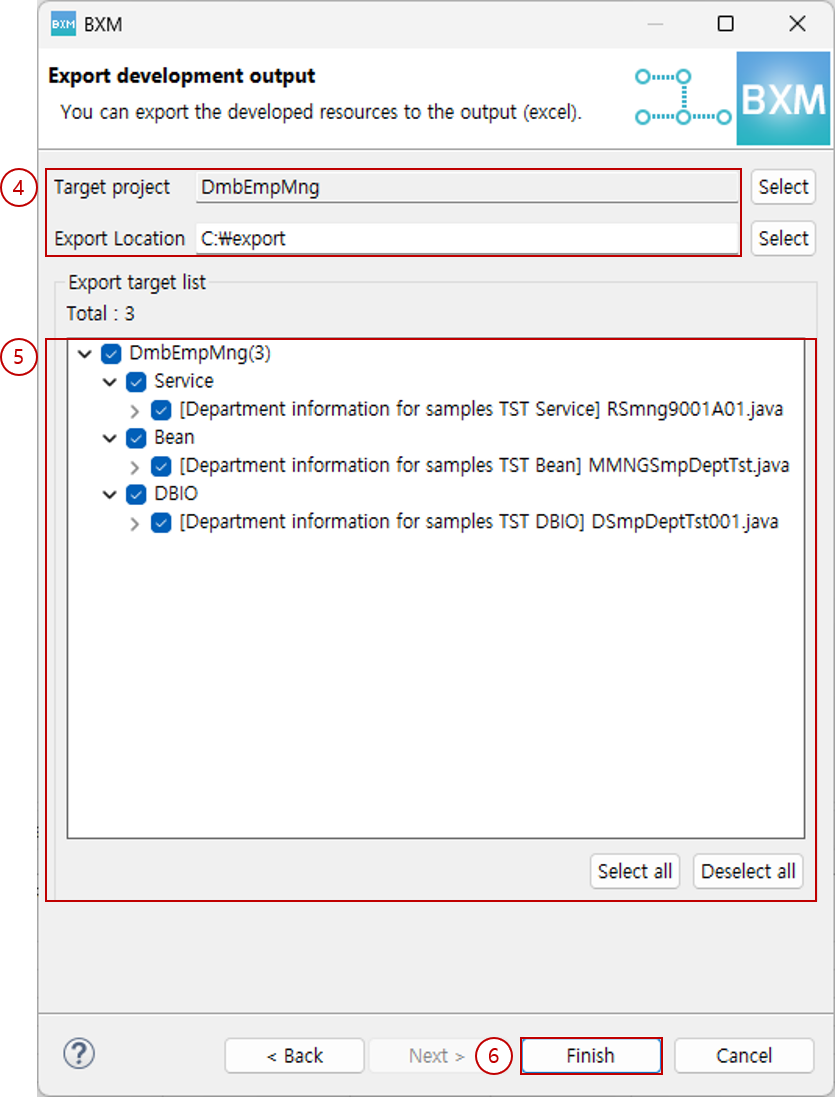
In the Export development output wizard, select the target project and the location to export to.
-
Check the list of export targets.
-
Click the Finish button to complete the export.
2. Generated Excel File
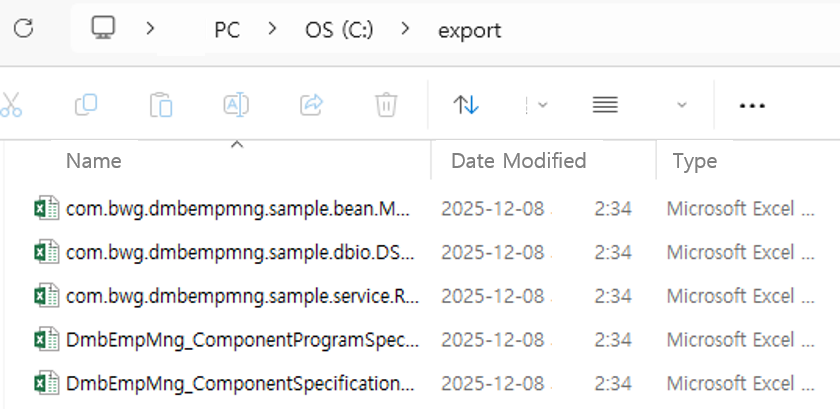
An Excel file is created at the specified location.
-
Component Specification and Program Specification: Includes the developed resources and the program contents of the resources.
-
Class-level File: An Excel file is generated per class and includes an overview of the class and information on the implemented methods.
3. Class-level File
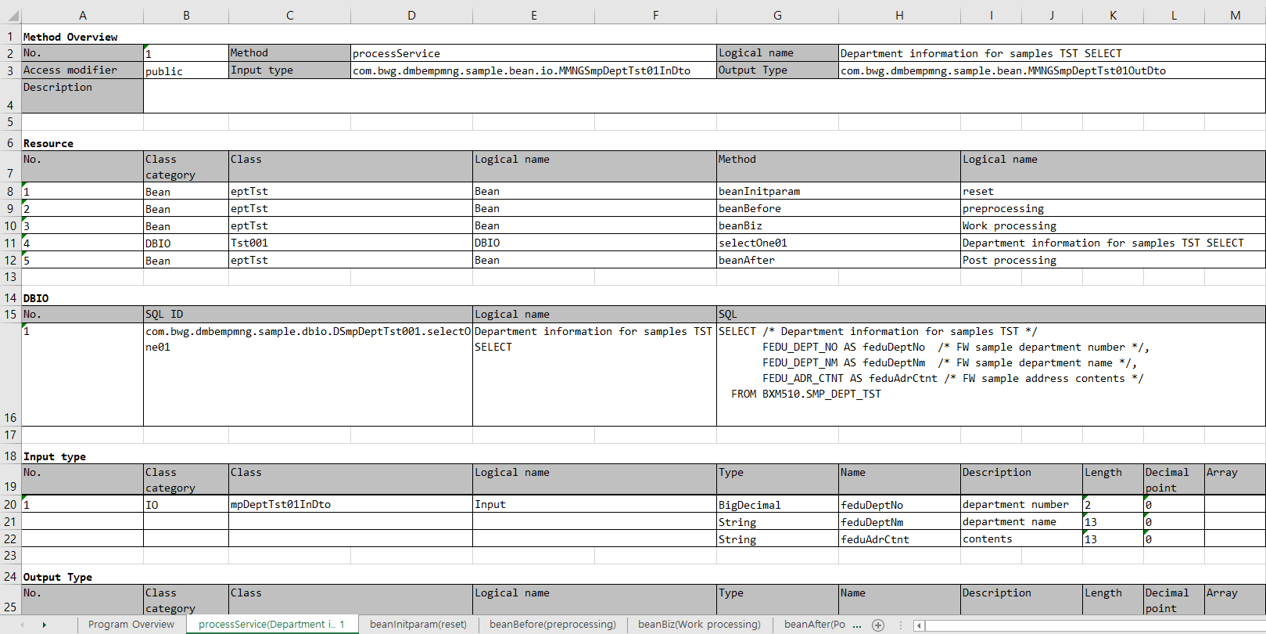
-
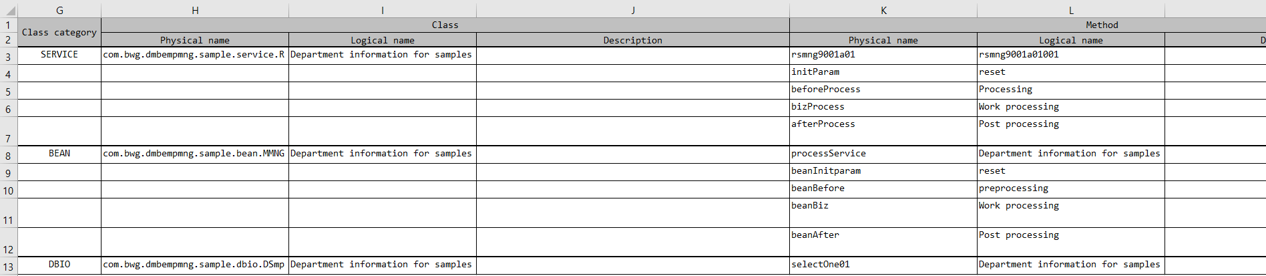
Program Overview: You can check the summary information of the class and the list of methods.
-
Method Sheet: Information for the methods contained in the class is generated as sheets. It includes the basic information of the methods and the resources they use, and when DBIO resources are used, it includes the SQL information used. It also includes the diagram that can be viewed in the flow viewer.